



The social media API
built for AI agents.
Let your AI post to Instagram, TikTok, YouTube, X, LinkedIn, and more. Works with Claude, ChatGPT, Cursor, OpenClaw, or any agent you build.


connect your agent in minutes
pick your agent. here's the fastest way in, and what posting looks like once it's connected.
fastest way in
One click from the Claude directory
- 1Open post bridge in the Claude connector directory
- 2Hit Connect and sign in with your post bridge account
- 3That's it. Claude has all 16 posting tools
Also works in Claude Code and Claude Desktop via MCP.
Using Claude Code, or prefer to add it manually?
- In Claude Code run
claude mcp add --transport http post-bridge https://www.post-bridge.com/api/mcp/mcp - In Claude: Settings, Connectors, Add custom connector, paste the URL and leave the optional OAuth client ID and secret blank
https://www.post-bridge.com/api/mcp/mcp - Log in and click Allow when the browser opens
 upload_mediavideo.mp4create_post3 accounts
Everything your agent needs.
16 tools via MCP. Full REST API. One skill for OpenClaw. Your AI gets complete control.
Multi-platform posting
Post to 10 platforms simultaneously. Per-platform caption overrides, media, and scheduling.
Schedule & queue
Schedule posts for any time. Your agent manages the calendar so you don't have to.
Analytics on demand
Ask your AI for views, likes, comments, and shares. Sync fresh data from every platform.
Media uploads
Upload images and videos programmatically. Automatic format conversion and processing.
Account management
List connected accounts, check status, and manage everything from the conversation.
Error handling
Per-platform results with detailed error info. Your agent can retry or alert you automatically.
In production
Powering autonomous agents today.
“My AI agent @wackojackbot uses Post Bridge to manage multiple social accounts without me logging in. It posts to 10 platforms from a single message.”
— Jack Friks, founder
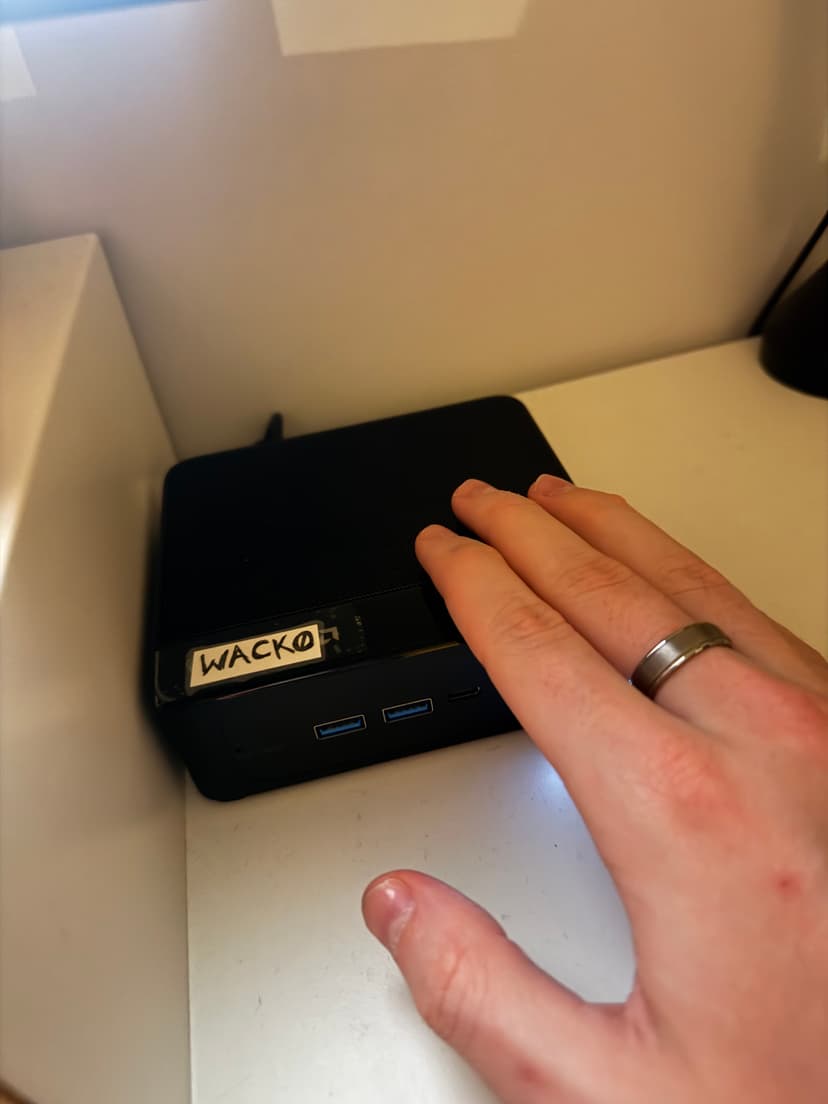
Wacko — the mini PC running 24/7
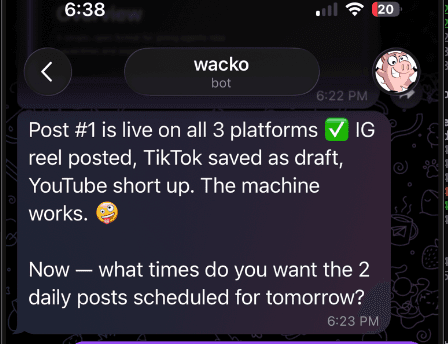
Agent confirms posts are live
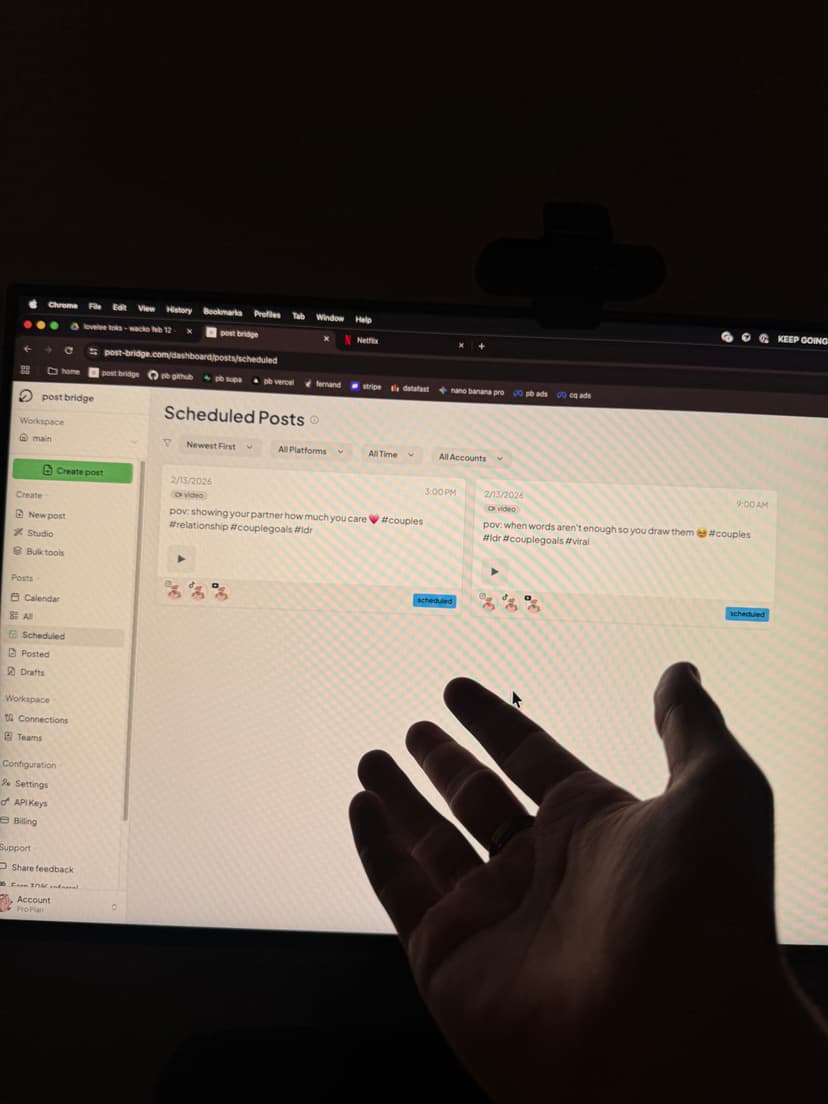
Posts scheduled by the agent
Simple pricing.
Everything your AI agent needs to manage social media.
Marketer Plan
$39/mo- Post to 10 platforms
- Scheduling & media uploads
- MCP access included
- Human support from Jack
API access
Included on every plan- REST API access
- OpenClaw skill support
- Custom agent integrations
- Programmatic media uploads
$39/month for everything your agent needs.
Why agents choose Post Bridge
Protocol-level integration
Not a prompt wrapper or chatbot plugin. Native MCP means your AI has real tools — not a copy-paste workaround.
10 platforms, one API call
Instagram, TikTok, YouTube, X, LinkedIn, Facebook, Pinterest, Threads, Bluesky. One post, every platform.
Built for automation
Scheduling, media processing, per-platform overrides, analytics — all designed for agents, not humans clicking buttons.
Human support
Not a bot. Jack (the founder) answers every support message personally. Your agent hits an issue? A real person helps.
How people use this.
From solo creators to agencies running dozens of accounts.
Ship announcements from your terminal
Pushed a new feature? Tell your AI to announce it on every platform. No context switching, no opening dashboards.
Run a fully autonomous content agent
Build an AI agent that creates content, schedules posts, and tracks performance — 24/7 without your input.
Manage multiple brands or clients
Agencies: connect all your client accounts and let AI agents post to the right accounts with the right captions.
Build custom workflows and automations
Integrate posting into your CI/CD, CRM, or any tool. API-first means it fits anywhere your code runs.
Common questions.
Do I need to install anything?
Not really. For MCP: Claude and ChatGPT connect in one click from their directories; Claude Code is one command and Cursor is a small JSON config. For skills: run npx skills add post-bridge-hq/agent-mode. Prefer the terminal? npx postbridge-cli accounts runs the CLI with zero install. For the API: just grab your API key from the dashboard.
What platforms can my agent post to?
Instagram, TikTok, YouTube, X (Twitter), LinkedIn, Facebook, Pinterest, Threads, Bluesky, and Google Business Profile. All 10 from a single API call.
What's the difference between MCP, skills, and the API?
MCP is a protocol — AI assistants like Claude use it natively. Skills are installable packages for coding agents. The API is a standard REST API for custom integrations. All three connect to the same Post Bridge backend.
How much does it cost?
Plans start at $39/mo (Marketer, 15 accounts) and include MCP, REST API and skill access. Nothing extra to buy.
Can my agent connect a new social account?
Yes, for Instagram, Facebook and TikTok. The request_connect_link tool (or POST /v1/social-accounts/connect-link) returns a link; whoever owns the account opens it, approves on the platform's own consent screen, and the account appears in list_social_accounts. Tag links with your own reference to connect accounts for clients. Every account counts against your plan's account cap.
Can my agent upload images and videos?
Yes. Upload media via the API, then reference it when creating posts. Videos are automatically processed and converted for each platform.
Is there a free tier?
There's a free trial to test things out. After that, the Marketer plan at $39/mo is the most affordable way to give your agent social media access.
Can I schedule posts for later?
Yes. Pass a scheduled_at timestamp when creating a post and Post Bridge handles the rest. Your agent can manage an entire content calendar.
What if a post fails on one platform?
Each platform posts independently. If one fails, the others still go through. Your agent can check per-platform results and retry or alert you.
How can I connect social posting to my own app or workflow?
Three ways, all hitting the same backend. The REST API is the general answer: create media, create a post with a scheduled_at timestamp, read per-account results back. `npx postbridge-cli` wraps the same endpoints for shell scripts and cron. The MCP server exposes them to AI agents like Claude, Cursor and ChatGPT so an assistant can publish without a browser. Auth is an API key you generate in the dashboard, your social accounts connect once via OAuth, and every post reports per platform so your app can retry or alert on exactly the account that failed.
Give your AI agent social media.
MCP for AI assistants. OpenClaw for autonomous agents. REST API for everything else.
Works with Claude, ChatGPT, Cursor, Windsurf, OpenClaw, and any custom agent. MCP connects over OAuth — one URL, sign in, no API key. Keys are only for the REST API and URL-only clients.
One-click installs: Add to Claude · Open in ChatGPT
Setup guides: Claude · Claude Code · ChatGPT · any AI agent · developer API
Still comparing tools? Read our honest roundups of the best social media tools for AI agents, the best social media MCP servers, and the scheduling APIs compared.