How to Post Directly to Social Media From ChatGPT
ChatGPT cannot publish to social media on its own. It has no access to your accounts. With the post bridge plugin installed it can: text, images and video to 10 platforms, published now or scheduled, from a normal chat. This guide is the whole setup and the first three posts, with the exact prompts, the rules each platform enforces, and the fixes for the things that go wrong.
About 10 minutes. Nothing to install. Updated September 2026.
Pasting the brief into ChatGPT gives it the connect steps, tools and platform rules. Agents can also read/chatgpt/agent.md directly.
Connect your social accounts to post bridge
2 min, onceCreate an account, then connect each profile from the dashboard. Every platform uses its official login, so you will see the normal Instagram, TikTok or Google permission screen. This is the only place your platforms are ever authorised. ChatGPT talks to post bridge, never to the platforms.
- Connect everything you might post to now. Adding an account later takes a minute and needs nothing redone on the ChatGPT side.
- Instagram needs a professional account (business or creator). Personal accounts cannot be posted to by any tool.
- Facebook connects Pages, not personal profiles. YouTube connects the channel you pick in the Google screen.
Install the post bridge plugin in ChatGPT
1 min, onceOpen post bridge in the ChatGPT plugin directory (or search "post bridge" under Plugins) and hit Install plugin. A post bridge screen opens asking you to allow ChatGPT to read and write posts. Allow it. You are back in ChatGPT with a "post bridge is now connected" message.
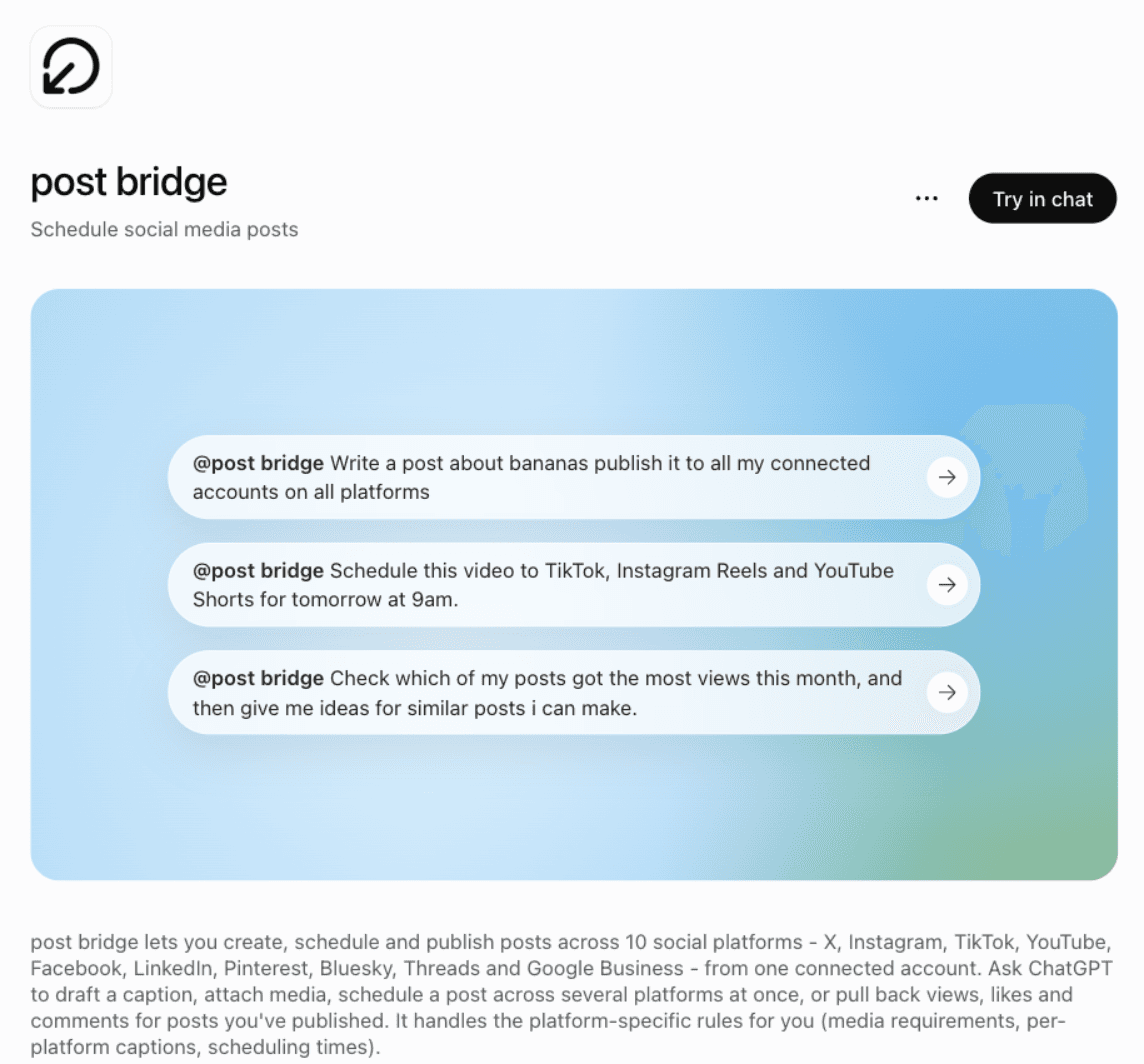
Prefer to add it manually as a custom connector?
Enable developer mode, then Settings, Connectors, Add custom connector, and paste https://www.post-bridge.com/api/mcp/mcp. Same tools, same sign-in.
Check ChatGPT can see your accounts
30 secStart a new chat and ask for your accounts. This does two things: it confirms the plugin is live in this chat, and it gives you the exact account names to use in every later prompt.
Prompt
"List my connected social accounts in post bridge."You get a table of platform and handle. If you run more than one account on a platform, copy the handle you want into your prompts, for example "my @jackfriks Instagram". Otherwise ChatGPT will stop and ask which one, every time.
Schedule a text post
1 minThe simplest case. Nothing to upload, so ChatGPT calls the scheduling tool straight away.
Prompt
"Schedule this to my X and Threads accounts for tomorrow at 9am: "Shipped the thing. Three months of nights and weekends, live today.""What happens
- ChatGPT asks you to allow the post bridge tool the first time it wants to write. Allow once, or always.
- It creates one post with your caption unchanged, on both accounts, scheduled for 9am tomorrow in your account timezone.
- At 9am post bridge publishes to both and records a result per platform, with the live URL or the real error.
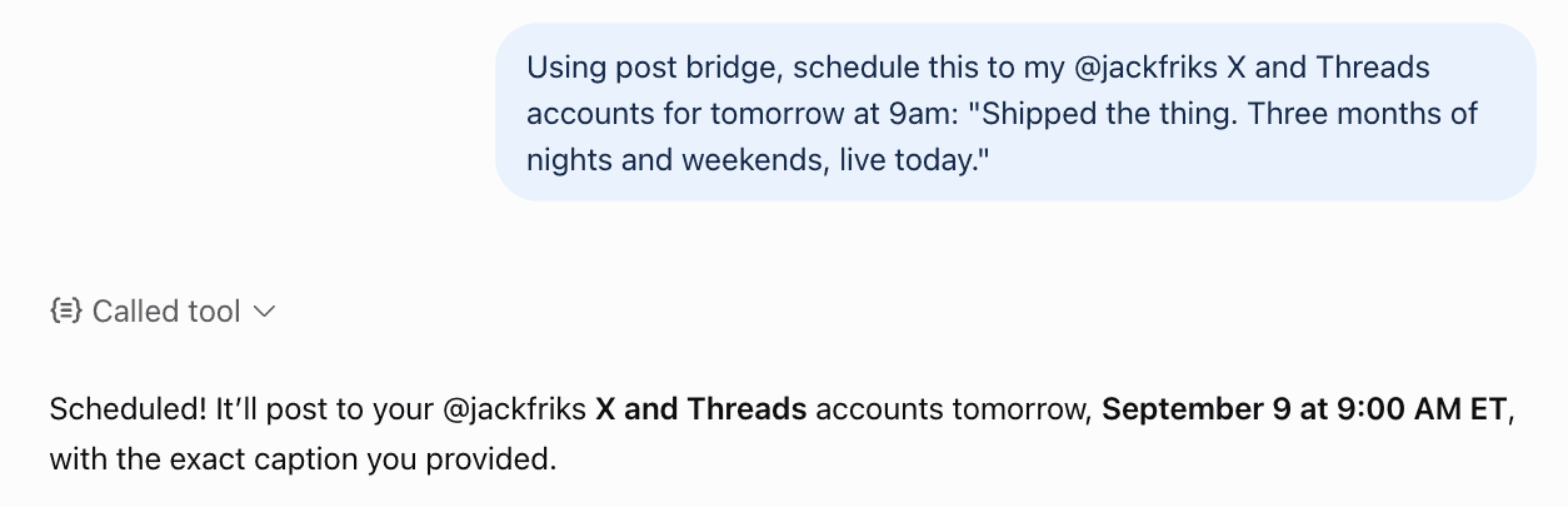
Say "now" instead of a time to publish immediately. Say "save as a draft" to review it in the dashboard first.
Want ChatGPT to write the caption? Give it the brief and ask for drafts. Read them, then tell it which to schedule.
Post an image, or a carousel
1 minImages need to reach post bridge first. Give ChatGPT a public URL that points straight at the file and it uploads it for you. For files on your device, use the upload link in step 6, which takes a whole carousel in one drop.
Prompt
"Upload the image at https://example.com/launch.png and schedule it to Instagram and LinkedIn for Friday at noon with the caption "Launch day." Add #buildinpublic as the first comment on Instagram."What happens
- ChatGPT downloads the image into your post bridge media library and gets a media id back.
- It writes the caption exactly as given, sets the Instagram first comment, and schedules for Friday at noon.
- At noon on Friday, Instagram and LinkedIn each publish through their official API and report back separately.
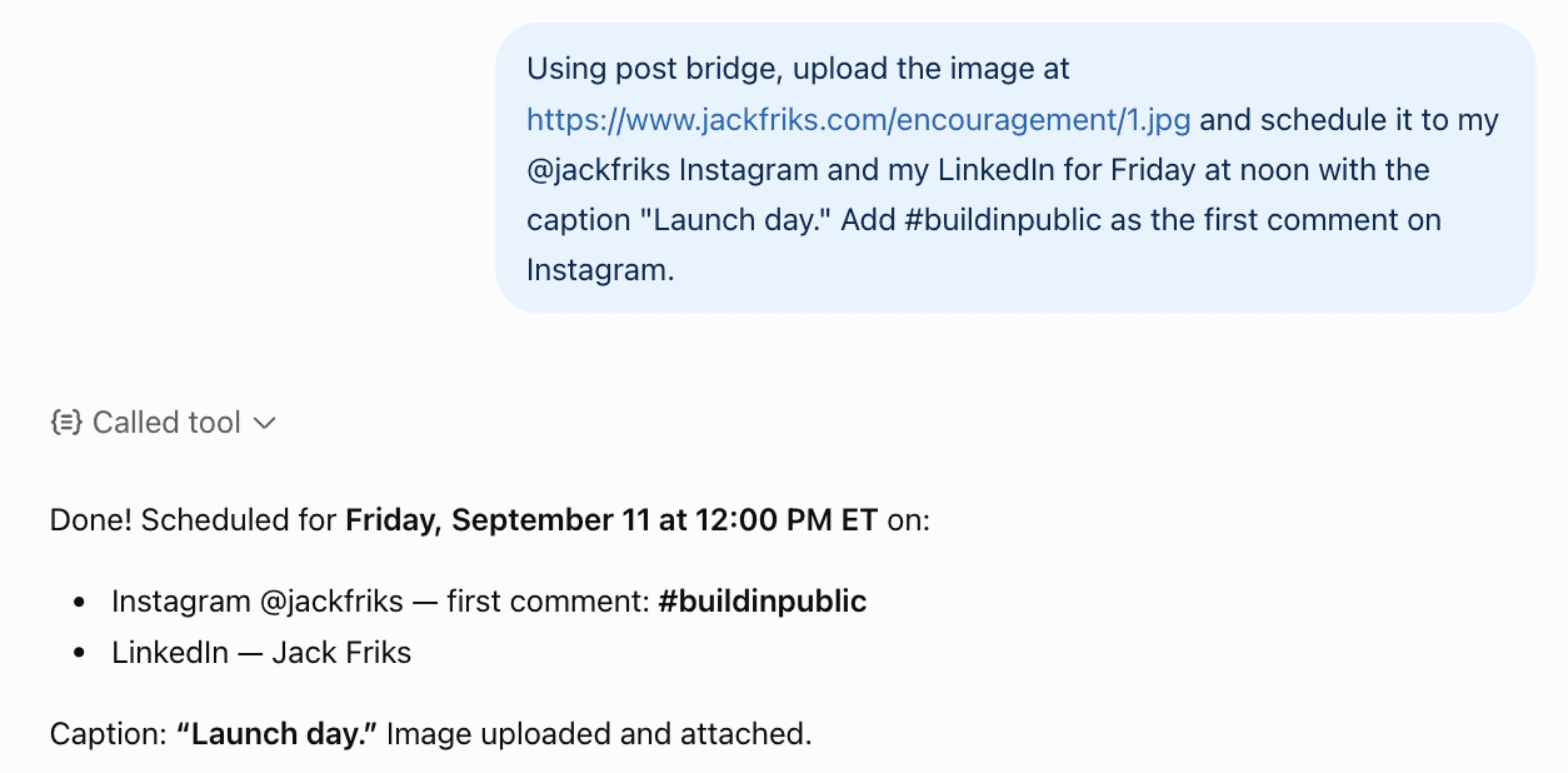
Carousels: give several URLs, or upload several files through the link in step 6, and ask for one post. Instagram takes up to 10, LinkedIn 20, Pinterest 5 with matching aspect ratios.
JPEG and PNG only. iPhone HEIC photos need exporting first.
Post a video from your phone or laptop
2 minVideo is the case every other guide skips. Chat attachments do not reach the plugin yet, and a video on your phone or laptop has no public URL to upload from. So post bridge gives ChatGPT a way to ask you for the file directly.
Prompt
"I have a video on my laptop I want to post. Get me an upload link, then once it's in my library schedule it to TikTok, Instagram Reels and YouTube Shorts for tomorrow at 9am with captions tuned to each platform."What happens
- ChatGPT requests an upload link and sends it to you. It works for 24 hours and takes files up to 500MB.
- You open the link in any browser, on the phone the video is on if you like, and drop the file in. It lands in your post bridge media library.
- Tell ChatGPT it is uploaded. It finds the newest file, writes three captions, and schedules the post for 9am tomorrow.
- At 9am post bridge publishes to all three platforms and records the result of each.
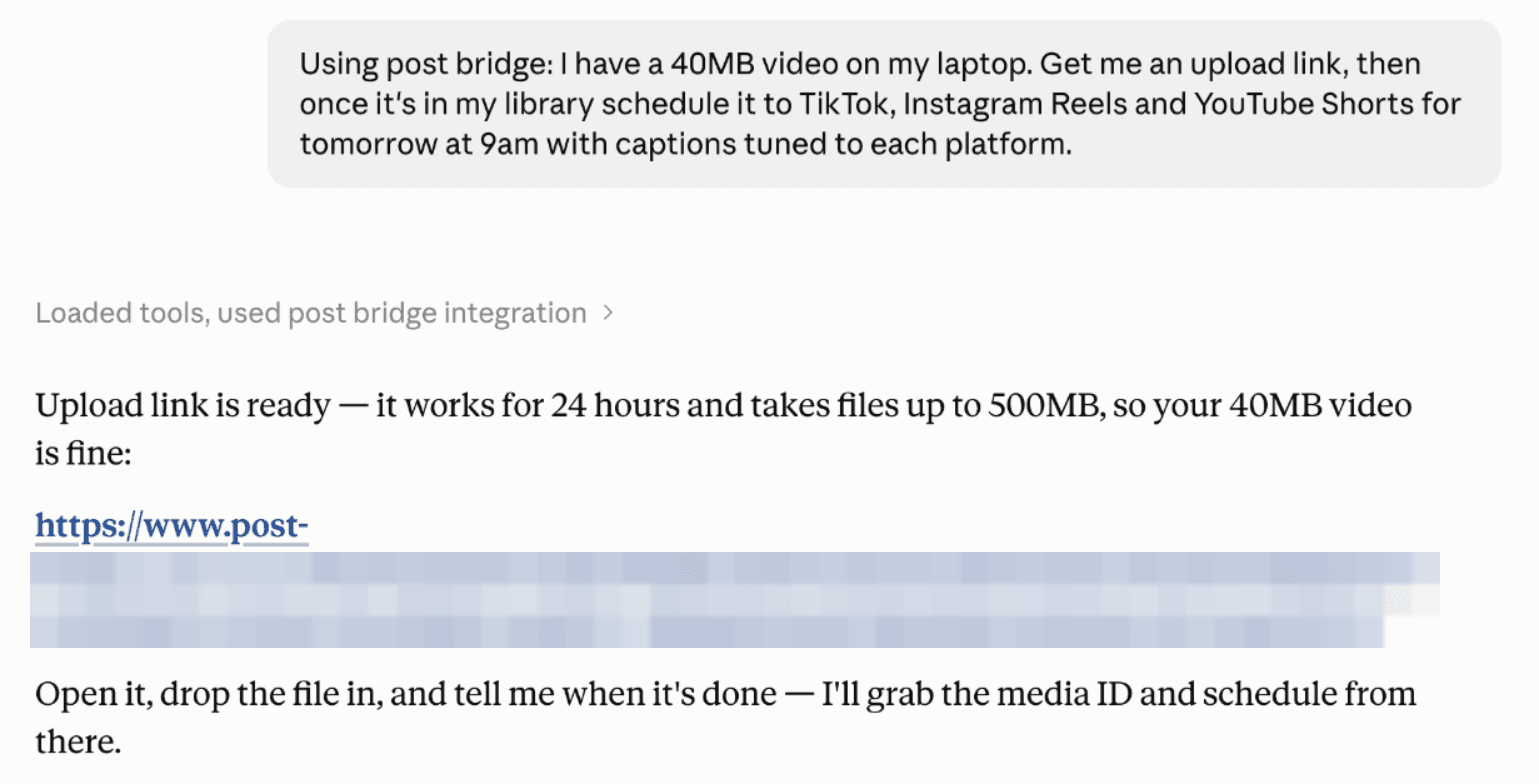
Shown in Claude. The same connector and the same prompt work in ChatGPT.
The file goes from your device straight to storage. Nothing is re-uploaded through ChatGPT, and formats are converted where a platform needs it.
Drop several files at once for a carousel, then tell ChatGPT how many you uploaded so it attaches all of them.
Want to add a trending sound on TikTok? Ask for a TikTok draft and it lands in your TikTok inbox to finish there.
Confirm what is scheduled and what published
30 secTwo prompts worth using every time, because they are the difference between trusting the tool and knowing.
Prompt
"What do I have scheduled this week, and on which accounts?"Prompt
"Did my last post publish everywhere? Show the result per platform."Scheduled posts also appear in the post bridge calendar, where you can edit, move or delete them by hand. A post that failed on one platform still published on the others, and the per-platform result carries the actual error from that platform.
Platform rules ChatGPT will run into
These come from the platforms, not from post bridge. ChatGPT knows them and will tell you when a post cannot go somewhere, but it is faster to know before you ask.
| Platform | Media | Worth knowing |
|---|---|---|
| X (Twitter) | Text, up to 4 images or 1 video | 280 characters, or up to 25,000 with X Premium (has_x_premium on the account): without Premium, give X its own shorter caption when the main one is longer. Links are stripped from the tweet body. Put the link in the first comment instead. For a multi-tweet thread, put the follow-up tweets in platform_configurations.twitter.thread (an array). |
| 1 to 10 images or videos required | Reels, feed posts and Stories. First comment supported. A Story is exactly one file. Needs a professional (business or creator) account. | |
| TikTok | 1 video, or one or more images | Several images in one post publish as a photo carousel. Ask for a TikTok draft to finish in the app and add a sound before it goes live. |
| YouTube | Exactly 1 video required | Give it a title. Tags go in platform_configurations.youtube.tags. Shorts are just vertical videos. |
| Text, up to 20 images, 1 video, or 1 PDF | A PDF becomes a native document carousel. Supports a first comment (linkedin.first_comment), a good place for a link. | |
| Text, images or video | Page posts and Page Stories. First comment supported. A custom video thumbnail goes in platform_configurations.facebook.thumbnail (a media id). | |
| Threads | Text, up to 20 images or videos | First comment supported. For a multi-post thread, put the follow-up posts in platform_configurations.threads.thread (an array). |
| 1 to 5 images or 1 video required | Carousel images must share the same aspect ratio. Add a title and a destination link. | |
| Bluesky | Text, up to 4 images or 1 video | Plain and simple. |
| Google Business | Text or a single image | No video. |
Prompt cheat sheet
Plain sentences work. These are the shapes that map cleanly onto what the plugin can do.
| You want to | Say |
|---|---|
| See your accounts | "List my connected social accounts." |
| Publish right now | "Post this to my X account now: [text]" |
| Schedule for a time | "Schedule this to Instagram and LinkedIn for Friday at noon: [text]" |
| Use your queue | "Add this to my next free queue slot on Threads: [text]" |
| Draft for review | "Write three versions of this for X, LinkedIn and Threads and save them as drafts. Do not publish." |
| Image from a URL | "Upload the image at [URL] and post it to Instagram with the caption [text]" |
| Anything on your device | "Get me an upload link. I have 8 photos for a carousel." |
| Link on X | "Post this to X and put the link in the first comment: [text] [URL]" |
| TikTok with a sound | "Send this video to my TikTok drafts so I can add a sound before it goes out." |
| Check the queue | "What do I have scheduled this week, and on which accounts?" |
| Check a result | "Did my last post publish everywhere? Show the result per platform." |
| Read analytics | "Which of my posts got the most views in the last 30 days?" |
Good habit: drafts first, review in the dashboard, then schedule. ChatGPT writes, you approve, nothing publishes behind your back.
Troubleshooting
ChatGPT says it cannot post, or does not mention post bridge
The plugin is not connected in this chat. Open the post bridge listing, confirm it shows as connected, then start a new chat and mention post bridge in your first message.
It asks which account to use
You have more than one account on that platform. Name the handle in the prompt, for example "my @jackfriks Instagram", and it stops asking.
The image or video URL did not work
The URL has to be public and point straight at the file, not a page that shows the file. Google Drive and Dropbox share pages will not work. For anything private or on your device, ask for an upload link instead.
HEIC photos from an iPhone are rejected
post bridge takes JPEG and PNG for images. Export as JPEG first, or drop the file in the upload link page, which accepts the same formats.
The post failed on one platform but not the others
Each platform publishes on its own, so one failing does not stop the rest. Ask ChatGPT for the result per platform. It gets the real error back, for example a video that is too long for a Story, and can retry once you fix the cause.
It scheduled for the wrong hour
Times are read in the timezone saved on your post bridge account. Say the timezone in the prompt if you are travelling, or set it once in your dashboard settings.
Still stuck? Support is a human and usually answers within the hour.
Not using ChatGPT?
Claude
Same connector, one click from the Claude directory. Same guide.
Grokbot
Paste one prompt with the MCP URL, approve in the browser. Same guide.
Gemini
One config block in Gemini CLI, OAuth on first use. Same guide.
Claude Code
One command adds the MCP server, then post from the terminal.
Cursor and other MCP clients
Setup steps per client for the same MCP URL.
OpenClaw
Skill and plugin for OpenClaw agents that post on a schedule without you.
CLI for any agent
postbridge-cli wraps the same endpoints for shell scripts and agent frameworks.
REST API
Full API reference, for pipelines and cron jobs instead of chats.
And if you post a couple of times a week, drafting in ChatGPT and pasting into a scheduler is honestly fine. The plugin pays off when volume, multiple platforms or per-platform captions make you the copy-paste bottleneck.
Give this guide to ChatGPT
Copies a short brief: how to connect if it has not yet, the tools, platform rules and what to do with common requests. Paste it into the chat.
Frequently asked questions
Can ChatGPT post to social media by itself?
No. ChatGPT has no access to your social accounts on its own; it can only write content. With the post bridge plugin installed, ChatGPT can create, schedule and publish posts to 10 platforms using accounts you connected via OAuth, upload media, and read your analytics.
How do I install the post bridge plugin in ChatGPT?
Open the post bridge listing in the ChatGPT plugin directory and click Install plugin, then approve access on the post bridge screen that opens. If you would rather add it manually, enable developer mode in ChatGPT, go to Settings, then Connectors, and add https://www.post-bridge.com/api/mcp/mcp as a custom connector.
Can ChatGPT post to Instagram and TikTok?
Yes, through the plugin. post bridge publishes to Instagram, TikTok, YouTube, X, Facebook, LinkedIn, Pinterest, Threads, Bluesky and Google Business Profile using each platform's official API. Nothing is scraped or automated through a browser.
Can I attach a video from my phone or laptop in ChatGPT and have it posted?
Not by attaching it to the chat. Chat attachments do not reach the post bridge plugin yet. Instead, ask for an upload link: ChatGPT sends you a one-time link, you drop the file or files in from any browser, and they appear in your post bridge media library ready to post. It works for any size of video, and for a whole carousel of images at once.
Can ChatGPT schedule posts instead of publishing immediately?
Yes. Ask for a specific time, ask it to use your next free queue slot, or ask for drafts so you can review everything in the dashboard before it goes out.
Will this auto-generate and publish AI slop?
Only if you ask it to. The plugin is the hands, not the brain. It posts your videos, your images and your captions, and if you want ChatGPT to write, ask for drafts first and approve them yourself.
Does the same setup work in Claude, Claude Code and Cursor?
Yes. The plugin is a standard MCP server, so the identical URL works in Claude, Claude Code, Cursor and any other MCP client. There is also a REST API and a CLI over the same endpoints for scripts.
What does it cost?
post bridge plans start at $39/mo for 15 connected accounts with unlimited posts, and the ChatGPT plugin is included on every plan. There is a 7-day free trial.
Ready to get started?
Join thousands of people doing their marketing on their own who save hours every week with post bridge. Start your free trial today.
Try for free