
Your Twitter engagement just fell off a cliff. One week you're getting dozens of replies and retweets, the next week it's crickets. Your carefully crafted tweets disappear into the void while worse content from other accounts somehow gets traction.
You're probably asking yourself: am I shadowbanned on Twitter?
Twitter (now X) won't tell you outright if you're shadowbanned. Instead, they use what they call "visibility filtering" and "quality and safety ranking" to quietly limit who sees your content. No notification, no email, just mysteriously vanishing reach. For creators and businesses relying on Twitter to connect with their audience, this is incredibly frustrating.
This guide will help you figure out if you're actually shadowbanned, why it might have happened, and what you can do about it. This guide skips the speculation and focuses on what actually works based on Twitter's own documentation and real user experiences.
What Is a Twitter Shadowban and How Does It Work?
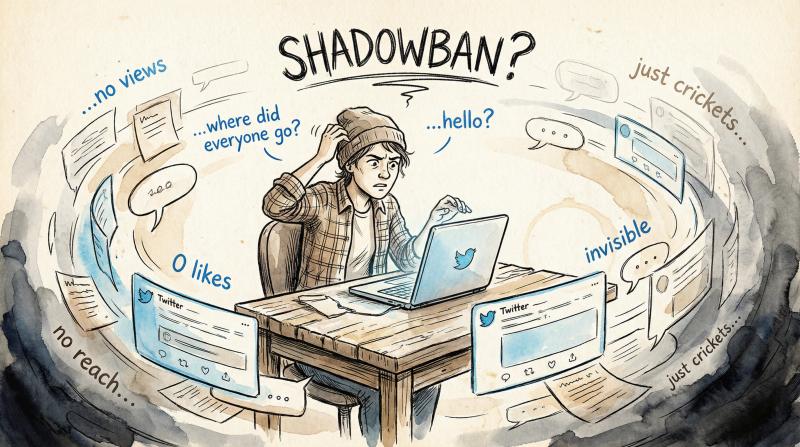
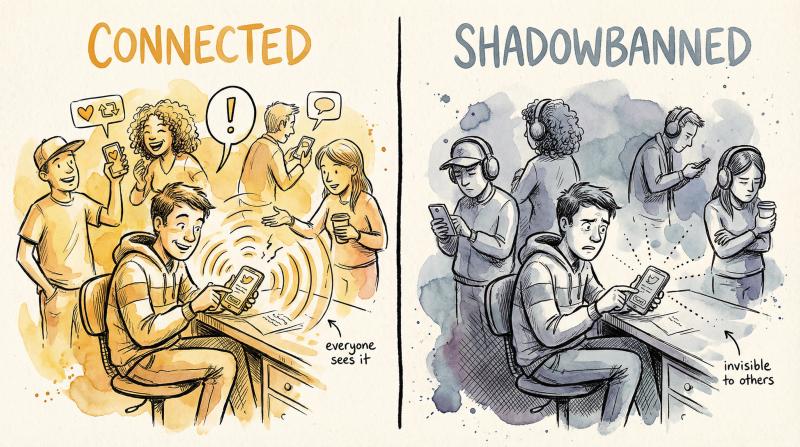
A shadowban on Twitter means your content is being restricted in ways you can't immediately see. You can still post and interact normally from your end, but Twitter's systems are limiting your visibility to other users. It's like shouting in a room where everyone's wearing noise-canceling headphones.
According to Twitter's official help documentation, the platform can:
- Remove your posts from Search, Trends, and For You/Following feeds
- Hide your posts from people who don't follow you
- Downrank your replies so they appear collapsed or at the bottom of threads
- Add visibility labels to your account that others can see
Twitter used to deny shadowbanning existed entirely. In a 2018 blog post, they claimed they "do not shadowban" but admitted they use ranking signals to filter low-quality content. Since Elon Musk's takeover and the rebrand to X, the platform has become more transparent about these restrictions. They now actually label some accounts with notices like "We've added a temporary label to your account which may impact its reach."
What Are the Signs of a Twitter Shadowban?
What Happens - Normal Account - Shadowbanned Account
- Tweet impressions - 500-2,000 typical - Drops to 30-100 or less
- Friend visibility - Followers see your posts - Even followers don't see you
- Reply visibility - Appears in threads normally - Hidden or collapsed by default
- Search results - Username and tweets appear - Nothing shows up, even for your handle
- Hashtag feeds - Tweets appear in hashtag streams - Never appears in hashtag feed
Real shadowban symptoms look like this:
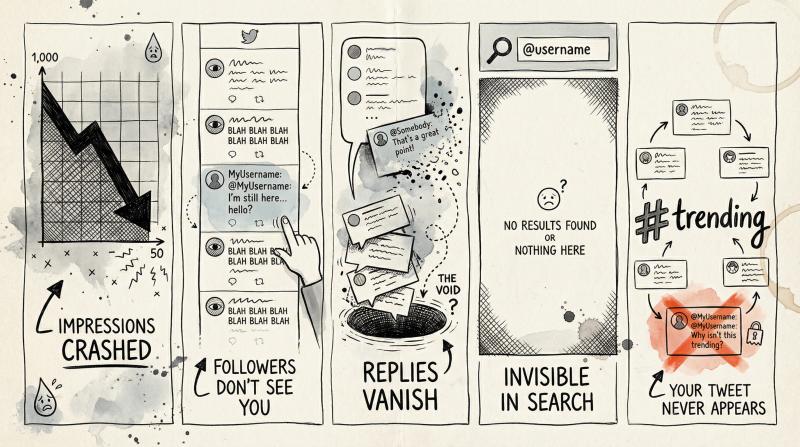
Your tweets get dramatically fewer impressions. Check your analytics (More → Analytics) and compare recent weeks. If you normally get 1,000 impressions per tweet and suddenly you're getting 50, something's wrong.
Friends tell you they don't see your posts. Even people who follow you aren't seeing your content in their feeds.
Your replies disappear. You reply to someone's tweet and it just doesn't show up for others, or it's buried under "Show more replies."
You don't appear in search results. When people search your username or content, nothing comes up. Not even for your own handle.
Hashtags don't work. You tweet with a hashtag and your tweet never appears in that hashtag's feed, even in the "Latest" tab.
The most common type is what users call a "reply deboosting" or ghost ban. Your replies become invisible to everyone except you and sometimes your followers. This kills engagement because you can't join conversations.
Why Does Twitter Shadowban Accounts? Common Triggers Explained
Twitter doesn't shadowban randomly. Their systems flag accounts that appear to violate rules or exhibit spam-like behavior. Understanding these triggers is crucial because fixing them is how you recover.
What Posting Patterns Trigger Twitter Shadowbans?
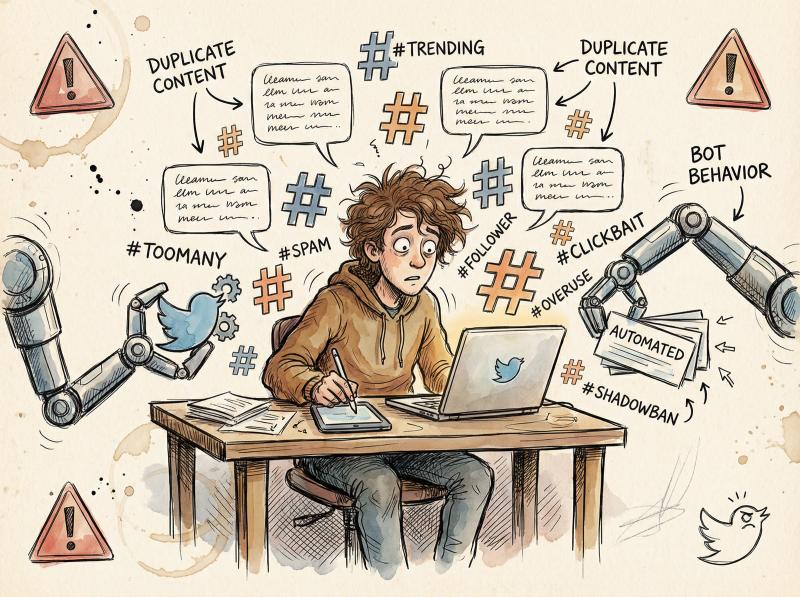
This is the biggest cause. If your account looks like a bot or spam operation, Twitter will throttle your reach. What triggers this?
Posting identical or near-identical content repeatedly. If you tweet the same link 5 times in a row, Twitter sees spam. Even slight variations don't always help if the core content is identical.
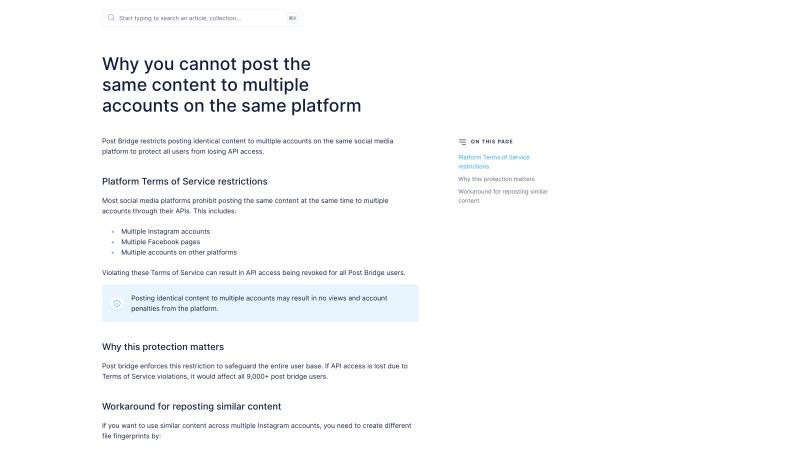
Cross-posting the exact same content to multiple accounts. Many people don't realize this is a violation. Twitter's rules explicitly prohibit posting similar messages across multiple accounts to manipulate trending topics or searches. If you manage several Twitter accounts and post the same content to all of them, you're asking for trouble.
Critical Protection: This is actually why Post bridge prevents you from posting identical content to multiple accounts on the same platform. The tool blocks this behavior specifically to protect users from triggering Twitter's spam filters and getting shadowbanned.
If you're scheduling content across multiple Twitter accounts, you need to create unique variations for each one. Small changes to the text, different images, varied hashtags. It matters.
Using too many hashtags or stuffing trending topics unnaturally. Jamming 10 trending hashtags into an unrelated tweet looks like manipulation. Twitter's search policy explicitly lists "abuse of hashtags and trending topics" as grounds for removal from search results.
Aggressive follow/unfollow behavior. Following 500 people in a day and then unfollowing them all tomorrow signals bot activity. Twitter watches for this pattern.
Automated replies or keyword-triggered responses. If you're using bots to auto-reply to tweets containing certain keywords, Twitter will catch this. Their automation rules prohibit non-API automation and spammy automated actions, with search filtering or suspension as consequences.
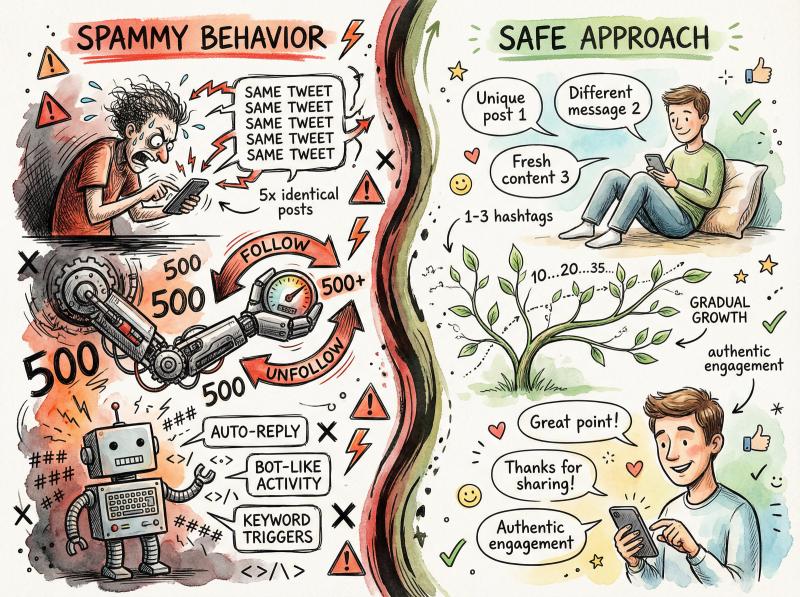
Spammy vs. Safe Behavior: What Twitter's Algorithm Watches
Behavior Type - Red Flags (Gets Flagged) - Safe Approach (Stays Visible)
- Content posting - Same tweet 5× in a row - Unique variations for each post
- Multi-account - Identical content to all accounts - Different text/images per account
- Hashtags - 10 trending tags unrelated to content - 1-3 relevant hashtags only
- Follow patterns - Follow 500, unfollow 500 daily - Gradual, natural growth
- Automation - Keyword-triggered auto-replies - Human engagement only
What Policy Violations Lead to Shadowbanning?
Twitter's algorithms also flag content that violates community guidelines or triggers safety filters.
Posting sensitive media without proper labeling. If you share adult content, graphic images, or potentially disturbing material without marking it as sensitive, Twitter can restrict your visibility. Their sensitive media policy explains that this content needs to be behind warnings.
Rule-breaking content. Harassment, hate speech, violent threats, misinformation. Even if it doesn't result in a full suspension, Twitter might limit your reach. According to their enforcement docs, they can restrict visibility while reviewing potential violations.
Getting mass-reported. If many users report your tweets or account in a short time (even if the reports are unjustified), Twitter's system may throttle your visibility pending review. This can happen during heated discussions or coordinated attacks.
What Account Signals Look Suspicious to Twitter?
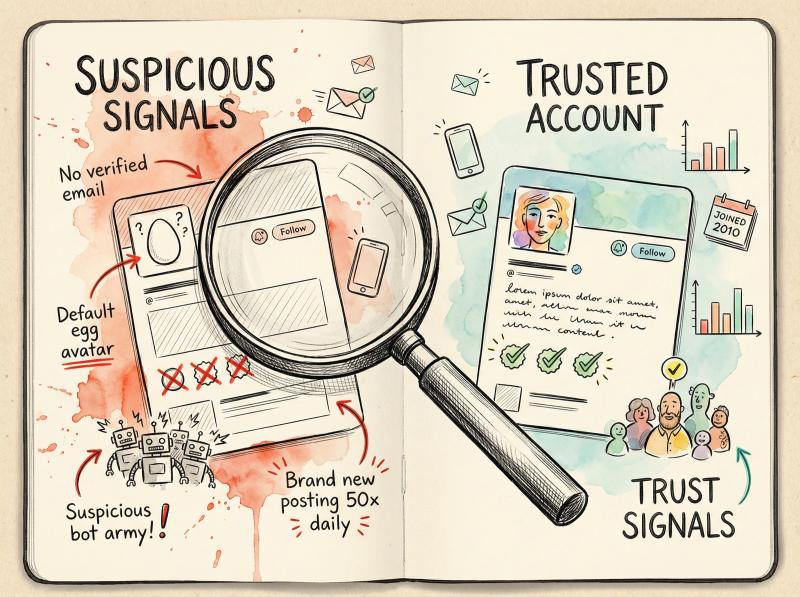
New or incomplete accounts often face additional scrutiny.
Unverified account information. No email confirmed, no phone number, default profile picture (the egg), empty bio. These signals make Twitter cautious. While this alone won't shadowban you, it can combine with other factors.
Fake or bot followers. If your account suddenly gains hundreds of bot followers, Twitter might flag you for suspicious activity. Ironically, some users have received temporary labels after being targeted by bot follow campaigns, even though they didn't purchase the followers themselves.
Extremely low follower count with high activity. A 3-day-old account with 12 followers posting 50 times a day looks suspicious. Twitter's quality filters deprioritize these accounts until they build trust.
Platform Experiments and Technical Issues
Not all visibility drops are shadowbans. Twitter acknowledges that "product experiments" and "technical issues" can affect reach. Sometimes they're testing new ranking algorithms on a subset of users. Sometimes there's just a bug. The difference is these are usually temporary and not correlated with your behavior.
How to Check If You're Shadowbanned on Twitter: 5 Reliable Tests
Suspecting a shadowban is one thing. Confirming it requires testing. Here's how to know for sure.
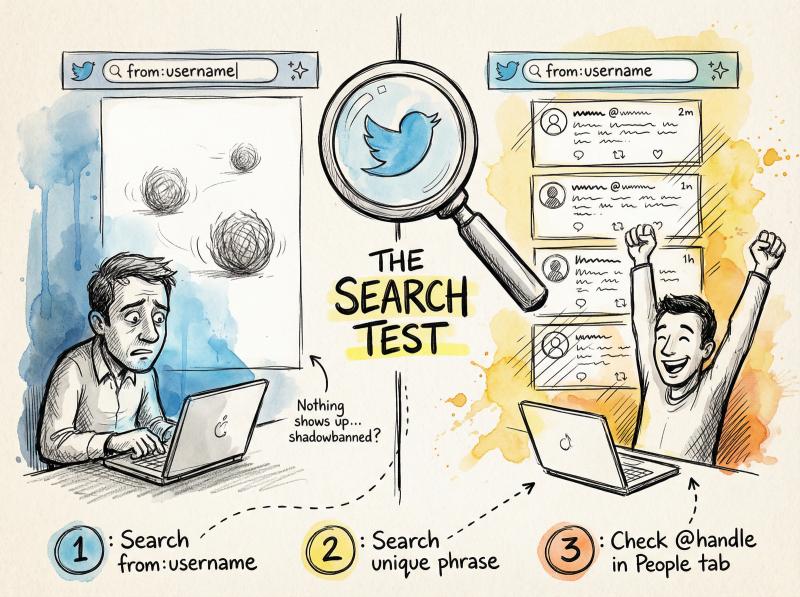
The Twitter Search Test (Most Reliable Method)
Log out of Twitter completely or use an incognito browser window. This ensures you're seeing what non-followers see.
① Search for your exact username using the format from:yourusername in Twitter's search bar. Twitter's Advanced Search lets you search for posts from specific accounts.
Do your recent tweets show up? If you see nothing or only very old tweets, that's a strong signal of search suppression.
② Search for a unique phrase from your recent tweets. Pick something distinctive that only you would have tweeted. Search it on Twitter. If it doesn't appear in results, especially in the "Latest" tab, your content is being filtered.
③ Search your @handle in the People tab. Does your account appear when someone searches your name? If not, you have a search suggestion ban.
According to Twitter's search documentation, the "Latest" tab applies fewer filters than "Top," but it still uses visibility filtering. If your content is missing from Latest entirely, that's significant.
How to Test If Your Twitter Replies Are Hidden
This checks if your replies are being hidden.
Reply to a tweet from a large account (ideally someone who doesn't follow you). Use a unique phrase or random string like "testphrase12345."
From a different account (ask a friend or use a secondary account), go to that same tweet and look through the replies. Don't just check if you see your reply. Check WHERE it appears:
- If it's not visible at all, even under "Show more replies," you're likely shadowbanned on replies
- If it only appears after clicking "Show more replies" and it's at the very bottom, you're experiencing reply deboosting
- If it appears normally in the main thread, you're probably fine
Twitter's policy documentation confirms they use "quality and safety ranking" that can collapse or downrank replies from accounts with low trust scores.
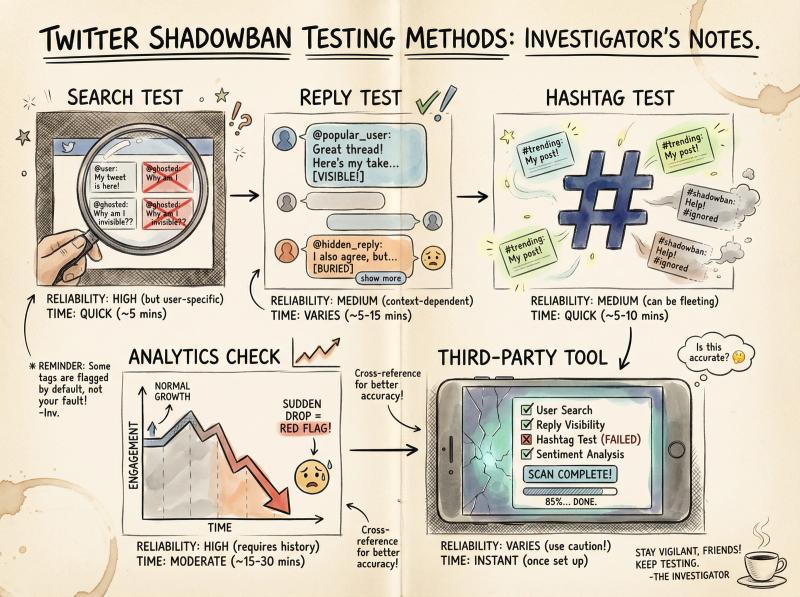
Twitter Shadowban Detection: Test Methods Comparison
Test Method - What It Checks - Reliability - Time Required
- Search Test - If your tweets appear in search results - Very High - 2-3 minutes
- Reply Test - If your replies are visible to others - High - 5-10 minutes
- Hashtag Test - If tweets appear in hashtag feeds - High - 3-5 minutes
- Analytics Check - Impression drops over time - Medium - 5 minutes
- Third-party Tool - Automated checks of above - Medium - 1-2 minutes
The Twitter Hashtag Visibility Test
Post a tweet with a moderately popular hashtag (not so niche that nobody uses it, not so massive that it moves too fast). Wait a few minutes, then search for that hashtag while logged out.
Look at the "Latest" posts for that hashtag. If dozens of other people's tweets appear but yours doesn't, you're being filtered from hashtag feeds.
Check for Official Twitter Shadowban Notifications
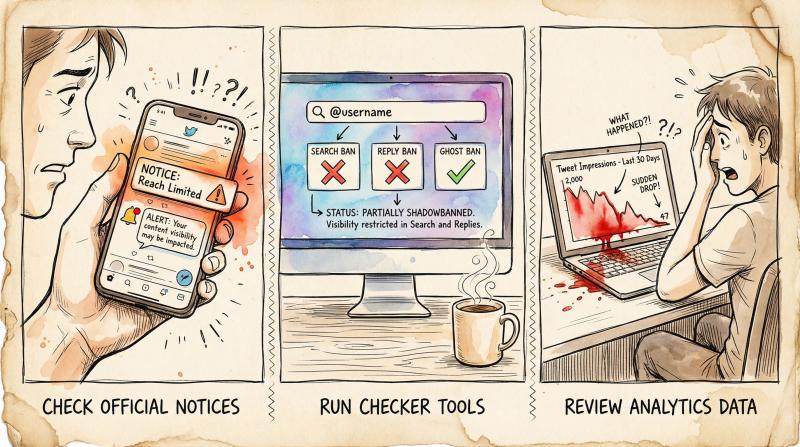
Twitter has started being more transparent about some restrictions. Check a few places:
Your notifications. Look for messages from Twitter/X about labels or restrictions on your account.
Your email. Twitter sometimes sends emails about policy violations or account issues.
Your tweets themselves. If Twitter has labeled a specific tweet, you'll see a notice on it that says something like "This Tweet's reach is limited" or "This Tweet may contain sensitive content."
According to recent updates, X now shows temporary labels on accounts with restricted reach, sometimes including a brief reason like "may contain spam" or "potentially contains sensitive media."
Should You Use Third-Party Shadowban Checkers?
Several tools exist specifically to test for Twitter shadowbans. These tools automate the checks above and report if your account has any restrictions.
These tools are convenient but not perfect. Use them as one data point, not the definitive answer. They scan publicly available information and can tell you if you're missing from search, suggestions, or if your account shows other red flags.
How to Check Twitter Analytics for Shadowban Evidence
If you have a professional account (it's free to switch), go to More → Analytics and look at your impressions over time.
A sudden, sustained drop in impressions across all tweets is suspicious. If you usually get 500-2000 impressions per tweet and suddenly every tweet is getting 30-100, something changed. Compare a recent problematic period to a time when things were normal.
Keep in mind: normal engagement fluctuates. But a 70-90% drop that lasts more than a few days suggests algorithmic restriction.
How to Remove a Twitter Shadowban: Step-by-Step Recovery Guide
Most shadowbans are temporary. If you take the right steps, you can recover your visibility within a few days to a week.
Stop All Twitter Activity for 48-72 Hours
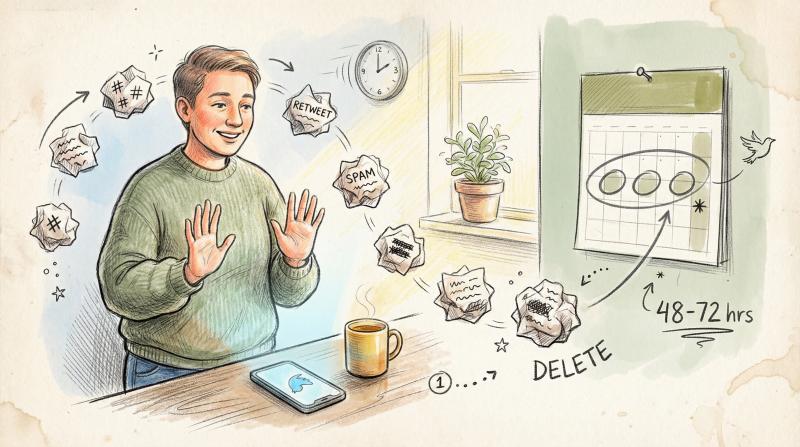
The moment you confirm or strongly suspect a shadowban, take a 48-72 hour break from Twitter activity. Stop tweeting, stop replying, stop engaging. This "cooling off" period lets Twitter's automated systems re-evaluate your account without additional triggers piling up.
Continuing to tweet while shadowbanned won't help. Those tweets aren't reaching people anyway, and you might trigger the filters again.
Delete or Edit Content That Triggered the Shadowban
Think about what caused the shadowban. Go through your recent tweets and delete or edit anything that could have triggered it:
- Identical or near-identical tweets
- Tweets with excessive hashtags
- Potentially rule-breaking content
- Tweets that got mass-reported
- Anything labeled as sensitive that wasn't marked properly
If you received a notification about spam or manipulation, take it seriously. Clean up whatever content Twitter flagged.
How to Fix Your Twitter Account Settings
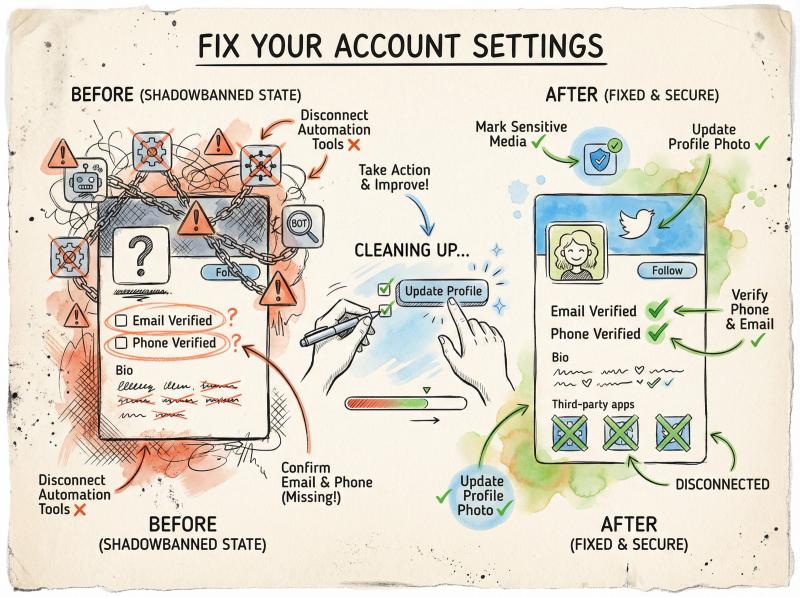
Mark sensitive media appropriately. Go to Settings → Privacy and Safety → Content you see → Mark media you Tweet as containing material that may be sensitive. Turn this on if you post content that could be considered adult or graphic. Twitter's media settings documentation explains how this works.
Confirm your email and phone number. Go to Settings → Your account and make sure both are verified. This improves your account's credibility signals.
Update your profile. Add a profile picture (if you don't have one), write a real bio, add a header image. Make your account look like a real person or brand, not a bot.
Remove Third-Party Apps and Automation Tools
Go to Settings → Security and Account Access → Apps and Sessions. Look at the apps connected to your account. Remove any that you don't recognize or that you used for automation.
If you were using third-party tools for auto-following, auto-DMs, or mass engagement, disconnect them now. Twitter's automation rules prohibit spammy automation, and these tools are often the culprit.
For legitimate scheduling, use official partners that follow Twitter's API guidelines. Tools like Post bridge use OAuth connections and enforce platform rules like preventing duplicate content across accounts.
How to Clean Up Fake Twitter Followers
If you suspect bot followers contributed to your shadowban, you can manually remove them. Go through your followers list and block/report obvious fakes (new accounts with no profile picture, nonsensical usernames, zero tweets). This is tedious but shows Twitter you're maintaining an authentic audience.
How to Resume Twitter Activity After a Shadowban
After your break, ease back into Twitter. Post something simple and completely within guidelines. A normal tweet about your day, a link to an article, a photo. Don't immediately return to whatever behavior might have caused trouble.
Avoid:
- Following 50 people in an hour
- Posting 20 tweets in a row
- Blasting the same content multiple times
- Using automation heavily right away
Gradually increase activity over several days while monitoring your visibility using the tests above.
How to Appeal a Twitter Shadowban to Support
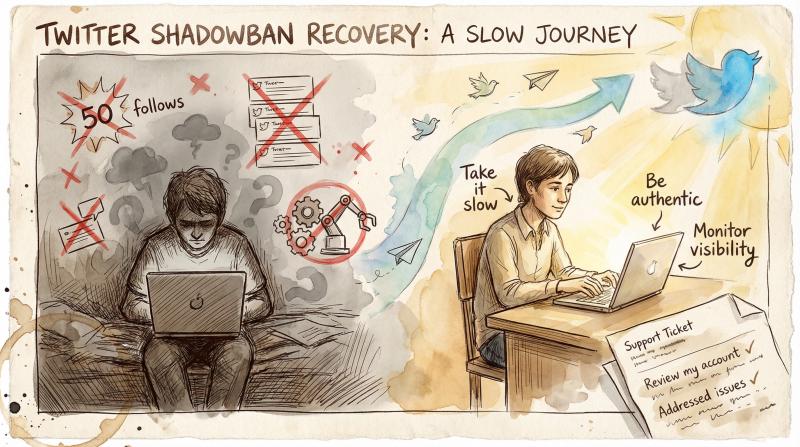
If a week passes and nothing improves, it's time to formally appeal. You can use Twitter's support forms or tweet at @TwitterSupport.
Don't say "I've been shadowbanned." Twitter often responds to those complaints with denials. Instead, frame it as: "My tweets aren't appearing in search or to users who don't follow me. I've reviewed my content and don't believe I violated any policies. Can someone review my account?"
If you received a temporary label notification, mention that you've addressed the issues and would like a review. Under EU law, platforms like X are required to provide specific reasons for content restrictions and a clear appeals process. If you're in the EU, you can reference this.
Keep your appeal polite and factual. Explain what you've done to fix potential issues. Support may be slow, but some users have successfully lifted shadowbans this way.
How to Prevent Twitter Shadowbans: Best Practices for 2025
Prevention is easier than recovery. Once your account is back to normal, implement these practices to stay safe.
Create Unique Content for Each Social Media Platform
If you're posting to multiple social media platforms, don't copy-paste identical content everywhere. This is especially important if you manage multiple Twitter accounts.
Create unique variations for each platform and each account. Different wording, different images, different hashtags. Twitter explicitly flags "posting similar messages over multiple accounts" as a search policy violation.
This is where a tool like Post bridge becomes valuable. While it helps you schedule across platforms efficiently, it also prevents you from making dangerous mistakes like posting identical content to multiple Twitter accounts simultaneously. The platform enforces Twitter's rules to keep your accounts safe.
For businesses managing multiple brand accounts or agencies handling client accounts, this protection is crucial. It's easy to accidentally trigger spam filters when you're juggling several profiles.
How Post bridge Protects Your Twitter Account from Shadowbans
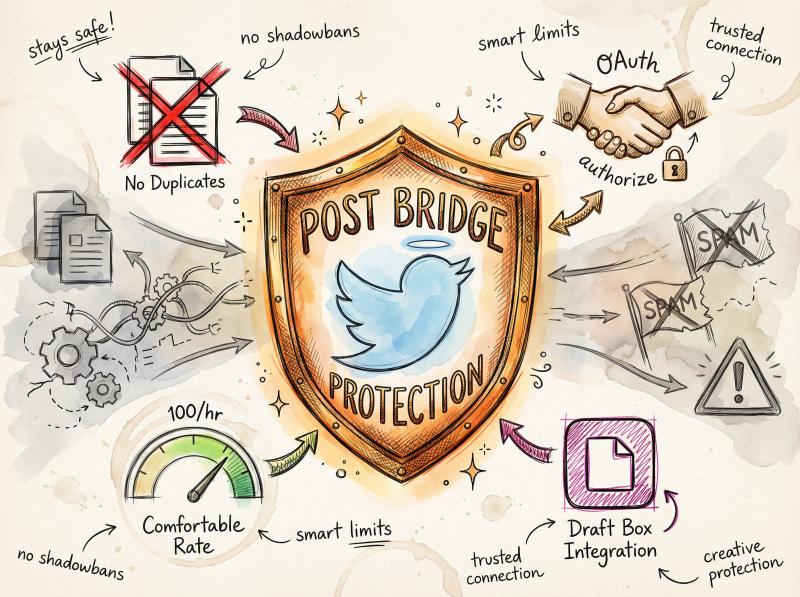
Protection Feature - How It Keeps You Safe - Why It Matters
- Duplicate content blocking - Prevents identical posts to multiple Twitter accounts - Stops #1 cause of business shadowbans
- OAuth connections - Uses official Twitter API - No gray-area automation flags
- Rate limiting - Caps at 100 posts/hour - Prevents suspicious activity spikes
- TikTok draft posting - Saves to drafts for native publishing - Avoids third-party posting penalties
Use Scheduling Tools That Follow Twitter's Official Rules
Not all social media schedulers are created equal. Some use unofficial methods that can get you flagged. Others don't enforce platform policies and let you do things that will get you shadowbanned.
Post bridge connects to Twitter through official OAuth APIs, which means Twitter knows it's a legitimate tool. The platform also includes safety features like rate limits (100 posts per hour) to prevent suspicious activity spikes.
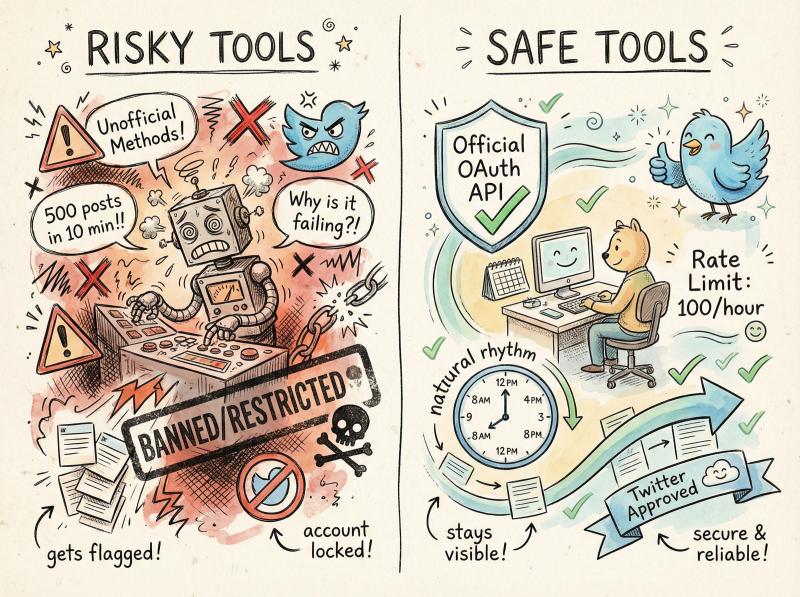
When you're scheduling content, space out your posts. Don't schedule 15 tweets to go out in 15 minutes. Spread them throughout the day to mimic natural posting behavior.
Use 1-3 Relevant Hashtags Per Tweet Maximum
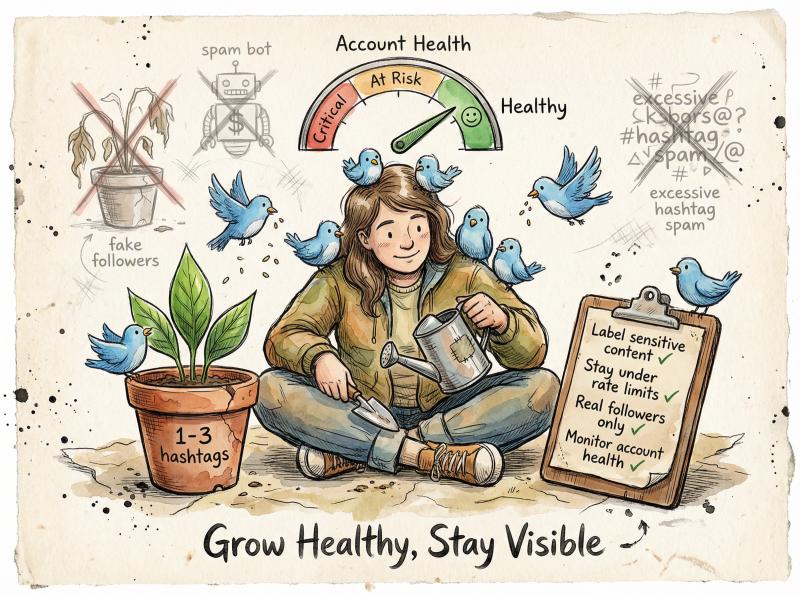
Use 1-3 relevant hashtags per tweet. Don't stuff trending topics that aren't related to your content. Don't use the same hashtag set on every single tweet.
Twitter's search policy explicitly mentions "abuse of hashtags and trending topics" as grounds for search removal. Quality over quantity.
Focus on Authentic Engagement, Not Bot-Like Activity
Focus on genuine interactions. Reply to people who engage with you. Join real conversations. Share content you actually find interesting, not just promotional blasts.
Twitter's ranking algorithms reward authentic engagement. Accounts that generate real discussions and interactions get better reach. Accounts that look like they're just broadcasting into the void get filtered.
How to Properly Label Sensitive Content on Twitter
If your content includes adult material, graphic images, or potentially disturbing topics, mark it as sensitive in your settings. This prevents Twitter from restricting it as unlabeled sensitive content.
According to Twitter's sensitive media policy, properly labeled sensitive content can still reach your audience through warnings and opt-in settings. Unlabeled sensitive content just gets filtered.
Grow Your Twitter Following Organically (No Fake Followers)
Don't buy followers. Don't participate in follow-for-follow schemes. Don't use engagement pods that mass-like each other's content.
Twitter's systems are sophisticated enough to detect fake engagement patterns. An account with 10,000 followers but 2 likes per tweet screams "fake followers." An account with sudden engagement spikes from dozens of accounts that all interact with each other triggers manipulation detection.
Grow your audience naturally by posting valuable content and engaging authentically. It's slower but sustainable. For more guidance, check out our growth guide on building authentic social media presence.
Stay Within Twitter's Official Rate Limits and Guidelines
Twitter publishes technical limits on actions like following, posting, and direct messages. Respect these. Don't try to maximize your daily limits. Stay well below them to avoid looking like automation.
For example, Twitter allows thousands of follows per day technically, but following 500 people in an hour looks suspicious regardless of the technical limit.
Monitor Your Twitter Account Health Regularly
Make it a habit to check your visibility monthly. Run the search test, check a few hashtags, verify your replies are showing up. If you catch a problem early, it's easier to fix.
Also keep an eye on your analytics. If you notice engagement dropping, investigate before it becomes a full shadowban. Sometimes it's just algorithm changes or content that didn't resonate. But sometimes it's an early warning sign.
How Social Media Scheduling Tools Keep You Safe from Twitter Shadowbans
Managing multiple social platforms is genuinely hard. You're trying to maintain presence across Twitter, Instagram, TikTok, LinkedIn, and more. It's tempting to copy-paste content everywhere to save time.
But that's exactly what triggers shadowbans on Twitter. The platform sees duplicate content across accounts as manipulation.
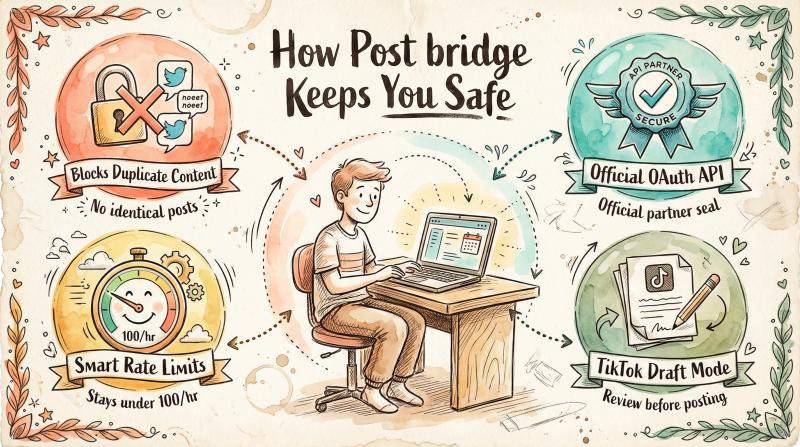
Post bridge is built specifically to help creators and businesses post efficiently without breaking platform rules. The tool handles cross-posting to multiple platforms through one upload, but it enforces important safety measures that protect your visibility.
The tool handles cross-posting to multiple platforms through one upload, but it enforces important safety measures:
It blocks duplicate content to multiple Twitter accounts. This prevents the single biggest cause of Twitter shadowbans for businesses and agencies. You can't accidentally post identical content to 5 client Twitter accounts and tank all of them.
It uses official OAuth connections. Twitter knows Post bridge is a legitimate tool using proper API access. No gray-area automation that might get flagged.
It maintains sensible rate limits. The platform caps uploads at 100 per hour, preventing the suspicious activity spikes that trigger spam filters.
It enables TikTok draft posting. For platforms like TikTok where third-party posting can hurt reach, Post bridge can save content directly to your TikTok drafts. You publish natively from the mobile app, avoiding any third-party penalties.
For creators managing just a few platforms or businesses with multiple brand accounts, Post bridge strikes the balance between efficiency and safety. You get the time savings of scheduling and cross-posting without the risk of algorithmic penalties.
And if you're already shadowbanned, using proper scheduling tools going forward is part of prevention. Once you've recovered your visibility, Post bridge helps ensure you don't make the same mistakes again.
Twitter Shadowban Myths: What's Actually True in 2025?
There's a lot of misinformation about Twitter shadowbans. Let's clear up some myths.
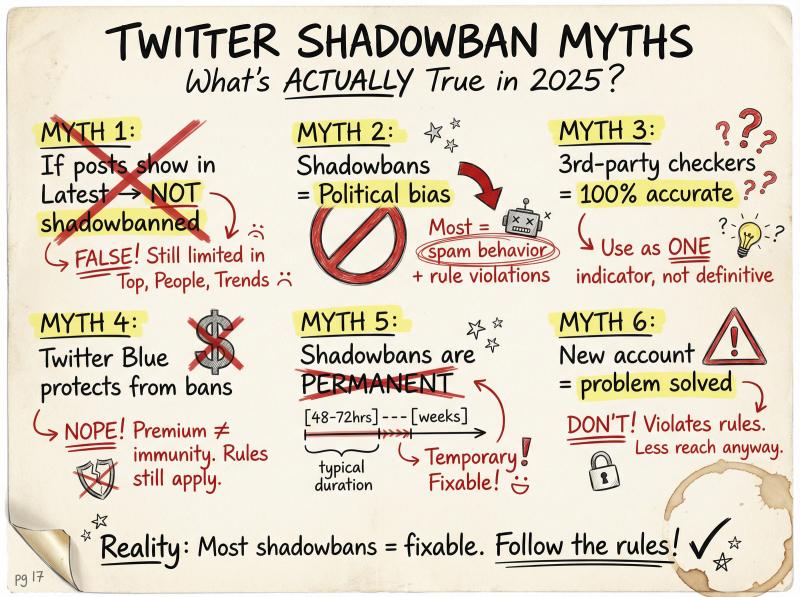
Myth: If my posts show up in Latest, I'm not shadowbanned.
Not true. Twitter's Latest search uses fewer filters than Top, but it still applies "global visibility filters" for spam and protected accounts. You can appear in Latest but still be missing from Top, People, and Trends. That's still a significant reach limitation.
Myth: Shadowbans are always political or biased.
Twitter's own documentation attributes most visibility limits to rule violations, quality ranking, user controls (blocks/mutes), experiments, or technical issues. Most shadowbans result from spam-like behavior or policy violations, not political targeting.
Myth: Third-party shadowban checkers are 100% accurate.
These tools can be helpful, but they're not official Twitter products. They infer shadowbans from public data and API responses. Use them as one indicator among several, not the definitive answer.
Myth: Twitter Blue/Premium protects you from shadowbans.
Paying for a subscription doesn't give you immunity. Twitter Premium might boost your content when you're in good standing, but if you violate rules, you'll still face restrictions. Verified accounts get shadowbanned too.
Myth: Shadowbans are permanent.
Most shadowbans are temporary, lasting anywhere from a few days to a couple weeks. User reports suggest 48-72 hours is common for minor triggers. If you fix the underlying issues, your visibility typically returns.
Myth: Creating a new account solves the problem.
Don't do this. New accounts actually have less reach initially as they build trust. Plus, evading restrictions by creating new accounts violates Twitter's rules and could lead to permanent suspension of both accounts.
Understanding Twitter Shadowbans: What You Need to Know in 2025
Twitter shadowbans are real, but they're not mysterious or arbitrary. The platform uses algorithmic filtering to manage spam, bots, and rule violations. When your account triggers these filters, your visibility drops.
The good news? Most shadowbans are fixable. If you stop the behaviors that triggered it, clean up your account, and resume authentic activity, Twitter's systems will typically restore your reach within days.
The key is understanding what causes shadowbans and avoiding those triggers. Don't post duplicate content across multiple accounts. Don't use spammy automation. Don't violate community guidelines. Space out your activity. Build a real audience.
For creators and businesses managing multiple platforms, tools that help you stay efficient without falling into common shadowban traps can be invaluable. Try Post bridge to see how compliance-focused scheduling can protect your accounts while saving you hours of manual posting each week.
If you're currently shadowbanned, follow the recovery steps above. Take a break, fix the issues, test your visibility, and appeal if needed. Most people get their reach back within a week or two.
And once you're back? Stay vigilant. Monitor your account health. Post authentically. Follow platform rules. Your audience is worth protecting.