
Creating YouTube videos without ever appearing on camera isn't just possible. It's how some of the platform's biggest channels operate.
Research shows that channels like WatchMojo, Kurzgesagt, and Bright Side have built audiences of millions without a single host appearing on screen. These creators prove that engaging content matters more than a talking head.
This guide walks you through how to make faceless YouTube videos from start to finish, using strategies that work in 2025. If you're camera-shy, privacy-conscious, or just prefer letting your content shine, here's everything you need to know.
What Are Faceless YouTube Videos? (And Why They Work So Well)
Faceless YouTube videos show viewers everything except the creator's face. Instead of a person talking to the camera, viewers see screen recordings, animations, stock footage, slideshows, or hands-on demonstrations accompanied by narration, text, or music.
According to industry research, this approach offers several concrete advantages:
Privacy stays intact. You can share knowledge and stories without revealing your identity. Many creators choose this format specifically to maintain anonymity while building an audience.
Content takes center stage. Viewers focus on what you're teaching or showing rather than who's presenting it. For educational content or documentary-style videos, this often works better than a personality-driven approach.
Lower barrier to entry. You don't need expensive cameras, lighting setups, or even a decent filming location. A quality microphone and editing software handle most of what you need.
No makeup, no studio, no filming anxiety.
Scalability becomes easier. Faceless channels can use AI tools and outsourcing to produce content faster. The process doesn't rely on one person being camera-ready, which means you can create more videos in less time.
Some content works better this way. An animation explaining quantum physics, a relaxing scenery video with ambient music, or a tutorial where viewers need to see your screen rather than your face all benefit from the faceless format.
The key insight: Many niches aren't just viable without a face. They're actually dominated by faceless creators who let content quality speak for itself.
That said, going faceless has trade-offs. Without a human face, you must compensate with engaging audio and visuals to hold viewer attention. Building a personal connection with your audience takes different work. People won't recognize you at conferences or form the typical "personality bond" that drives some channels' loyalty.
YouTube's monetization policies also require original content that isn't repetitive or mass-produced. This matters especially for faceless channels using stock footage or automated production, as we'll cover in the monetization section.
How to Choose Your Niche for Faceless Videos
Every successful YouTube channel needs a clear niche and content style. For faceless channels, this choice guides everything: what videos you'll make, who your audience is, and how you'll present information without appearing on camera.
Pick Something You Can Sustain
Choose a topic you know well or genuinely want to learn about. This matters more than you might think.
Industry experience shows that creators who pick topics they genuinely care about produce better content consistently. When you're picking what to make videos about, just go for something you really love. Your enthusiasm shows through in the content, even without your face.
Creating weekly videos about a topic you find boring becomes torture. Pick something that keeps you motivated.
Ensure It's Faceless-Friendly
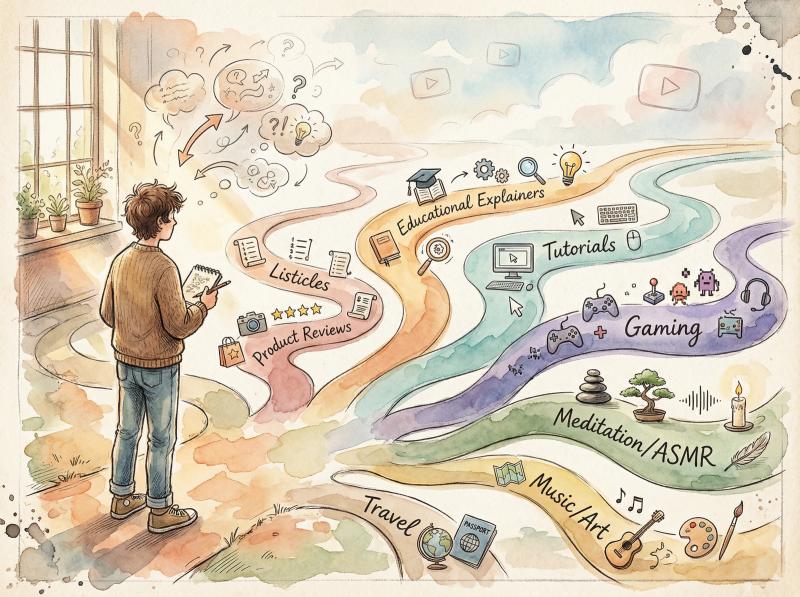
Some niches naturally work without on-camera hosts. Here are proven formats with real examples:
Educational explainers break down complex topics using animations, illustrations, or stock visuals with voiceover. Kurzgesagt (In a Nutshell) uses vibrant animated graphics and narration to explain science and history, engaging millions of viewers with zero on-screen presence.
Tutorials and how-tos show viewers how to do something through screen recordings or over-the-shoulder filming. Tech tutorials often just capture the screen with voice instructions. DIY or cooking videos might show only hands performing tasks. 5-Minute Crafts built an audience across age groups with just hands and crafty visuals.
Gaming videos rarely need faces. You record gameplay footage and add commentary. Top5Gaming has over 6 million subscribers showcasing game clips with animated text and voice.
Relaxation, meditation, and ASMR actually benefit from faceless production. Viewers want calming visuals or ambient scenes, not someone talking to the camera. SoothingPod offers guided meditations over tranquil visuals with soothing narration.
Listicles and fact channels work perfectly with stock photos, videos, and narration. Channels like Bright Side and WatchMojo pump out top-10 lists and informational videos entirely through voiceover, images, and text graphics.
Product reviews and unboxings can film the product close-up while you narrate your thoughts. Tech reviewers often show just the device and their hands, keeping viewers entertained with high-energy commentary.
Documentary and storytelling channels use stock footage, photos, and voiceover narration. Oversimplified humorously animates historical events with voice narration, garnering tens of millions of views per video.
Travel and virtual tours focus on destination footage. Film the places you visit or use Creative Commons clips of locations with narration or captions. Touropia showcases travel destinations with visuals and text facts, no presenter needed.
Music, art, and animation speak for themselves. The famous Lofi Girl channel streams lo-fi hip-hop 24/7 with an animated character loop. Over 14 million subscribers, no human face needed.
These are just starting points. Finance tips with slideshows, coding tutorials with screen capture, psychology explainers with whiteboard animation, even silent day-in-the-life vlogs filmed from first-person perspective all work without showing your face.
Research Your Competition
Once you have a niche idea, search YouTube for other faceless channels in that space. See what they do well and how you might differentiate. Look at their most popular videos to understand what formats and topics resonate.
Modeling after successful channels in your niche can fast-track your growth, according to YouTube strategy experts. Identify gaps or underserved subtopics where you can offer something unique.
Decide on Your Format
Will you primarily use animations, live footage, slideshows, or screen recordings? This might be obvious from your niche. Coding will be screen recording. Travel will be real footage.
It's fine to mix formats too. An educational video might combine animated text, stock photos, and recorded footage depending on the point being made.
Choosing a primary format helps you plan the tools and skills you need. Knowing you'll do animations means you might invest time learning animation software. Planning for screen recordings means setting up capture software.
Your niche plus format equals your channel concept. Spend time getting this right. A clear focus makes everything else easier and more cohesive.
How to Plan Your Content Strategy and Posting Schedule
With your niche and video style decided, map out how you'll create and deliver content consistently. Planning upfront pays off in helping you stay organized and grow strategically.
Develop Your Content Strategy
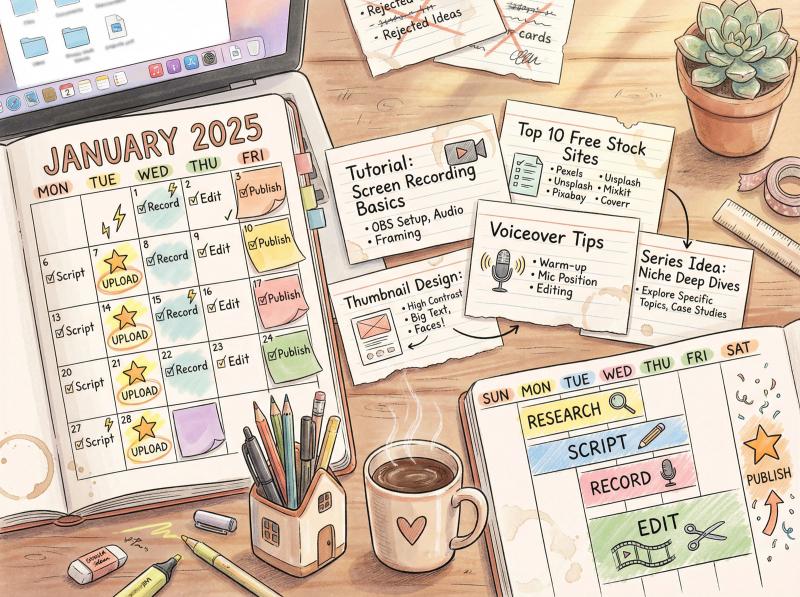
According to content strategists, outline the types of videos you'll create, how often you'll publish, and your channel's overall approach.
① Video topics and series
Brainstorm specific video ideas within your niche. Categorize them if possible. If your niche is personal finance, plan a series of explainer videos like "Investing Basics," another series of list videos like "10 Ways to Save Money on Groceries," and so on. Recurring formats help attract subscribers who know what to expect.
② Content calendar
Consistency matters on YouTube. Decide on a realistic posting frequency (one video per week to start) and schedule topics in advance. A content calendar ensures you always know what you're working on next. It keeps your channel active, which the YouTube algorithm rewards.
③ Balance trending and evergreen content
Plan a mix of evergreen content (topics that always stay relevant) and timely content (trending topics or seasonal themes). Evergreen videos like how-tos or fundamental concepts gain views over time. Timely videos can capture search spikes and show your channel stays current.
④ Decide on length and format
Will you focus on long-form videos, YouTube Shorts, or both? Some faceless creators stick to the classic 8-15 minute range for regular videos (good for watch time and ad revenue), while also using Shorts to grab quick attention. If creating YouTube Shorts, focus on keeping viewers engaged by varying pacing and adding surprises to boost retention.
⑤ Establish visual style and branding
Even without a face, establish a consistent visual identity. This could include a color scheme, font choice for text graphics, or a certain style of imagery. Consistent branding makes your channel look professional and memorable. Simple approaches work. A recognizable theme music or mascot character can serve as branding.
Use Tools for Planning
ChatGPT and other AI can brainstorm content ideas. If you're stuck, ask for video topics in your niche. One creator asked ChatGPT for 100 faceless channel ideas and got a huge list to filter down.
Prompt AI with things like "Give me 20 video ideas for a faceless YouTube channel about travel hacks" to get starting points. Always refine through your own judgment.
Conduct keyword research to see what your potential audience searches for. Tools like Google Trends, TubeBuddy, or similar keyword tools show search volumes. If "how to play guitar without reading music" is commonly searched and fits your niche, that's a strong video idea.
Check communities (Reddit, forums, Facebook groups) related to your niche to see common questions or interests. These spark content ideas that will resonate with viewers.
Plan for Quality Visuals and Audio
Because you won't be on camera, your visuals and audio must do all the engaging. Make a plan for sourcing or creating visuals and ensure you have the tools needed for good audio.
Industry insight: "Prioritize high-quality visuals and engaging audio. Remember, you're competing for attention in a sea of content without a human face to help you."
This might mean scheduling time to practice using a video editor or researching stock footage sites in advance.
Set Metrics and Goals
Define what success looks like. Reaching 1,000 subscribers in 6 months? Getting 10,000 views on a video? Achieving monetization requirements (1,000 subs and 4,000 hours watch time)? Having goals keeps you motivated and lets you adjust your strategy if needed.
By the end of this planning phase, you should have your next 5-10 video topics, a schedule for creating and uploading them, and the overall style you'll aim for.
How to Write Scripts That Keep Viewers Watching
One of the most critical parts of a faceless video is the script.
Since you won't be on camera to ad-lib or convey emotion with facial expressions, a well-crafted script drives your video's quality.
Why Scripting Matters
Think of the script as your video's backbone. It provides structure and ensures you deliver information clearly and engagingly. Even if your video is mostly visual (like a montage with music), having a planned outline or storyboard matters so the video has logical flow.
For most faceless videos, you'll have either a voiceover script or on-screen text script that guides viewers through content.
Writing Your Script
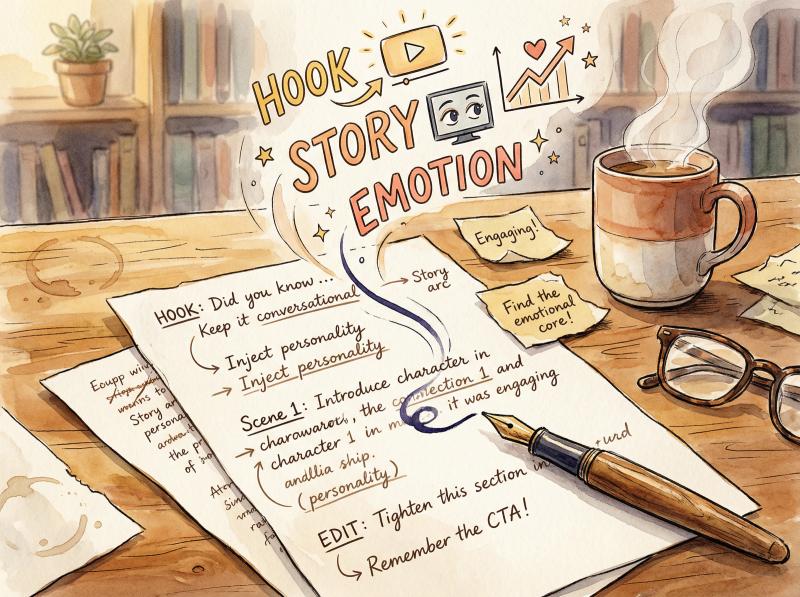
Hook viewers early. The first 10-15 seconds are crucial to prevent drop-off. Start with a strong hook: a surprising fact, a question, or a bold statement.
For a history top-10 video, you might open with: "Did you know Napoleon once lost a battle to a horde of bunnies?" An intriguing tidbit like this grabs attention.
Be conversational and clear. Write in a natural, spoken tone unless your style is intentionally formal. If you'll voice it yourself, read it aloud while drafting. Does it sound like something you'd actually say?
If using text-to-speech, clarity is key. Short, concise sentences usually convert better to AI voice. Avoid long, complex sentences that are hard to follow.
Keep it engaging. Even without appearing on camera, inject personality into your narration. Use storytelling techniques: anecdotes, examples, a dash of humor if appropriate. For educational videos, analogies or simple explanations of jargon keep viewers engaged. Structure content in a logical progression so viewers want to see what comes next.
Match script to visuals. As you write, imagine what viewers will see at each moment. Script and visuals should complement each other. If your script says "As you can see here, this graph skyrockets," ensure a graph will appear at that time.
It helps to split your script into two columns: one for narration, one for planned visuals. This becomes your storyboard.
Aim for the right length. There's no strict rule for ideal video length. It depends on content and audience. Consider this:
Video Type - Recommended Length - Reason
- Tutorials - 5-10 minutes - Concise, to the point
- Story/List videos - 8-12 minutes - Narrative development + mid-roll ads
- Deep dives - 15-20+ minutes - Detailed explorations
- Shorts - Under 60 seconds - Quick attention capture
If you aim to monetize via ads, videos over 8 minutes let you add mid-roll ads (which significantly boost revenue). But don't artificially extend videos with fluff. YouTube's algorithm values watch time percentage and viewer satisfaction. A shorter, highly engaging video beats a dragged-out long one.
Tutorials should be as long as needed to teach the task. People prefer a concise 5-minute tutorial over a rambling 15-minute one.
Story or list videos often do well in the 8-12 minute range. That's enough to develop a narrative or cover 10 points without losing attention.
Consider SEO while scripting. It helps to incorporate keywords or phrases viewers might search for. If your video is titled "How to Bake Bread Without an Oven," try to naturally say that phrase in the narration once or twice. YouTube's transcription and search algorithms pick up spoken words. But don't force it if it sounds awkward. Viewer experience comes first.
Using AI for Scripts
If writing isn't your strength, use AI as a helper. Tools like ChatGPT can draft a script based on your outline. You might say: "Write a 5-minute YouTube script about the top 5 richest people in history, in an engaging tone." The AI generates a script you can then edit and fact-check.
Be very careful to verify facts. AI can fabricate information. Always double-check any data or claims from an AI-generated script.
Some creators use mind-mapping or outlining software to organize their video structure before fleshing out the script. This ensures you cover all points logically.
If you have a blog or article you've written on the topic, adapt that into a video script. Conversely, writing the script first means you could later turn it into a blog post for additional reach.
Don't skip editing. Once you have a draft script, refine it. Cut out unnecessary filler words or tangents. Ensure the language flows well.
If doing voiceover yourself, do a practice read and see if any phrases trip you up. Rewrite those. A tightly edited script makes for a more polished final video.
Pro tip: If you plan to use an AI voice, run sample lines through the AI voice generator first. You might discover certain words it pronounces oddly or sentences that sound monotonous. Adjust your wording to work around those. Sometimes adding a comma or choosing a synonym improves the AI delivery.
How to Record Voiceover for Faceless Videos (Or Use AI Voice)
With a script in hand, create the narration or audio that will accompany your visuals. You have two main routes: record your own voice or use a text-to-speech AI voice generator. Some channels forego voice entirely, but in most cases a voiceover significantly boosts engagement and clarity.
Recording Your Own Voice
Using your own voice adds authenticity that viewers appreciate.
Even if you're shy about showing your face, you might be comfortable with your voice being heard. Remember, viewers won't know who you are just from your voice.
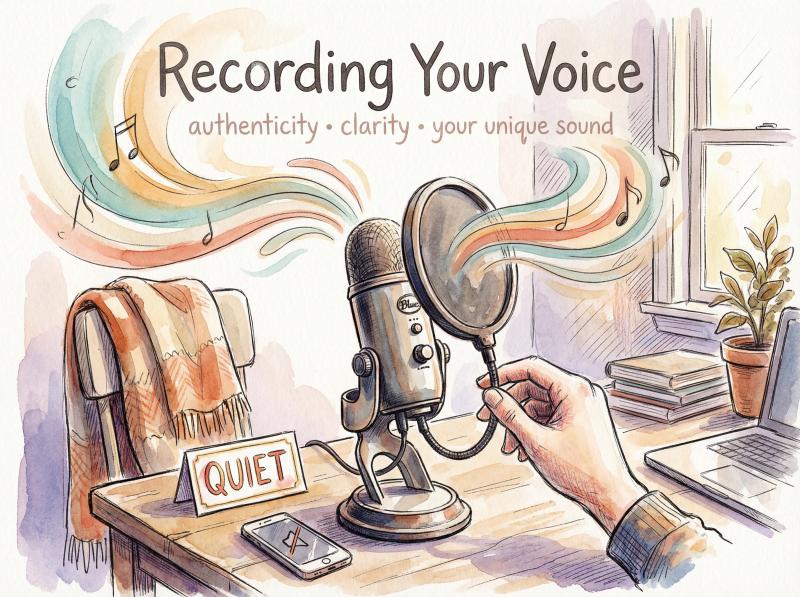
Invest in a good microphone. Audio quality is paramount. Clear, crisp audio keeps people watching. Bad audio makes them click away fast.
You don't need a super expensive studio mic, but something like a USB condenser mic (Blue Yeti, Audio-Technica AT2020) in the $100 range can deliver professional-sounding results.
Record in a quiet environment. Minimize background noise. Turn off fans and AC during recording, close windows, put your phone on silent. If you don't have a soundproof space, recording in a closet full of clothes or under a blanket can reduce echo.
Seriously. It's a DIY vocal booth.
Speak clearly with the right tone. Match your delivery to your content. Educational or serious content might need a steady, authoritative tone. Entertainment or list videos can be more upbeat and dramatic. Practice modulation. Avoid monotone. If you sound enthusiastic and confident, viewers feel it.
Pace yourself. Don't rush. Speak slightly slower than normal conversation if the topic is complex, but not so slow it becomes boring. For something like a Top 10 list, a snappy pace maintains excitement. You can adjust pacing in editing by cutting out pauses.
Do multiple takes. Even professionals flub lines. Record each sentence or section a couple times and pick the best take when editing. It's easier to redo a stumble immediately than discover it later and have to reset everything.
Use a pop filter. This small screen in front of the mic softens "p" and "b" sounds (plosives) and reduces breath noise. They cost $10-20 and help avoid harsh popping sounds.
After recording, do some post-processing on your voice track. Noise reduction (to remove faint background hum), EQ (to enhance clarity), and compression (to even out volume) are common steps. Free software like Audacity handles these tasks. The goal is clean, professional-sounding narration.
Using an AI Voice Generator
Thanks to AI advances, you can have a lifelike synthetic voice speak your script.
This is popular in faceless automation channels. It saves time and allows those uncomfortable with their voice (or non-native speakers) to have fluent narration.
Choose a quality AI voice tool. Top options in 2025 include:
- ElevenLabs
- Microsoft Azure TTS
- Google Cloud TTS
- Amazon Polly
- Murf
Quality varies, but the best ones produce impressively human-like output. Many offer different voices (male, female, various accents or styles). Experiment and find one that suits your channel's vibe.
Mind costs and limits. Some AI voice generators are free or have free tiers (often with limited characters per month). Others require a subscription or pay-per-use for high quality.
Since you might generate a lot of narration, factor this into your budget. As one YouTuber notes: "Thanks to AI, I no longer need to worry about the cost of a professional voice-over. I can use a free AI voice-over generator in any language and tone." Just be sure free options are reliable for longer-term use.
Pick the right voice style. Most tools let you sample voices. Choose one that matches your content. For a documentary tone, maybe a calm, deep male voice. For a fun list, perhaps an upbeat female voice. Some AI allows custom emotional tones or emphasis. Avoid voices that sound too robotic. The tech has improved dramatically, but some voices are still clearly artificial, which might turn off viewers.
Edit text for AI delivery. How you write the script affects how AI reads it. You might need to add commas or periods to create natural pauses. If the AI mispronounces a word, some tools let you phonetically spell it out or choose alternate pronunciation.
Always preview the full narration and tweak as needed. The goal is to have it sound as smooth as a human.
Legality and disclosure. YouTube does not forbid AI-generated voices as long as content is original and not spammy. In fact, YouTube stated in 2025 that channels using AI in their workflow remain eligible to monetize, provided the content is authentic and provides value.
If your entire channel is just generic AI voices reading random facts, it might be flagged as low-effort inauthentic content. Keep quality high and consider mentioning (perhaps in the description) that voiceover was AI-generated if you want transparency. Generally it's not required to disclose, but honesty can be appreciated.
What About No Voice?
Is it possible to have a successful faceless and voiceless channel? Yes, but it's tougher. Some niches allow it:
- Visual tutorials (a cooking video showing steps with ingredient labels on screen and background music)
- Montages or compilations (satisfying machine processes or cute animals with music)
- Silent vlogs (aesthetic vlogs where ambient sounds or subtitles carry the story)
- ASMR (often no talking, or just whispers and sounds)
If you go voiceless, rely entirely on visuals, on-screen text, and audio cues (music, sound effects) to convey the message. The content should be self-explanatory. Keep in mind that lack of voice can limit the depth of information you convey and might reduce watch times if viewers get bored without a guiding narrative.
It might also affect monetization. Purely text-based videos or silent slideshows can sometimes be flagged as "reuse" or low effort unless done exceptionally well. YouTube's reviewer guidelines look for evidence of original contribution. A voiceover is one strong indicator of originality.
For most creators, recording your voice or using a quality AI voice yields the best results. It creates connection and guides the viewer. Whichever you choose, prioritize clarity and listener engagement.
How to Create Visuals Without Showing Your Face
Now for the other half: the visual content of your faceless video. Depending on your format, this could involve filming footage, capturing your screen, designing graphics, or collecting assets like photos and stock videos.
Filming Real-World Footage (Without Showing Yourself)
If your video involves real-world footage (travel scenes, DIY demonstrations, unboxing products, cooking), you'll need to record it. You can use a decent camera or even a modern smartphone. Many phones shoot 1080p or 4K video, which is perfectly fine for YouTube.
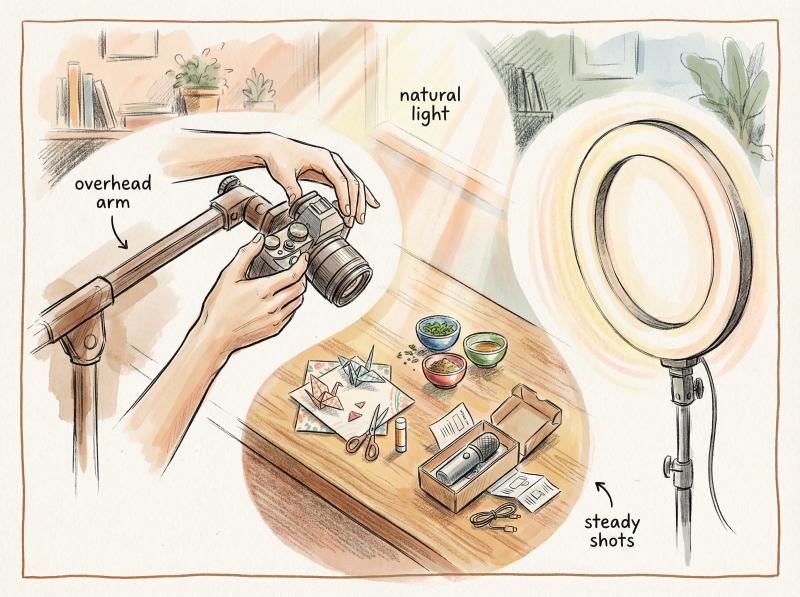
Camera setup. To remain faceless, angle the camera away from your face. Point it at your hands and the object (craft, recipe, gadget) you're working on. Tripods keep shots steady. For top-down shots (popular in cooking or art videos), get a tripod with an overhead arm or rig a DIY setup to hold your camera pointing down at your table.
Lighting. Good lighting makes a huge difference in video quality. If you're filming a physical process, ensure the area is well-lit so viewers can clearly see details. Natural light by a window or a simple ring light works wonders.
B-roll and cutaways. When editing, you might want to cut away to other related footage to keep it interesting. Plan for this by filming extra shots. If doing a faceless travel vlog about Paris, aside from main footage of places, get B-roll of street signs, close-ups of croissants. These can cover cuts or voiceover segments.
No accidental reflections. Be mindful if filming something reflective (windows, glossy objects). You don't want to inadvertently catch your face in a mirror or reflection. It sounds obvious, but many faceless creators have accidentally revealed too much in a reflection. Check your footage carefully.
Screen Recordings
For tutorials, coding, software demos, or any content showing what happens on a computer or phone screen:
Use screen capture software. OBS Studio is a free and powerful option for recording your screen (and it can capture gameplay too). Other options include:
- Camtasia
- ScreenFlow (Mac)
- Built-in recorders (Windows Game Bar, macOS screenshot tool for screen recording)
Ensure you record at high resolution (720p minimum, 1080p ideal) so text on screen is legible.
Record only what's needed. Crop the capture to the relevant window or area if possible. Viewers don't need to see your entire desktop or unnecessary tabs. Many tools let you select a specific application or region to record.
Highlight cursor or actions. For tutorial-style videos, consider enabling a highlight for your mouse cursor or keystrokes if the software allows. This helps viewers follow along. You can add zoom-in effects later in editing to emphasize important details on screen.
Keep clips short. Instead of one long recording, it's often easier to record in segments. Capture the 30-second process of one step, then stop. If you mess up a later step, you don't have to redo the entire thing. You'll stitch segments together in editing.
Using Stock Footage, Photos, and Graphics
A huge advantage for faceless creators is the wealth of stock media available.
You can illustrate your points with high-quality images or videos you didn't shoot yourself (legally).
Free stock libraries. Websites like Pexels, Pixabay, and Unsplash offer free photos and video clips that can be used in your videos (even commercially, though always check the specific license). If you're making a video about space facts, you can grab stunning free NASA space photos or animations for visuals.
Paid stock and subscriptions. If your budget allows, consider sites like Storyblocks, Shutterstock, or Adobe Stock for a larger selection. Storyblocks has a subscription model giving you unlimited footage downloads, very handy for frequent video production.
Attribution. Many free stock sources don't require attribution, but it's good practice to credit the source in your video description. More importantly, do not use random images or clips from Google searches or other YouTube videos unless clearly public domain or Creative Commons with permission. That could lead to copyright strikes. Always use media you have rights to.
Customize if possible. One tip to avoid the "stock footage feel" is to edit or overlay text on them so they feel more integrated. Also, mix multiple images or footage rather than one long stock clip playing. This keeps it dynamic.
Avoid over-reliance on stock. YouTube's content quality reviewers can sometimes label content as too generic if it's just a montage of unedited stock videos with no original touch.
To stay safe for monetization and uniqueness, ensure you add value through your narration, through editing multiple sources together, or through adding original elements (text, graphics, your own footage). The content should feel unique to your channel.
Creating Animations or Graphics
If you have skills (or interest) in animation, this can set your faceless channel apart. Animation doesn't necessarily mean Disney-level cartoons. It can be simple yet effective:
Whiteboard animations. Using software like VideoScribe, Doodly, or Canva's animation features, you can create hand-drawn style explainer videos. These are popular for educational content. They're relatively easy to make with templates. You type the script and the software animates text and simple illustrations being drawn on a whiteboard.
2D/3D animations. Tools like Adobe After Effects (with template packs), Toon Boom, or Blender (for 3D) can create more advanced animations if you're up for a learning curve. Even PowerPoint or Keynote can do basic animated slides which you screen record as an explainer.
Motion graphics and text. If full animation is too much, consider adding motion to static content. Instead of showing a still image of a graph, use a simple animation of a bar rising or infographic elements appearing. There are templates on After Effects or online tools (like Animaker, Powtoon) that help you build these without starting from scratch.
AI video generators. In 2025, AI tools can automatically generate video from text. They might assemble relevant stock footage and add subtitles in a fairly cohesive way. Examples include Pictory, InVideo, or Canva's video maker. These can speed up visual creation. You provide the script (and maybe an AI voice) and they output a draft video with stock visuals matched to the script.
These are best used as starting points. Always review and edit the output to ensure it actually matches what you're saying and isn't using off-the-mark imagery. Many others might use the same AI templates, so add your unique touches (swap out clichéd visuals, insert some original graphics) to differentiate your content from potentially inauthentic AI spam.
Visual Tips for Higher Engagement
Keep things moving. A static image on screen for 30 seconds bores viewers. Try to switch visuals or camera angle at least every 5-10 seconds (if not more frequently) unless something truly requires a long look. This could mean zooming on a portion of an image, cutting to a new clip, or overlaying text. Anything that adds movement or change.
Use text overlays for emphasis. Even with voiceover, adding written text on screen can reinforce key points or statistics. If you state a shocking stat, flash it in big bold text on screen. This not only adds visual interest but caters to those who watch on mute.
Brand your visuals. If you have a logo or certain color scheme, incorporate it subtly. Perhaps as a small watermark in a corner, or in the style of your graphics. Don't overdo branding to the point of distraction, but a consistent look builds your channel identity.
Quality resolution. Always aim to produce at least HD 1080p videos. Blurry or low-res visuals make your content look low effort. If you're using older footage or images that aren't HD, see if you can find higher resolution versions or consider using an AI enhancer. One creator noted using an AI video upscaler to improve footage. Results vary, but it's an option if you have important visuals that are low-res.
How to Edit Your Faceless Video (Step-by-Step)
Video editing is where your narration and visuals merge into the final compelling story. For faceless videos, editing is especially crucial because this is how you ensure content flows well and stays engaging without a person guiding the eye.
Choose Your Editing Software
There are many video editing programs, from beginner-friendly to professional-grade:
Software Type - Options - Best For
- Free - OpenShot, Shotcut, DaVinci Resolve, HitFilm Express, iMovie (Mac) - Beginners or budget-conscious creators
- Paid - Adobe Premiere Pro, Final Cut Pro (Mac), Filmora, Camtasia, Sony Vegas Pro - Advanced features and professional polish
- Online - Canva's video editor, Kapwing, Clipchamp - Quick edits without installation
OpenShot is user-friendly for basic cutting and layering. DaVinci Resolve has a steeper learning curve but is extremely powerful (used even in studios, yet it has a free version).
Choose one and stick with it for a while. The more you use an editor, the faster you get. Plenty of YouTube tutorials exist for all these tools.
Sync Audio and Visuals
Start your project by placing your voiceover audio on the timeline.
That's your backbone. Then import all your visuals (video clips, images).
As you listen to the narration, insert the appropriate visual at the right time. At the 0:20 mark your script might say "In 2023, X happened." Right then, place an image or clip that represents that. Continue aligning visuals with audio narration.
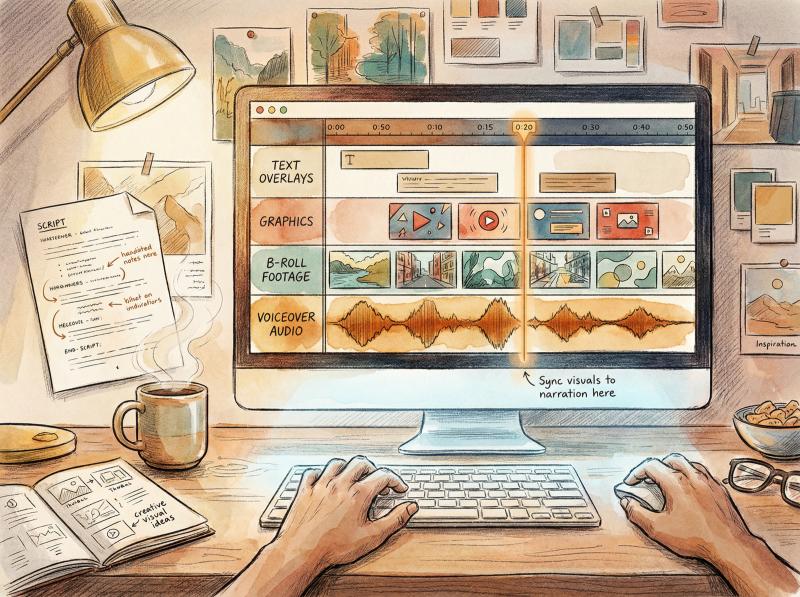
You'll likely have to trim clips or adjust durations of images to fit the voiceover. All editors let you cut, split clips, and drag to adjust length. Ensure there isn't a mismatch like the narrator talking about something that isn't shown because the clip ended too soon.
If a section of voiceover has no obvious visual, use a placeholder like a simple background with text on it quoting a key phrase, or a subtle animated background (like a blurred moving shape). But strive to minimize long stretches of generic visuals.
Watch out for timing. If listing 5 points, make sure you display some indicator as you go ("#1", "#2" on screen) and change the visual each time to keep up with the list count.
Use Cuts, Transitions, and Effects Wisely
Cut between clips as needed to maintain pace. Jump cuts (abrupt transitions) are fine for most informative content. It often works better than fancy transitions. Occasional transitions (fade, slide) can be used if it fits the style (like a fade through black for a dramatic pause or passage of time).
Avoid gaudy or random effects. The classic mistake of beginner editors is using too many wild transitions or text animations that look unprofessional. Keep it mostly simple and consistent.
Do use basic animations to keep it lively. For instance, Ken Burns effect (slow zoom or pan on a photo) adds movement to static images. Many editors have this as an easy option.
Text overlays. Add titles or labels where helpful. If your video has sections, introduce each with a nice title card. Or if you mention a quote or statistic, popping it up in text reinforces it.
Choose a clean, readable font and use colors that contrast with the background. Stay within safe margins (avoid putting text at the very edge of the frame).
Subtitles and captions. Consider whether to burn-in captions of your entire script. Some channels do this (especially on Shorts or Facebook where many watch muted). On YouTube, many users rely on auto-captions or turn on subtitles if needed, so it's optional for long videos.
Adding full captions manually in editing is a lot of work, so a shortcut is to rely on YouTube's automatic captions and just manually correct any errors via YouTube's subtitle editor after uploading.
Background Music and Sound Effects
A background music track can enhance your video's mood and cover any dead air. It's common in list and tutorial videos to have a soft music bed underneath narration.
Choose music that fits but doesn't distract. It should be instrumental (lyrics will conflict with your voiceover) and at low volume. Many creators use upbeat corporate music for tutorials or cinematic music for documentaries. YouTube Audio Library offers tons of free tracks you can legally use. Check it out for safe music choices.
Make sure to duck (lower) the music volume when someone is speaking. The voiceover must be clearly audible. A good rule of thumb: background music should be barely noticeable, just adding a bit of atmosphere.
Sound effects can be a nice touch if used sparingly. A "whoosh" sound when text swoops in, or a typewriter sound when letters appear, or cartoon boings for comedic effect. Just don't overdo it to the point of cheesiness or annoyance.
Review for Pacing and Engagement
After assembling, watch your video start to finish as if you are the viewer (better yet, get a friend to watch). Is there any point where it feels slow or uninteresting? If so, tighten it up.
You might need to trim some pauses or even cut out a redundant sentence or two from the narration if the video is dragging. On the other hand, make sure nothing important flashes by too quickly for viewers to absorb. Adjust durations accordingly.
Pay special attention to the first minute. This is where most viewers decide to continue or not. Edit the opening to be punchy and on-topic. Often you'll trim more off the beginning than elsewhere to remove any fluff.
Check that visuals align with audio perfectly. If you say "as you see on the screen" but the visual was late or early, it's disorienting. Everything should sync.
Ensure there are no technical glitches: no blank screens (unless intended), no moment of silence or black frame between clips, no abrupt audio cut-offs. Verify your audio is properly synchronized.
Verify resolution and quality: preview in full screen at 1080p if possible. If something looks pixelated or blurry, see if you can replace that asset with a higher-res version.
Polish and Branding
As a final touch, you might want to add a quick intro or outro. Many channels have a 5-second logo animation or a standard intro jingle. It helps build brand identity. Just keep it short: viewers have little patience for long intros now.
For the outro, you can leave the last 20 seconds for endscreen elements (YouTube allows endscreen overlays in the final 20 seconds). It's good to show a "Thanks for watching" or prompt like "Like & Subscribe for more!" along with a couple of video thumbnail placeholders for your other videos (you set these during upload).
Design your outro section to accommodate those elements without your face. A nice background and text encouraging viewers to check out another video works well.
Now your video is ready to render. Export from your editing software in the highest quality you reasonably can. Typically, 1080p MP4 (H.264 codec) at a high bitrate (10+ Mbps) is a safe choice. If you shot or created in 4K and can export 4K, that's even better for future-proofing and possibly slight algorithmic favor, but 1080p is still the YouTube standard and absolutely fine.
How to Optimize Faceless Videos for YouTube Search
Creating the video is a huge accomplishment, but how you package and publish it on YouTube impacts its discoverability. Optimization ensures your faceless video reaches the widest relevant audience.
Video Title
Craft a compelling title that clearly reflects the content and piques interest. Use keywords people would search for. Instead of a bland title like "Faceless Video on Cooking," use something specific and catchy: "10 Quick Dinner Recipes (No Face Cooking Tutorial)."
Here you convey the format implicitly by making it a tutorial and mention "recipes" which people search for.
If your video is a how-to or list, front-load those phrases ("How to...", "Top 5...") since they tend to perform well. Keep it under about 60 characters if possible so it doesn't truncate on most devices. Make sure it's not clickbait-y in a misleading way. It should accurately set expectations while enticing clicks.
Description
The description box is often underused. Start with 1-2 sentences that summarize the video and include some keywords (this helps with YouTube's algorithm and also shows up in search snippets).
For example: "In this video, learn how to create faceless YouTube videos step by step, from scripting to editing, without ever showing your face. Perfect for camera-shy creators or anyone looking to use animations, screen recordings, and voiceovers to build a YouTube channel."
Notice how that packs in relevant terms naturally. Then add more info: maybe a time-stamped outline of video sections (great for user experience and YouTube Chapters), any links to resources you mentioned (link to the microphone you used or free stock footage sites), and your own social or website links.
Consider adding a subtle subscribe call-to-action like "👍 If you enjoyed this, please LIKE and consider subscribing for more faceless video tips!"
Tags
Tags are less critical than they used to be, but still provide signals. Include a set of relevant tags such as:
- faceless youtube videos
- how to make videos without showing face
- faceless youtube channel
- [your niche] tutorial
- [topic] explained
Think of variations a user might search. You can also use tools or a tag generator to help. Post bridge offers a free YouTube Tag Generator that can suggest optimized tags for better SEO, leveraging such tools can save time.
Make sure tags are all relevant to the content. Stuffing unrelated popular tags doesn't help and might hurt.
Thumbnail
This is super important.
Since you aren't showing your face, you have full freedom to design an eye-catching thumbnail. Invest time here:
Use high-resolution images (1280x720 px minimum). It should look good small (most see it as a tiny rectangle).
Contrast and color. Thumbnails that pop usually have clear contrast between foreground and background. Bold colors (not neon necessarily, but distinct hues) catch the eye. Many faceless channels use illustrated or graphics-heavy thumbnails since they can't rely on a smiling face. That can work well if done consistently.
Include short text if it adds value. A word or two that emphasize the topic, like "No Face? No Problem!" or "Faceless Tips," something that reinforces the video idea. Use a large, clean font. But don't overcrowd with text. The image should mainly tell the story.
Imagery. If possible, show an element of what the video is about. If it's a tutorial on screen recording, the thumbnail might show a computer screen icon with a record symbol. If it's a list of travel places, maybe a beautiful landmark with big "Top 5" text.
Thumbnails for informative videos often use illustrative icons or collages. Look at other videos in your niche for inspiration, but then try to make yours better or at least clearly distinct.
Consistency. Eventually, having a consistent style (colors, layout, font) helps your thumbnails become recognizable to subscribers. But when starting out, feel free to experiment to see what yields the best click-through rate.
End Screens and Cards
When uploading, YouTube lets you add end screen elements. Do use them. At the end of your video, insert an end screen that perhaps links to a related video or your playlist, and a subscribe button. Since you have no face doing the "please subscribe" spiel, these interactive elements help keep viewers on your channel.
Also consider adding a card or two (those little pop-up suggestions in the corner) during the video if there's a relevant link. For example, "If you like this explanation, check out my video on XYZ" at the moment you mention XYZ.
Playlist and Channel Arrangement
Add your video to a relevant playlist (or create one). Playlists can increase watch time by autoplaying a sequence of your videos. A new viewer might find your video via search and then, because it's in a playlist, continue to another of your videos automatically. Great for retention.
Also, ensure your channel page is organized. Feature your faceless videos in a nice layout, as some viewers will click through to see your channel if they like one video.
Optimizing for Algorithm and Search
A few behind-the-scenes factors matter:
The first 24-48 hours after publish are critical for the algorithm. Share your video (more on promotion in the next section) to get those initial views and engagement.
Respond to comments and encourage interaction (ask a question in your video or description for viewers to answer in comments). Engagement signals (likes, comments, subscribes) in early phase can boost the video's ranking.
Watch time is king. If people click your video and watch a good chunk, YouTube will favor it. If you notice via Analytics that viewers drop off at certain points, learn from it for future videos. Perhaps your intro was too long. Next time, tighten it. Continuously improving content based on these metrics is key to growth.
Important Policy Compliance
Ensure your video doesn't violate any of YouTube's guidelines:
Since faceless videos sometimes use stock content, double-check you haven't included any unlicensed material or anything that might get a Content ID copyright claim. If you do get a claim after uploading (common with background music if not from a free library), YouTube will notify you. You can swap music or dispute if you have rights. It's best to avoid this by using safe assets from the start.
Review YouTube's monetization policies if you plan to monetize eventually. Specifically, avoid "reuse" issues: your video should not be just a compilation of others' content with no original commentary or value added. The fact that you wrote a script and either voiced it or gave it a unique narrative usually covers this.
YouTube stated in mid-2025 that channels using AI in their workflow remain eligible to monetize, provided the content is authentic and provides value. The policy renamed "Reused/Repetitive content" to "Inauthentic content" and stresses that purely mass-produced, template-based videos that are all very similar could be ineligible for ads.
As long as each video has unique substance and your own touch, you're producing authentic content.
If your content is family-friendly or not, set the appropriate audience setting ("made for kids" or not). Generally, even if kids could watch, unless it's explicitly for kids (like nursery rhymes, cartoons for children), mark it as not made for kids so you keep comments and full monetization features.
Once you fill out all the fields, upload your video (and schedule if desired). You can either publish immediately or schedule it for a certain time. Scheduling is useful to hit peak times for your audience (posting at 5pm when your viewers are online). It also allows you to batch produce and have videos go live while you focus on the next.
How to Promote Your Faceless Videos and Grow Your Audience
Now that your faceless YouTube video is live, the focus shifts to getting viewers to it and building your channel's following. Growth for a faceless channel follows many of the same principles as any YouTube channel, with a few twists.
Leverage Social Media and Online Communities
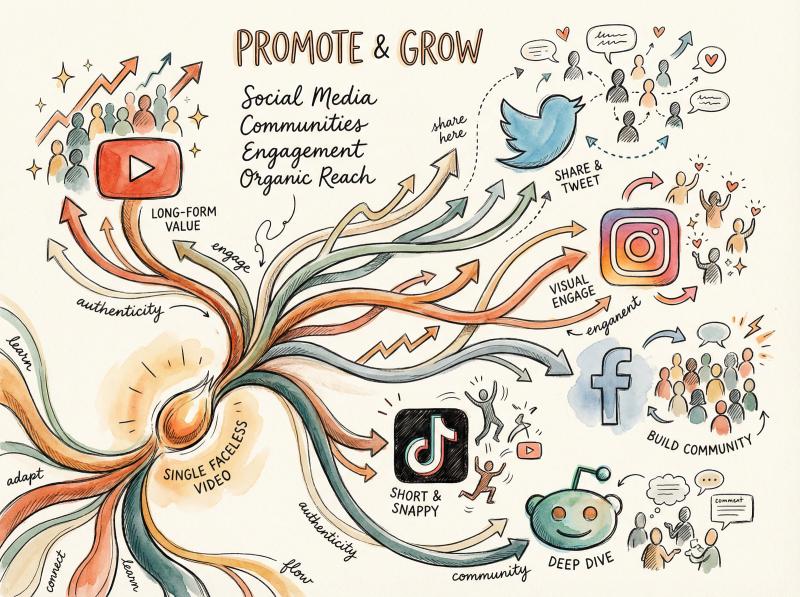
Just because you're not showing your face doesn't mean you should be invisible. Share your video wherever your potential audience hangs out:
Twitter/X, Facebook, Instagram. Post a brief teaser or thumbnail of your video with a link. Write an enticing caption like: "Ever wondered how to start a YouTube channel without being on camera? 🎙️🎬 Just dropped a full guide!"
On Instagram or Facebook, you might upload a short clip (15-30 seconds highlight) with captions and direct people to the full video link in bio or comments.
Reddit. Find subreddits related to your niche. Be mindful of rules against self-promo, but if you have a genuinely valuable video, you can share it in contexts where it helps. If you made a faceless cooking tutorial, share it in r/Cooking or r/recipes when relevant. Or if it's a tech tutorial, maybe r/techvideos. Always add a sentence about what it is and why it's useful, rather than just a naked link.
Forums and Groups. Similar to Reddit, any forums or Facebook groups where your target audience is active. Become part of those communities (don't spam though). If someone asks "How can I improve my YouTube videos without showing face?" you can answer and mention your guide video.
Quora. If there are questions on Quora that your video answers, you can write a helpful answer and link the video as a reference. This can bring in long-term traffic.
Cross-Platform Distribution Made Simple
Managing posts across multiple platforms can get tedious fast.
This is where Post bridge becomes incredibly useful for faceless video creators.
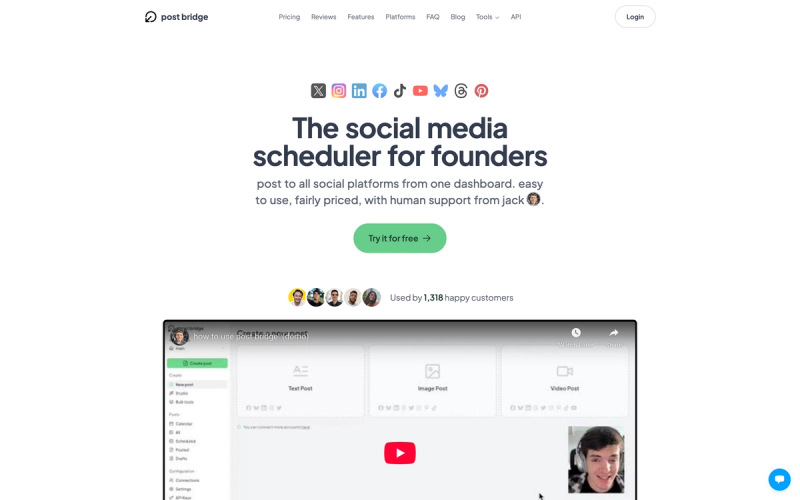
Instead of manually uploading your faceless video to YouTube, then separately uploading to TikTok, then Instagram Reels, then Facebook, you can handle it all from one place. Upload your video once to Post bridge, add platform-specific captions if needed, and schedule simultaneous posts to all your connected accounts.
For faceless content that works across platforms (like educational explainers, tutorials, or list videos), this workflow saves hours each week. The platform even detects 9:16 vertical videos under 3 minutes and automatically posts them as YouTube Shorts, making format optimization automatic.
The platform handles TikTok's requirements too. Since TikTok prefers content posted natively through their app (to avoid potential reach penalties), it offers a drafts feature. Your video saves as a draft in the TikTok mobile app, then you can publish natively with one tap, maintaining full reach potential while still benefiting from centralized scheduling.
Plans start at $9/month for 5 connected accounts, which covers most solo creators. If you're publishing faceless content across 10+ platforms weekly, this tool turns a multi-hour task into a 10-minute batch scheduling session.
Engage with Viewers
One advantage you have is more time to interact (since you're not busy filming your face). Respond to comments on your video promptly, especially within the first hours or days. The YouTube algorithm may reward videos that have active comment sections. Plus, building a community through comments creates loyal viewers.
Even a simple "Thanks for watching!" or answering a question can make a viewer feel connected. Encourage viewers to comment by asking a question in the video ("Let me know in the comments which tip you found most useful" or "Have you tried making faceless videos? Share your experience!").
When people do answer, reply and foster that conversation.
Monitor Analytics and Learn
YouTube Studio provides a wealth of data. Use it. After your video has been up for a bit, check the Analytics:
See the Audience Retention graph to understand if and when viewers drop off. If many leave at a certain point, analyze why (was there a boring segment? an off-putting visual?). This insight is gold for improving your next videos.
Check traffic sources to see how people are finding you. If search is big, what terms are they searching? If external, which sites? This can guide where to focus promotion or what keywords to target.
Look at click-through rate (CTR) on your thumbnail. If it's low (< 2-3% initially), perhaps your title or thumbnail combo isn't enticing enough. You can try updating the thumbnail or title (YouTube allows edits) to improve it. Some creators do A/B testing by swapping thumbnails for a week to see which performs better.
Notice which videos get the most views or highest watch time. That's feedback on what topics or formats resonate most. Double down on what works.
Stay Consistent and Patient
Growth might be slow at first. That's normal. The YouTube snowball often takes a few months or even a year to really start rolling, as you build a library of content and the algorithm finds the right audience for you.
Consistency is your best friend. Keep posting on a regular schedule you committed to in your content plan. Consistency not only signals the algorithm that you're an active channel, but it also sets viewer expectations. If subscribers know you upload every Tuesday, they might check in.
Keep Improving and Innovating
Treat each video as a chance to improve one thing from the last video. Maybe audio quality, or visual creativity, or pacing. Over time, these incremental improvements make your content top-tier.
Also, stay updated on trends in both YouTube and your niche. If YouTube introduces a new feature (like they did with YouTube Shorts), consider how you might incorporate it. Or if a certain style of animation becomes popular, see if it's applicable to you. Just make sure any trend aligns with your channel's identity. Don't force it.
How to Monetize Faceless YouTube Channels
Sooner or later, you might want to make money from your YouTube efforts. The great news is faceless channels can absolutely be monetized, and some are extremely lucrative. But it's important to understand how to monetize effectively and what pitfalls to avoid, especially regarding YouTube's policies.
YouTube Partner Program (Ad Revenue)
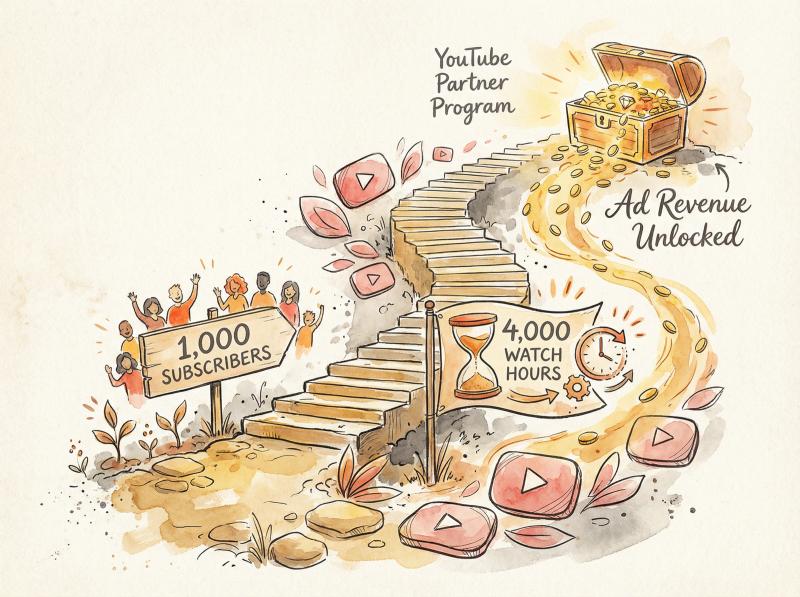
The most direct route is enabling ads on your videos. To qualify, you need to meet the YPP requirements: currently 1,000 subscribers and either 4,000 watch hours in the last 12 months, or 10 million Shorts views in 90 days.
Once in the program, YouTube will run ads and share revenue with you. Faceless videos earn ad revenue just like any others, provided:
- They follow ad-friendly content guidelines (no extreme profanity, violence if you want full ads)
- They are original content, not reused clips from TV shows or other creators without commentary
As discussed, YouTube's "inauthentic content" policy means channels that mass-produce very repetitive, low-effort content may be denied monetization. But a faceless channel with unique scripts, valuable info, or entertainment is by definition original.
AI voiceovers do not inherently disqualify monetization as of 2025. YouTube has clarified that using AI is fine if the content is authentic and not spam. So you can monetize videos with AI narration or AI-generated imagery provided you have added creativity and it's not just auto-generated junk.
Always err on the side of creating quality content yourself (with AI as a tool) rather than letting AI do everything.
Content Type - Typical CPM - Annual Income Potential (100K monthly views)
- Finance/Tech - $8-$15 per 1,000 views - $9,600-$18,000
- Entertainment/Trivia - $2-$5 per 1,000 views - $2,400-$6,000
- Education - $5-$10 per 1,000 views - $6,000-$12,000
The amount you earn per thousand views (CPM) varies widely by niche. Faceless finance or tech channels often have higher CPMs (because advertisers pay more for those topics), sometimes $8-$15 per 1,000 views or more. Entertainment or general trivia channels might have lower CPMs, like $2-$5 per 1,000.
It also depends on audience location (US and UK viewers yield higher ad rates than some other regions).
So 1 million views on a channel could be $1,000 to $5,000 depending on niche and geography. If your content is suitable for a high-paying niche, that's a bonus.
Affiliate Marketing
This is a popular income stream for faceless channels, especially those that do reviews, top 10 lists, or tutorials. It works like this: you sign up for affiliate programs (Amazon Associates is common, or specific ones like tech gadget sites, software services), and you get unique referral links.
When you mention a product or service in your video, you put your affiliate link in the description. If viewers click and make a purchase, you earn a commission at no extra cost to them.
For example, a faceless gadget review channel might review "Top 5 Budget Microphones" and include Amazon links for each mic. Each sale might net a few percent of the price. Over time, this adds up, and it's not reliant on YouTube's algorithm.
Even educational channels can use affiliate links, like linking books or courses related to the topic.
Make sure to disclose affiliate links (a simple note in description like "Links above may be affiliate links, meaning I earn a small commission if you purchase through them"). Also, only promote things that make sense and that you truly think are useful. Trust is key.
Some faceless channels specifically focus on affiliate-friendly content (like product compilations). Companies in software, web services often have high-paying affiliate programs, so those types of recommendations can be lucrative if your audience is interested.
Sponsorships (Brand Deals)
Even without a personal persona, you can land sponsorships. Brands care about your audience and content style more than whether you show your face. For instance, an animation channel could have the narrator say "This video is sponsored by Skillshare..." and then show a brief promo segment with visuals or screen captures.
Many companies are comfortable with this as long as the integration feels relevant. The key is to have a solid audience. Typically sponsors look for channels with at least thousands of views per video consistently, if not tens of thousands.
Ensure any sponsored content still aligns with your channel (don't promote something unrelated or scammy, it will hurt your brand). Keep an eye on disclosures. YouTube has a checkbox to mark content as having a paid promotion, which you should use, and mention in-video that it's sponsored to be transparent.
Merchandise and Products
You might not have a personal brand face, but you can still create a brand for your channel. For example, Lofi Girl sells merchandise featuring their animated character. Kurzgesagt sells posters and calendars of their art style.
If you have an animated avatar or a distinct logo or catchphrase from your faceless content, you can put it on t-shirts, mugs, digital wallpapers, whatever fits. YouTube allows merch shelf integration once you meet certain criteria, or you can use external platforms like Teespring, Redbubble and link to them.
This probably comes later in your journey when you have a dedicated fan base.
Alternatively, maybe you have your own product or service that your videos support. If your faceless channel gives productivity tips, perhaps you have an e-book or a Notion template you sell. One AI faceless YouTuber mentioned she sold some of her own products via her channel even before monetization. If YouTube is just a lead-gen channel for your business, that's a way to monetize early on.
Crowdfunding (Patreon or Channel Memberships)
Loyal viewers might be willing to directly support you. Patreon is a popular platform where you can offer bonus content or early access for a monthly pledge. Channel Memberships on YouTube (once enabled) let people join your channel for perks (badges, exclusive videos or live streams).
Even though you're faceless, perks could include things like members-only Q&A where you answer their questions via a private video (still faceless but more direct), extra behind-the-scenes of how you make videos, or even voting on future topics. It's a way to build a community feeling.
Keep in mind this usually works better once you have a sizable, engaged audience, and you have to consistently provide perks to keep people subscribed.
Diversify Your Revenue
Many top faceless channels use a combination of the above.
For example, an educational faceless channel might earn from ads, have affiliate book links in descriptions, do the occasional sponsor integration, and also have a Patreon with exclusive deep-dive articles or downloadable resources.
Monetization Pitfalls to Avoid
Reused Content. Don't try to monetize content that isn't originally yours or doesn't have significant original commentary. Downloading other people's TikTok videos and compiling them, or using a bunch of news footage without your own narrative can get your monetization rejected under "reuse."
Always ask: am I transforming this material and making something new and valuable? If yes, you're good.
Inauthentic Automation. If you churn out videos with AI that are barely distinguishable (same voice, same template, just swapping facts), YouTube might flag it as inauthentic mass production. Ensure each video feels crafted.
The July 2025 policy update is basically targeting cookie-cutter spam channels, not genuine creators who use tools creatively. If you stay on the genuine side, you need not worry.
Content that violates policies. Faceless channels can sometimes drift into risky territory because it might feel anonymous. Be careful with content that could violate community guidelines. If doing top 10 crime stories, don't include graphic violence or it might get age-restricted or demonetized. If doing commentary, avoid hate speech. The rules apply to everyone equally, face or no face.
Music and assets licenses. If you're monetizing, you must have rights to everything in the video. Using an unlicensed song in the background can either siphon your ad revenue to the music copyright owner or cause a strike. When in doubt, stick to royalty-free or original music. Same for video clips.
You can't just cut in a 10-second movie clip for reference. That's risky unless it's unquestionably fair use and even then YouTube might auto-detect it and flag.
Overloading ads. Once you can place mid-roll ads, be considerate. Yes, more ads equals more money, but if you put 8 ad breaks in a 10-minute video, viewers will hate it and maybe stop watching, which hurts your retention and future prospects. Find a balance (maybe one mid-roll in a 10-min video, or two in a 20-min video).
Success Stories
On the flip side, success stories abound for faceless channels monetizing. For inspiration: industry analysts have highlighted creators who reportedly manage dozens of faceless automation channels making significant income. They also cited a new channel that made substantial revenue in three months with only four documentary-style videos on sports, showing that if you find a content-market fit, monetization can snowball.
These cases are outliers, but they prove the potential. More commonly, many faceless channels make a solid side income in the thousands per year, some growing to full-time income over a couple of years.
Plan for Monetization Early
You don't need to monetize from day one (and you can't with ads until you hit the threshold). Focus on building quality content and audience first. But it's wise to plan ahead.
Building an email list from the start (you can invite viewers to download a free PDF guide via an email signup) can later be a channel for selling a product.
Or consistently linking relevant products can start generating affiliate income even before ad sense kicks in. Just integrate these tactfully so they don't harm viewer experience.
Frequently Asked Questions About Faceless YouTube Channels
Can I really succeed on YouTube without ever showing my face?
Absolutely. There are channels with millions of subscribers where the creator stays completely behind the scenes. For instance, Bright Side, WatchMojo, and Daily Dose of Internet are among the most-subscribed faceless channels, each proving that compelling narration and visuals can build a huge audience.
Success comes from delivering value or entertainment. Having a face on camera is just one style, not a requirement.
Do faceless videos get less engagement or trust from viewers?
They can get just as much engagement if done right. While it's true that personality-driven channels create a parasocial bond (viewers feel like they know the YouTuber), faceless channels build trust by consistency and quality.
If your information is solid or your stories are captivating, viewers don't mind the format. You might have to work a bit harder on branding (since you can't rely on your personal charm, you rely on content style), but plenty of fans even prefer faceless content that gets to the point without any "youtuber persona" fluff.
Is it harder to get subscribers on a faceless channel?
Not necessarily. You might need to remind viewers to subscribe since there isn't a face saying "hey guys, please subscribe." You can include calls-to-action in text or voiceover. Some faceless creators use a little animated icon of a subscribe button appearing.
It's also important to have channel branding that people recognize (like a unique name or logo) so they remember you when another video of yours is suggested. If each video has a totally different look and no face, a casual viewer might not realize it's the same channel they liked before.
Use consistent intro music, logo, or avatar to imprint your brand.
What if I do want to show up occasionally? Does that ruin the "faceless" concept?
Not at all. "Faceless" isn't a strict rule, it's your choice. Some channels primarily remain faceless but might do a face reveal at a milestone, or appear in a live Q&A for their hardcore fans.
It can even boost connection when done sparingly. But it's entirely up to your comfort and the expectations of your audience. Many successful channels never reveal the person (like the narrator of WatchMojo has never become the focus; the content is front and center).
How much can I really earn with a faceless channel?
It ranges from nothing to millions, just like any YouTube endeavor. "Faceless" doesn't limit your earning potential. It's all about views, engagement, and monetization methods.
Some estimates suggest that faceless YouTubers make between $12,000 and $120,000 per year on average. That's a huge range and depends heavily on niche and viewcount, but it shows that many are making a solid income. Top outliers can make six or seven figures (with multiple revenue streams).
Keep in mind those are exceptional cases. Focus on growing your channel and the money will follow as a byproduct of reaching people.
Any example of a quick-start approach using AI?
Yes, some creators have experimented with making AI-driven faceless channels quickly. They use ChatGPT to write scripts, AI voice for narration, and AI video tools for visuals. This can produce a video with relatively little manual work.
However, the quality might not stand out unless you carefully edit the AI output. It's a way to test ideas or produce volume, but remember YouTube rewards viewer satisfaction above all.
A human touch in planning, editing, and refining is usually needed to make those AI-generated videos actually enjoyable and unique. Use AI to assist, not to completely replace your creativity.
Final Thoughts: Your Faceless YouTube Journey Starts Now
Making faceless YouTube videos is a liberating path for many creators. You can share your knowledge, creativity, and stories without ever stepping in front of a camera, all while building a potentially large audience and income.
As we've covered, the process involves many of the same steps any YouTuber goes through (researching, scripting, filming in alternative ways, editing, promoting), but with a focus on content over personality.
In 2025, it's more feasible than ever thanks to advanced tools (AI voice and video generators) and abundant resources for stock media. However, it's also more competitive as a result.
The channels that stand out are those that bring unique value, high quality, and consistency.
So as you venture into faceless content creation, keep the bar high for yourself. Focus on what the viewer cares about: clear audio, engaging visuals, useful or entertaining information, and a bit of wow factor.
If each video you make either teaches something new, inspires, or entertains, viewers will come back for more. They won't care if they never see who's behind it. They'll care that they're getting value from it.
And here's a practical tip for scaling your faceless content across platforms: once you've created your video, don't waste hours manually uploading it to each platform. A social media scheduling tool lets you upload once and distribute to YouTube, TikTok, Instagram, Facebook, LinkedIn, and more from a single dashboard.
For faceless creators publishing consistently, this workflow turns multi-platform distribution from a half-day task into a 15-minute scheduling session. Plans start at just $9/month, and you can check pricing options here.
One perk of faceless channels is you can truly let your imagination run wild with visuals and formats, since you're not constrained to filming a person talking. Today you might be a disembodied expert voice explaining the cosmos with NASA footage. Tomorrow you might be a storytelling narrator taking people on a journey through a fictional tale with just text on screen and music.
The possibilities are endless.
Now that you have the complete roadmap, it's time to put it into action. Plan that first video, hit record (or generate), and start your faceless YouTube adventure. Who knows? A few years from now, your channel could be the go-to resource or entertainment hub in your niche, all achieved without ever showing your face.