
you just dropped a witty comment on your friend's Instagram post. now you've got 12 likes on it. who are these people? are they your followers? random strangers? that one person you've been trying to connect with?
Instagram doesn't make it obvious how to see who liked your comment. the feature exists, but it's buried under a gesture that most people never discover. if you've ever tapped the heart icon hoping to see a list of names and instead accidentally liked or unliked the comment yourself, you're not alone.
this guide will show you exactly how to view comment likes on Instagram in 2026. why the feature is so hidden. what alternatives exist if the standard method doesn't work for you.
Why Can't I See Who Liked My Instagram Comment?
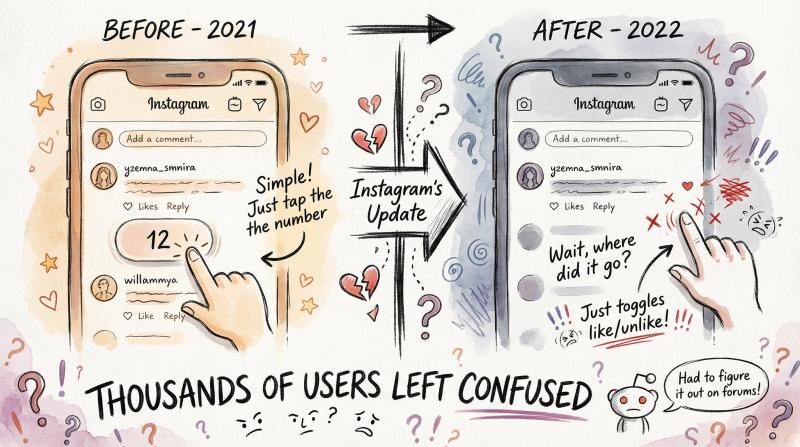
a few years ago, checking who liked a comment was simple. you'd see a number below the comment, tap it, and boom. there was your list of likers.
Instagram's interface changes in 2022 moved the like count to a tiny heart icon on the right side of each comment. tapping it just toggled your own like status.
the frustrating part? even Instagram's Help documentation didn't explain the new method initially. thousands of users were left confused.
What most people don't know
the feature still works. Instagram just requires a different gesture now. one that's never explained in the app itself. users had to discover it through trial and error (and then share it on Reddit forums).
why does this matter?
Critical insight: Comment likes tell you something post likes don't. When someone likes your comment, they're engaging with your specific thoughts, not just the original content. This reveals deeper audience alignment and potential connections worth cultivating.
for creators, marketers, and anyone building community on Instagram, understanding who resonates with your commentary can be incredibly valuable.
How to See Who Liked a Comment on Instagram (Step-by-Step)
here's the method that works on the current Instagram mobile app (both iOS and Android). you'll need to use the app for this since the desktop website doesn't support viewing comment likers.
Step 1: Find the Comment
navigate to the Instagram post containing the comment you want to check. this could be:
- Your own comment on someone else's post
- A comment you made on your own post
- Someone else's comment (yes, you can see who liked any comment you can view)
tap "View all comments" if needed to see the full comment thread.
Step 2: Check for Likes
look for a small heart icon next to the comment. if there's a number beside the heart (like ❤️ 5), that means five people liked the comment.
no number? zero likes. nothing to check yet.
Step 3: Long-Press the Heart Icon
this is the crucial step everyone misses.
don't tap the heart. press and hold it for about one second.
a regular tap will just like or unlike the comment. which isn't what you want. you need to maintain pressure on the icon for a full second or slightly longer.
Step 4: View the List
after the long-press, a pop-up appears showing every username that liked the comment. you can scroll through if there are many names.
Manual Screenshot Needed: Instagram mobile app comment likes popup interface
Location: After "View the List" heading
URL: Instagram mobile app (requires logged-in account)
Instructions: See full capture guide at web-screenshots/captures/SC-03.md
Why manual: Native app interface with authentication requirement - cannot be automated
Expected visual: Long-press popup showing list of usernames who liked a comment
Priority: CRITICAL - This is the core tutorial proof point
Alt text suggestion: "Instagram comment likes popup showing list of usernames who liked a specific comment"
that's it.
Pro tip: if you're having trouble triggering the list (maybe you have large fingers or a small screen), try pressing on the number next to the heart instead of the heart itself. some users find this more precise, though it still requires careful aim since the number is tiny.
What to Do If the Long-Press Method Doesn't Work
nothing happens when you long-press? try these troubleshooting steps:
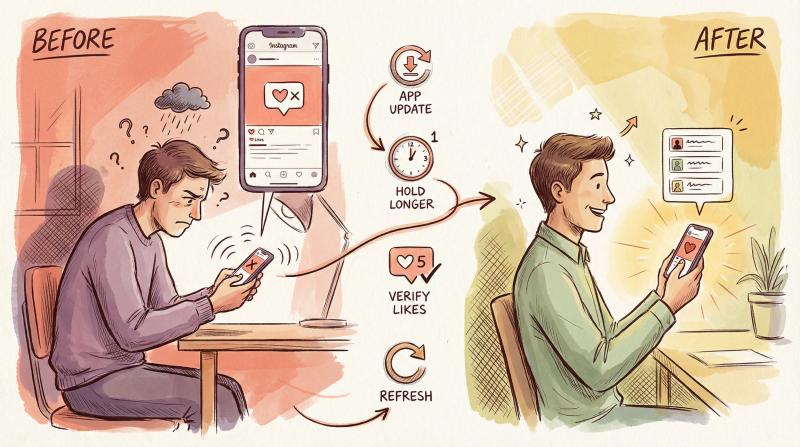
Problem - Solution - Why It Works
- Long-press does nothing - Update your app - The gesture only works in Instagram versions from 2022 onward
- Gesture not triggering - Hold longer (count to "one-Mississippi") - A quick tap won't activate it; you need sustained pressure
- No list appears - Verify the comment has likes - Can't view an empty list if nobody liked it yet
- App behaving glitchy - Close and reopen Instagram - Simple refresh fixes most temporary bugs
- Still not working - Check if it's your own comment - The method works for ALL comments you can access, yours or not
Can You See Comment Likes on Instagram Web?
short answer: no, not easily.
Instagram's desktop website shows the heart icon and like count on comments, but clicking it either does nothing or just toggles a like. there's no way to see the list of names through the standard web interface.
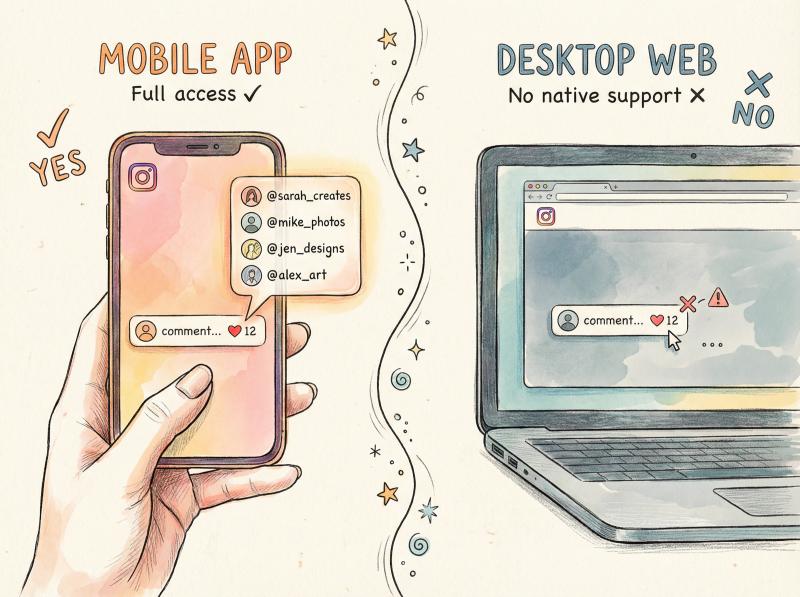
Feature - Mobile App - Desktop Web
- View comment likes - ✓ Yes (long-press) - ✗ No native support
- See liker usernames - ✓ Full list - ✗ Not available
- Like/unlike comments - ✓ Tap heart - ✓ Click heart
- Reliable access - ✓ Always works - ✗ Workarounds only
if you absolutely need to do this from a computer, your options are limited to workarounds like Android emulators or unofficial tools. these methods carry security risks and aren't officially supported by Instagram, so we don't recommend them for most users.
stick with the mobile app for reliable access to this feature.
How to Download Instagram Data to See Comment Likes
want a deeper dive into who's liked your comments over time? Instagram offers a data download option that includes this information in a machine-readable format.
here's how it works:
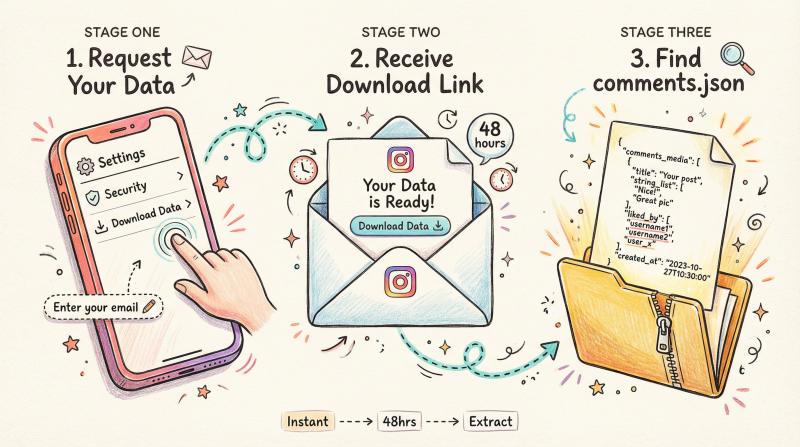
Request Your Data
go to Settings → Security → Download Data in your Instagram app. enter your email and request the download.
Instagram will prepare a ZIP file containing all your account data. this can take up to 48 hours.
Find the Comments File
once you receive the download link via email, extract the ZIP file. inside, you'll find a file called comments.json.
Parse the Data
the comments.json file contains structured data about every comment you've made. for each comment, Instagram includes information about who liked it, including usernames.
this method only shows data for your comments (not other people's), and it's not instant like the long-press method. but if you're tracking engagement over time or want a permanent record, it's a thorough solution.
Who Gets Notified When You Like a Comment?
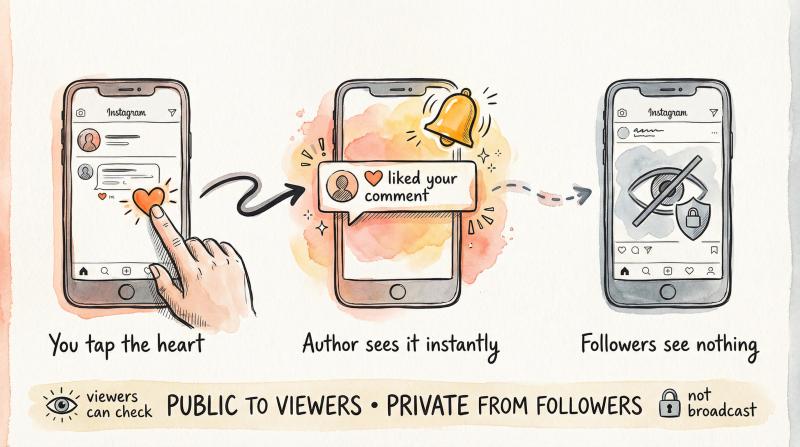
privacy matters. here's what happens when you like someone's comment:
The comment author receives a notification. they'll see that you liked what they wrote.
Your followers don't see anything. comment likes aren't broadcast to your feed or shown to your audience.
The likes are still public. anyone who can view the comment can use the long-press method to see who liked it. your username will appear in that list.
so while Instagram doesn't actively announce your comment likes, they're not private either. treat them as visible to anyone who looks for them.
Why Instagram Comment Likes Matter for Growing Your Account
if you're building a presence on Instagram, comment likes offer insights that post likes don't:
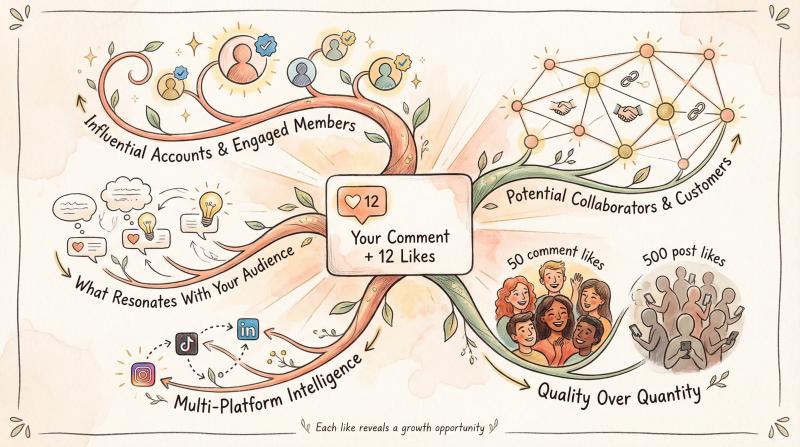
Audience validation
when influential accounts or engaged community members like your comments, that's a signal. you're contributing value beyond just your own posts.
Network building
checking who likes your thoughtful comments can reveal potential collaborators, customers, or connections you might want to follow up with.
Content feedback
comments that get many likes show what resonates with your audience's thinking. not just their aesthetic preferences. this can inform future posts and captions.
Engagement quality
a comment with 50 likes might be more valuable than a post with 500 likes if those 50 people are highly engaged members of your target audience.
Cross-platform opportunities
when managing multiple social accounts, tracking which comments spark engagement helps you understand what messaging works across different platforms.
How to Track Engagement Across Multiple Social Platforms
speaking of multiple platforms...
if you're actively commenting and posting across Instagram, TikTok, Twitter, LinkedIn, and other networks, keeping track of engagement gets complicated fast.
Post bridge simplifies this by letting you schedule and publish content to nine social networks from one dashboard. instead of logging into each app separately to check engagement, comment interactions, and audience feedback, you can manage everything in one place.
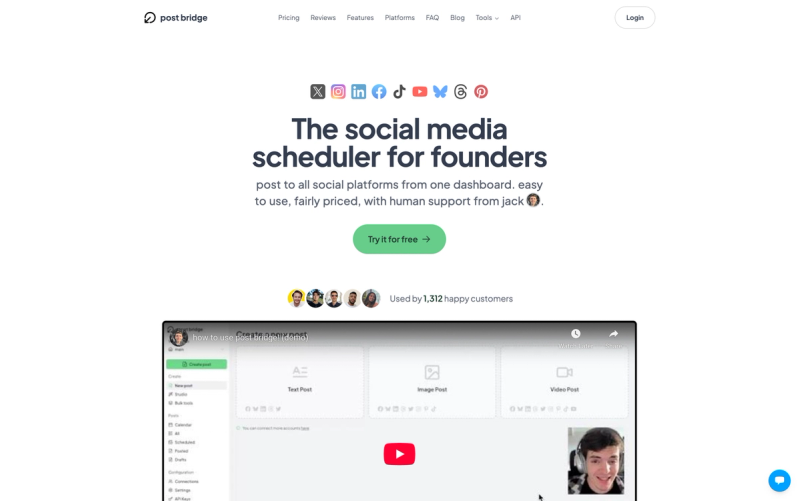
here's what makes this especially useful for creators tracking comment engagement:
Challenge - How Post Bridge Helps
- Posting the same content to multiple platforms manually - One-click publishing to all your connected accounts
- Missing engagement because you don't check every platform daily - Centralized dashboard for all your social activity
- Forgetting which platform had that important comment thread - Single interface to monitor cross-platform conversations
- Spending hours uploading and customizing for each network - Automatic resizing and platform-specific optimization
if you're serious about building engagement across platforms, check out the free trial at Post Bridge and see how much time you can save on cross-platform content distribution.
Are Third-Party Instagram Analytics Tools Safe?
you'll find apps and browser extensions claiming to show extra Instagram engagement data, including comment likes.
be extremely cautious.
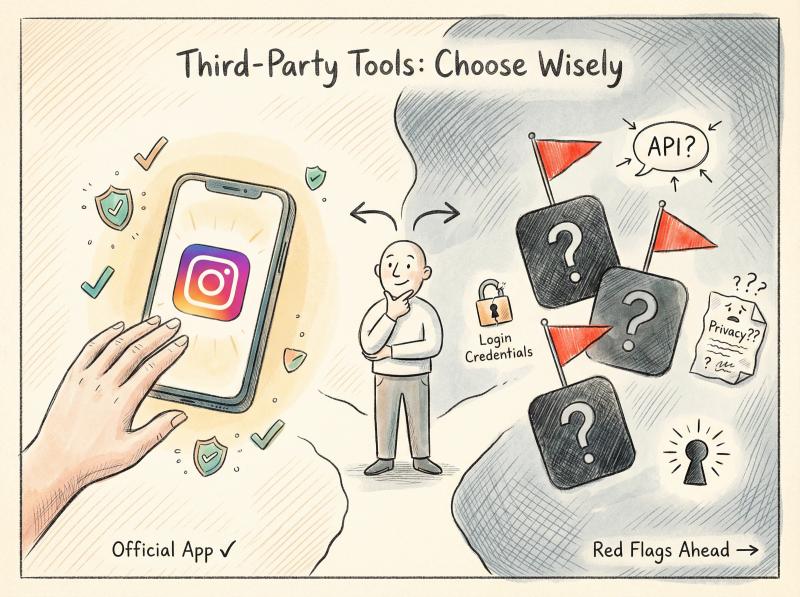
Instagram's official API is very limited when it comes to comment interactions. for privacy and security reasons. most legitimate analytics platforms don't provide granular "who liked which comment" data because Instagram doesn't make that available through the API.
Red flags to watch for:
- Apps asking for your Instagram login credentials directly
- Tools promising features Instagram's API doesn't support
- Free services with vague privacy policies
- Extensions requiring broad permissions
if you already use a professional social media management platform for business purposes, check their built-in analytics features. but for regular users, the official Instagram app's long-press method is your safest bet.
How Instagram Comment Engagement Works (And Why It Matters)
comment likes exist in a broader context of Instagram engagement signals. here's how they fit into the bigger picture:
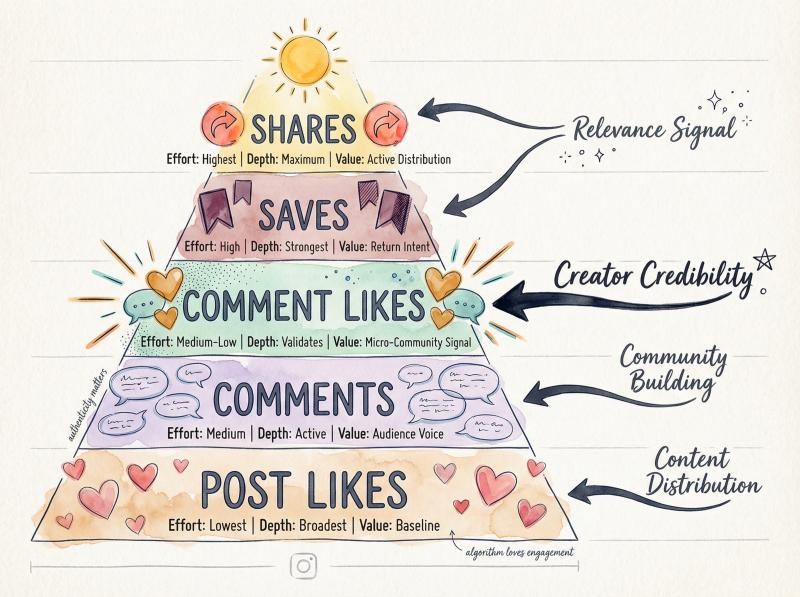
The Engagement Hierarchy
Signal Type - Effort Level - Engagement Depth - Value to Creators
- Post likes - Lowest - Broadest, easiest to give - Baseline metric
- Comments - Medium - Shows active participation - Reveals audience voice
- Comment likes - Medium-Low - Validates specific contributions - Micro-community signal
- Saves - High - Strongest value indicator - Users want to return
- Shares - Highest - Maximum impact - Active distribution
comment likes sit in an interesting middle ground. they require less effort than writing a comment but show more specific agreement than a post like. for creators, they're a good measure of which topics or viewpoints resonate with your audience.
How Instagram's Algorithm Uses This Data
while Instagram hasn't publicly confirmed exactly how comment likes factor into the algorithm, engagement signals like these likely influence:
content distribution – posts with high comment engagement (including likes on comments) may get broader reach
community building – active comment threads signal valuable content worth showing to more people
creator credibility – accounts whose comments consistently get liked may see slightly better distribution
relevance – comment engagement helps Instagram understand what topics and viewpoints matter to specific communities
you can't directly optimize for comment likes, but creating thoughtful, valuable comments naturally attracts them. if you're looking to grow your Instagram presence organically, focusing on authentic engagement is key.
When Should You Check Who Liked Your Instagram Comments?
let's look at real situations where viewing comment likers makes sense:

Scenario 1: You're a Brand Monitoring Sentiment
you commented on an influencer's post mentioning your product. their comment got 200 likes. yours got 15. checking who those 15 people are could reveal potential brand advocates or customers worth following up with.
Scenario 2: You're Building a Network
you left a thoughtful comment on an industry leader's post. checking who liked your comment shows you other engaged professionals in your field, giving you a list of people to potentially connect with.
Scenario 3: You're Testing Content Ideas
you commented two different perspectives on a trending topic across different posts. one comment got 50 likes, the other got 5. the likers of the popular comment represent an audience that values that particular viewpoint, informing future content.
Scenario 4: You're Tracking Competitor Engagement
a competitor's comment on a mutual contact's post got significant likes. seeing who engaged with their comment reveals overlap in your audience and potential gaps in your own engagement strategy.
What Instagram Comment Likes Mean for Your Account Growth
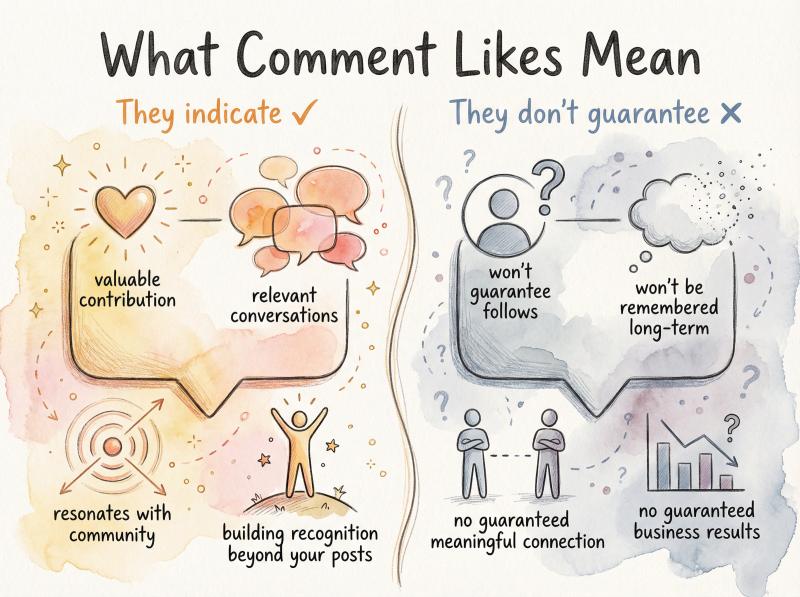
comment likes indicate:
✓ people found your specific contribution valuable
✓ you're participating in relevant conversations
✓ your perspective resonates with at least some community members
✓ you're building recognition beyond just your own posts
comment likes don't guarantee:
✗ those people will follow you or engage with your posts
✗ your comment will be remembered long-term
✗ you've built a meaningful connection with the likers
✗ the likes will translate to business results or growth
use comment like data as one signal among many when evaluating your Instagram strategy. don't obsess over individual comments, but do look for patterns over time.
How to Get More Likes on Your Instagram Comments
want to get more likes on your comments (and build genuine connections)? try these approaches:
Be specific. generic praise ("Great post!") rarely gets likes. specific observations do.
Add value. share a relevant experience, data point, or resource that extends the conversation.
Ask questions. thoughtful questions encourage replies, which increases overall thread engagement.
Time it right. commenting early when a post is fresh increases visibility, but only if your comment is substantive.
Engage authentically. people can tell when you're just commenting for visibility versus genuinely contributing to the discussion.
for more strategies on building authentic engagement, check out our social media best practices guide.
Frequently Asked Questions
Can I see who liked a comment from a private account?
only if you follow that account and have permission to view their posts. the comment like visibility follows the same privacy rules as post visibility.
Do comment likes expire or disappear?
no. once someone likes your comment, that like remains unless they manually remove it. the list of likers is persistent.
Can I hide who liked my comment?
no. Instagram doesn't provide a setting to make comment likes private. if you don't want people seeing who liked your comment, the only option is to delete the comment entirely.
Will the person who wrote the original post see who liked comments on it?
yes. if it's their post, they can check comment likes using the same long-press method. they have full visibility into engagement on their content.
Can I bulk export who liked all my comments?
only through the Instagram data download feature described earlier. there's no native "export" button in the app itself, but the downloaded comments.json file contains this information for all your comments at once.
Do comment likes affect my account's reach or ranking?
Instagram hasn't disclosed the exact algorithm, but engaged participation (including receiving comment likes) likely signals to Instagram that you're a valuable community member, which could indirectly benefit your overall account performance.
Can businesses use comment like data for marketing?
yes, but be strategic. checking who likes comments related to your brand can reveal engaged audience members. just don't spam or over-pursue people based solely on a comment like. that's creepy and ineffective.
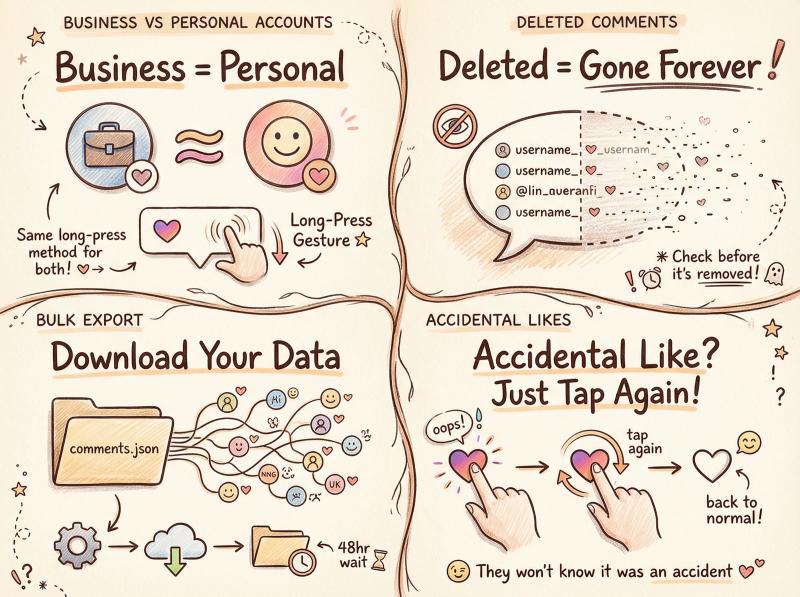
What if I accidentally liked a comment while trying to see who else liked it?
just tap the heart again to unlike it. the notification will still go to the comment author, but they won't know it was accidental. in practice, most people don't scrutinize individual comment likes that closely.
Are there different rules for business accounts versus personal accounts?
no. the long-press method works identically for all account types. business accounts don't get additional comment engagement insights beyond what's available to personal accounts in the native app.
Can I see who liked a comment that's been deleted?
no. once a comment is deleted, all associated data (including who liked it) disappears from Instagram. if you need a record, check before the comment gets removed.
Next Steps: Turn Comment Likes Into Real Engagement
Instagram's comment ecosystem is more complex than most users realize. while post likes measure broad appeal, comment likes reveal specific agreement, validation, and micro-community formation.
the long-press gesture to view comment likers isn't intuitive, and Instagram doesn't advertise it. but now you know the trick, you have insight into a layer of engagement most people overlook.
Strategic insight: Use comment like data to build genuine connections with people who engage with your commentary, understand which perspectives resonate with your community, and identify potential collaborators or network contacts worth cultivating.
use this knowledge strategically:
- build genuine connections with people who engage with your commentary
- understand which perspectives resonate with your community
- identify potential collaborators, customers, or network contacts
- track patterns in engagement to inform your content strategy
and if you're managing engagement across multiple platforms (not just Instagram), consider how tools like Post Bridge can streamline your cross-platform workflow. when you're publishing to Instagram, TikTok, LinkedIn, Twitter, Pinterest, YouTube, Facebook, Threads, and Bluesky all at once, having a centralized system saves hours every week.
comment engagement is just one piece of building an authentic social media presence. focus on contributing value, participating genuinely, and the likes (on both posts and comments) will follow naturally.
now go check who appreciated that clever comment you left yesterday. you might be surprised who's paying attention.
ready to take your social media management to the next level? explore our free Instagram tools including the Instagram Grid Maker, Instagram Handle Checker, and Instagram Carousel Splitter to enhance your Instagram presence.