
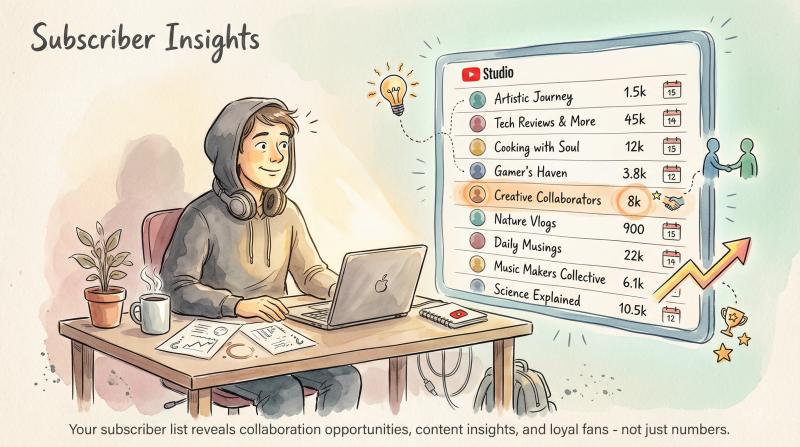
your subscriber count is more than a number. it's proof people value your content enough to want more. but knowing how to see your youtube subscribers goes beyond checking that total. you can actually view who subscribed to you, when they joined, and even their own channel stats (spotting bigger creators who follow you opens collaboration doors).
this guide shows you exactly where to find both your subscriber count and your subscriber list on desktop and mobile. you'll learn youtube studio's quirks, understand why you can't see every subscriber (privacy settings matter), and discover how to use this data to grow your channel faster.
why checking your subscriber list actually matters
most creators check their total subscriber count and call it a day. that's leaving insight on the table.
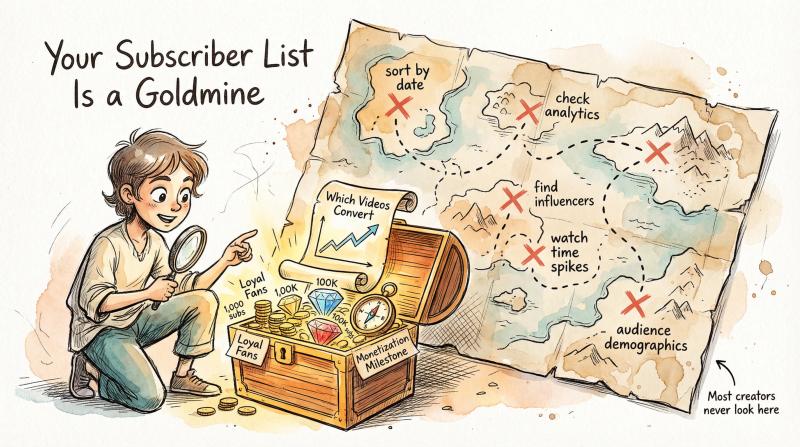
your subscriber list reveals:
which videos convert viewers into subscribers. when you notice 50 people subscribed the same week you posted a tutorial, you've just identified your money content. youtube analytics connects subscriber spikes to specific videos, so you can double down on what works.
collaboration opportunities hiding in plain sight. a creator with 100,000 subscribers just followed your channel? that's not random. they saw value in your content. the subscriber list shows each person's own subscriber count, making it easy to spot influencers in your niche.
your most loyal fans. sort subscribers by date and find who's been with you since day one. these early supporters deserve recognition (and they're often your most engaged viewers).
progress toward monetization. the youtube partner program requires 1,000 subscribers plus watch-time thresholds. checking your count keeps you focused on that milestone. once you hit it, you'll want to understand when youtube starts paying you and how much youtube pays for 1000 views.
The bottom line: Your subscriber list is a goldmine of actionable data that most creators completely ignore.
now let's find that data.
how to see your youtube subscribers on desktop
the full subscriber list lives in youtube studio (youtube's creator dashboard). you'll need a computer or tablet for the complete experience. mobile apps show limited data, which we'll cover later.
step 1: open youtube studio
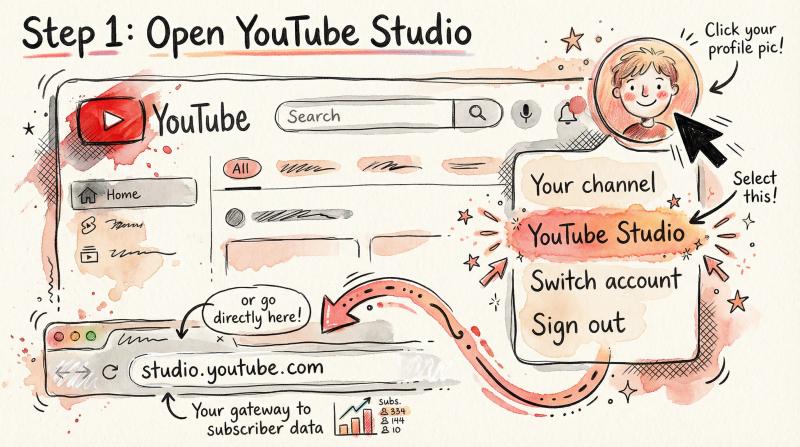
- go to youtube.com and sign in
- click your profile picture (top-right corner)
- select youtube studio from the dropdown
you can also navigate straight to studio.youtube.com after logging in.
step 2: find your subscriber data on the dashboard
youtube studio opens to the dashboard by default. this overview shows your channel's performance at a glance.
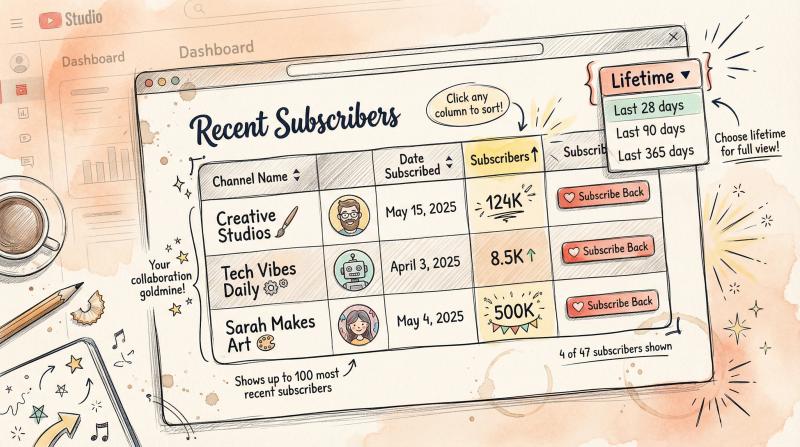
look for the recent subscribers card (you might need to scroll down). it displays:
- profile pictures of recent subscribers
- their channel names (clickable)
- their own subscriber counts
- when they subscribed
the default timeframe is usually the last 28 days. if you're brand new with zero subscribers, this card won't appear until someone subscribes.
step 3: view your complete subscriber list
on the recent subscribers card, click "see all". a popup window opens with your full subscriber table.
this is where the magic happens:
what you'll see - why it matters
- channel name (clickable link) - click to visit their channel, see their content
- profile icon - visual recognition for frequent visitors
- date subscribed - track growth patterns over time
- their subscriber count - identify influencers or fellow creators
- subscribe back button - one-click to return the favor
the list shows up to 100 of your most recent subscribers. youtube doesn't show more than that, even for massive channels.
step 4: customize the timeframe
in the popup window's top-right corner, you'll see a dropdown menu (probably set to "last 28 days"). change it to lifetime to see as many subscribers as possible.
other options include:
- last 7 days
- last 28 days
- last 90 days
- last 365 days
- lifetime (shows all available subscribers, up to 100)
choose lifetime for the most complete view.
step 5: sort the list for insights
click any column heading to sort:
sort by subscriber count to spot big creators following you. someone with 500,000 subs just subscribed? reach out for a potential collab.
sort by date to find your earliest supporters. these long-time fans often become your most engaged community members.
where to find your total subscriber count on youtube
your total subscriber number appears in multiple places:
location - what you'll see - use case
- your public channel page - count below channel name - quick public-facing check
- youtube studio analytics - subscriber trends + demographics - deep dive analysis
- realtime card - live updating count - post-video spike tracking
on your public channel page: click your profile, then "your channel." the count sits right below your channel name.
in youtube studio analytics: click analytics in the left menu, then check the audience tab. you'll see subscriber trends and demographic data.
real-time subscriber counter: in analytics, find the realtime card and click "see live count". watch your subscriber number update live (useful right after publishing a video).
important: youtube periodically removes spam accounts and closed profiles from your total. if your count drops slightly, that's normal cleanup. your number reflects real, active subscribers only.
how to see your youtube subscribers on mobile
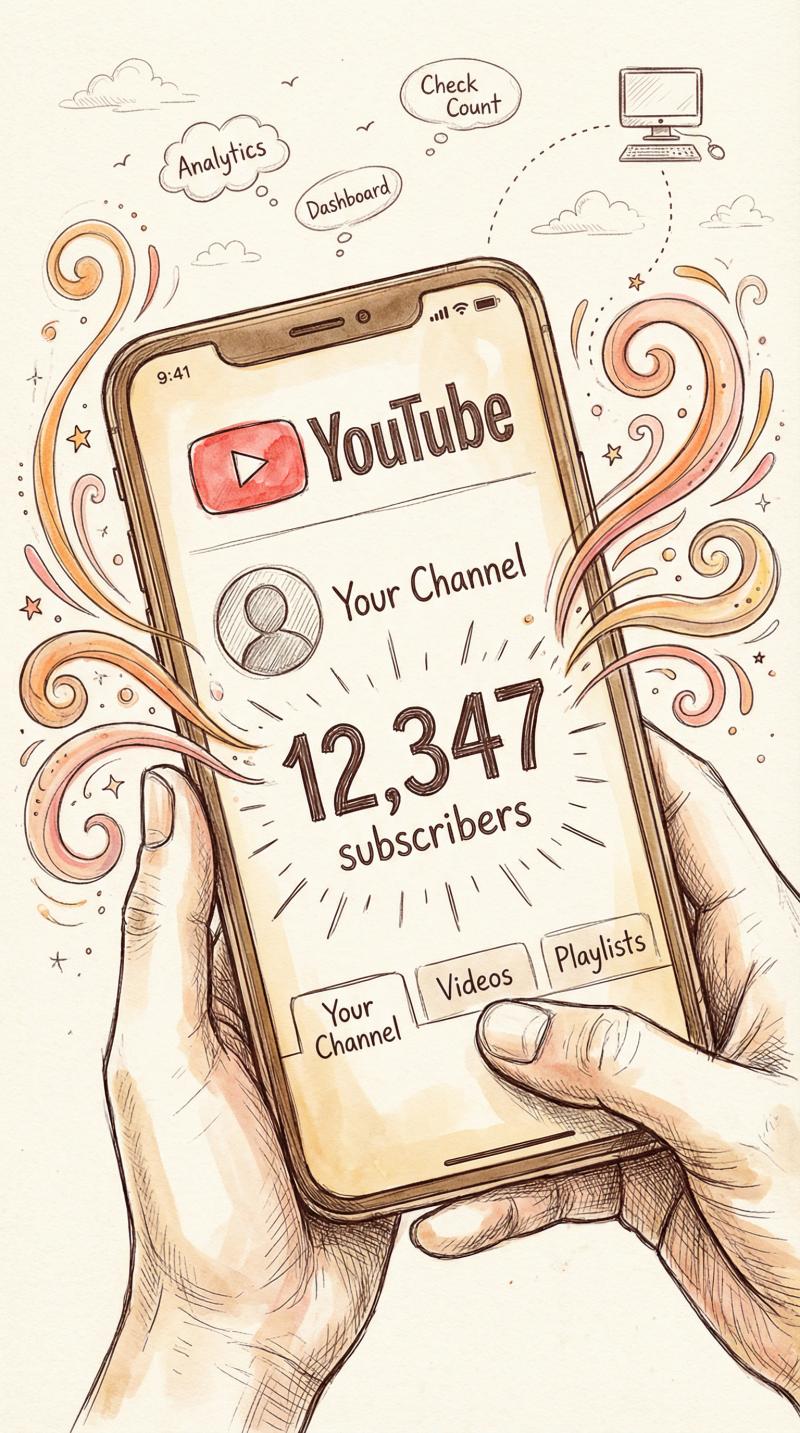
the mobile experience is limited compared to desktop. you can check your subscriber count easily, but viewing the detailed subscriber list requires workarounds.
quick subscriber count check
using the youtube app:
- open youtube and tap your profile picture
- select "your channel"
- your subscriber count appears under your channel name
this works on ios and android. the number updates periodically (not always real-time).
how to see subscriber analytics on mobile
using the youtube studio app:
the youtube studio mobile app (separate from the main youtube app) gives you analytics on the go.
① download youtube studio from the app store or google play
② open it and sign in
③ the dashboard shows subscriber change (like "subscribers +12 in last 28 days")
④ tap analytics then audience for subscriber growth charts
but here's the catch: the mobile studio app does not show the subscriber list. you'll see growth trends and analytics, but not individual subscriber names.
mobile workaround: request desktop site
if you need the full list on your phone:
- open your mobile browser (chrome, safari, etc.)
- go to studio.youtube.com
- tap the menu (⋮ or browser settings)
- select "request desktop site" or "desktop mode"
the full youtube studio loads (it'll be small on your screen, but functional). navigate to dashboard, find recent subscribers, and click "see all" just like on desktop. you'll need to pinch and zoom, but it works.
security tip: only do this on your personal device. log out when finished if using a shared phone.
why you can't see all your subscribers
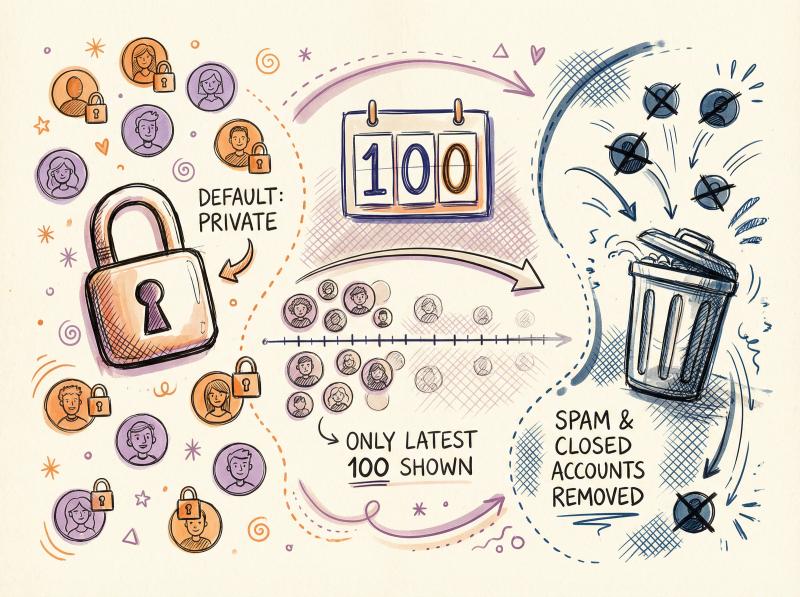
you might have 5,000 subscribers but only see 100 names in the list. this isn't a bug. it's intentional.
privacy settings hide most subscribers
youtube sets every account's subscriptions to private by default. unless someone manually changes their settings to make subscriptions public, they won't appear in your list.
most people never touch that setting. so even with thousands of subscribers, you might only see a few hundred public profiles.
this is normal and expected.
the 100-subscriber list cap
youtube limits the subscriber list to the 100 most recent public subscribers. even if you select "lifetime" and have 10,000 subscribers, you'll only see the latest 100 who made their subscriptions public.
smaller channels (under 100 subs) will see most of their public subscribers. larger channels only get a snapshot.
spam and closed accounts disappear
youtube removes:
- suspended accounts
- deleted accounts
- spam bots
- fake subscribers
these accounts vanish from both your subscriber count and your list. when youtube does periodic spam cleanup, your total might drop. that's actually good (it keeps your metrics honest).
smart ways to use your subscriber data
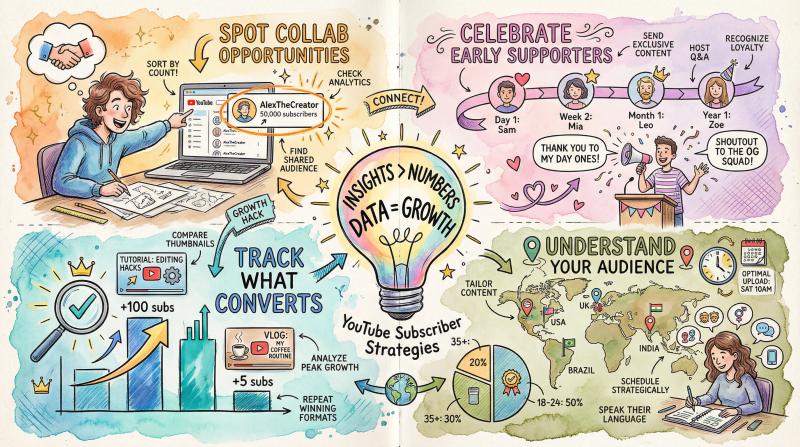
raw subscriber numbers matter, but the insights matter more.
spot collaboration opportunities
sort your subscriber list by subscriber count (descending). anyone near the top with a significant following could be a collaboration partner.
if a creator with 50,000 subscribers just followed you, they clearly see value in your content. that's your opening to reach out professionally.
identify your loyal fans
sort by date (oldest first) to find your earliest subscribers. these people believed in your channel before anyone else.
some creators:
- give shoutouts to long-time subscribers in videos
- create special content for early supporters
- recognize them in community posts
this builds stronger loyalty and encourages engagement.
track what content converts
youtube analytics connects subscriber spikes to specific videos. in youtube studio:
① click analytics
② go to the audience tab
③ scroll to "subscribers" to see which videos brought in the most subs
if your "how to edit like a pro" tutorial gained 100 subscribers while your vlogs gained 5, you've just identified your subscriber magnet. make more tutorials. for more content creation strategies, explore how to make faceless youtube videos or learn how to clip youtube videos for social media promotion.
understand your audience demographics
in analytics > audience, you'll see aggregated data about your subscribers:
- age ranges
- geographic locations
- when they're most active
- what other content they watch
if most subscribers are in a specific time zone, schedule uploads when they're awake. if 70% are age 18-24, tailor your content accordingly. understanding these patterns is crucial for creating content that fits your market.
how to grow your youtube subscribers faster with cross-platform promotion
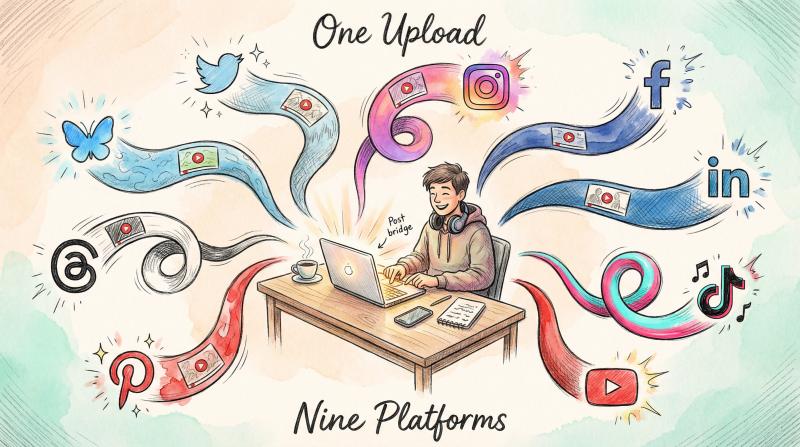
growing your subscriber count requires visibility beyond youtube's algorithm. many successful creators:
- share new uploads on twitter/x, instagram, and facebook
- post clips to tiktok with links to full videos
- use linkedin for professional content
- cross-post to pinterest and threads
manually posting to all these platforms is exhausting.
that's where post bridge becomes valuable.
we built post bridge to solve exactly this problem. upload your content once and schedule it across nine social platforms from a single dashboard (x/twitter, instagram, facebook, linkedin, tiktok, youtube, pinterest, threads, and bluesky).
when you publish a new youtube video, create a post bridge post with:
- a teaser clip or thumbnail
- engaging caption
- link to your video
- call-to-action to subscribe
schedule it to hit all platforms simultaneously when your video goes live. this cross-platform promotion drives traffic to your youtube channel, which increases subscribers. check out our youtube scheduler specifically designed for creators like you.
feature - post bridge - manual posting
- time investment - upload once - 30+ minutes per platform
- platforms supported - 9 simultaneously - one at a time
- pricing - $9-$49/month - your sanity + hours
plans start at $9/month for up to 5 social accounts (unlimited posts). that's cheaper than managing each platform separately or paying for enterprise tools built for corporations, not creators. see our pricing for full details.
try post bridge if you're serious about consistent social media promotion without the time investment. learn more about organic marketing strategies for solo business owners on our blog.
frequently asked questions
can i see exactly who unsubscribed from my channel?
no. youtube shows you net subscriber change (like "+15" or "-3") but doesn't identify who unsubscribed. this protects user privacy. you can only see current subscribers who have public profiles.
why does my subscriber count sometimes go down?
two main reasons: (1) people unsubscribe, which is normal, and (2) youtube removes spam accounts, closed accounts, or suspended users. the second reason actually improves your metrics because it removes fake engagement.
how do i make my subscriptions public so i appear in creators' lists?
go to youtube settings > privacy, and toggle "keep all my subscriptions private" to off. this makes your subscriptions visible to channel owners. most people keep it private by default.
do i need 1,000 subscribers to make money on youtube?
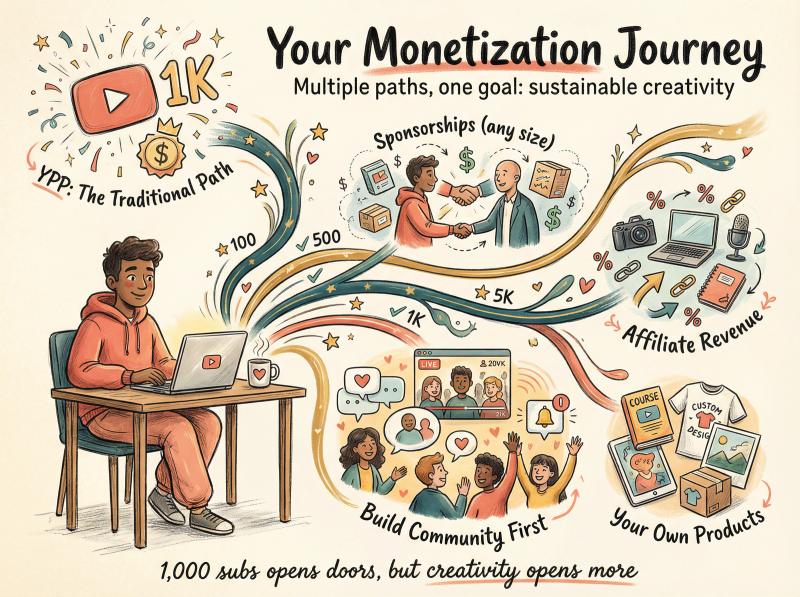
for the youtube partner program (ads and memberships), yes. you need at least 1,000 subscribers plus either 4,000 watch hours or 10 million shorts views in the past 12 months. but you can make money through sponsorships, affiliate marketing, and selling products at any subscriber level. curious about earnings potential? check out how much youtube pays for 1 million views to understand the monetization landscape.
can i message my subscribers directly through youtube?
no. youtube doesn't provide direct messaging to subscribers. you can engage through:
- comments on your videos
- community posts (available at 500 subscribers)
- live chat during premieres or live streams
some creators mention subscriber names from the public list in videos as a thank-you, but there's no built-in dm system. learn more about building community through live streaming on youtube even before hitting 1k subs.
why do some subscribers show "0 subscribers" on their profile?
they either haven't created any content on their channel (just viewers, not creators) or they've hidden their subscriber count in their settings. it doesn't mean anything's wrong.
is there a way to export my subscriber list?
not directly through youtube studio. the list is view-only. you could manually copy names if needed, but youtube doesn't offer a csv export for subscriber data (likely for privacy reasons).
start using your subscriber data today
knowing how to see your youtube subscribers gives you actionable insights most creators ignore. you now know:
✓ where to find your subscriber list in youtube studio (dashboard > recent subscribers > see all)
✓ how to check your count on mobile (youtube app or studio app)
✓ why you can't see everyone (privacy settings and the 100-subscriber cap)
✓ how to sort and analyze subscriber data for growth opportunities

your subscriber list isn't just a vanity metric. it's a tool for finding collaborators, understanding what content works, and building genuine community around your channel.
check your list regularly. notice patterns. engage with the people who show up. and when you spot a subscriber spike after posting certain content, make more of that.
remember, each subscriber is a real person who chose to follow your work. that's worth celebrating.
now go say hello to your newest subscribers (and if you want to grow that list faster by promoting across all social platforms without the manual work, post bridge has you covered).
want to dive deeper into youtube strategy? explore our comprehensive guides on how to see dislikes on youtube, how to recover your youtube account, or how to start a youtube channel for kids. you can also check out our free youtube tools, including a youtube tag generator and youtube title checker to optimize your content.
for a complete understanding of content performance across platforms, read about what social media platform pays the most and learn whether youtube automation actually works. master your entire social media strategy with our social media best practices guide and start scaling your content system today.