

you've probably clicked a TikTok link someone sent you, only to get hit with an annoying redirect to the App Store. or maybe you're dealing with limited phone storage, privacy concerns, or you just refuse to install yet another social media app that'll eat up your time.
good news: you don't need the TikTok app to watch TikTok videos.
whether you're on desktop, mobile browser, or just trying to avoid the commitment of downloading the app, there are multiple ways to enjoy TikTok content. some methods work directly through TikTok's official website. others use third-party tools or take advantage of how TikTok content spreads across other platforms.
in this guide, i'll walk through six practical methods for watching TikTok without installing the app. plus i'll show you how to handle those annoying links that try to force app downloads.
if you're managing content across multiple social platforms (TikTok, Instagram, YouTube, etc.), i'll also cover how tools like Post bridge simplify cross-platform scheduling from one dashboard.
but first, why would anyone want to watch TikTok without the app?
Why Do People Watch TikTok Without Downloading the App?
people avoid the TikTok app for plenty of valid reasons.
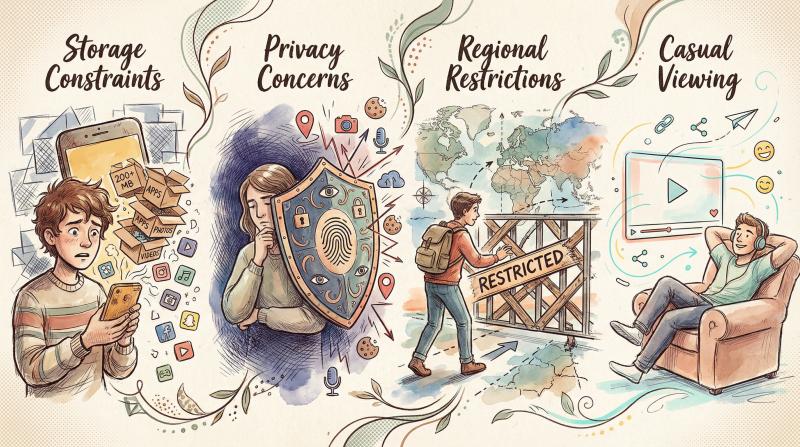
Why skip the app?
- Storage constraints – if you've got an older phone or limited space, adding another 200+ MB app isn't ideal. many users cite storage limitations as their primary reason for seeking alternatives.
- Privacy concerns – TikTok has faced scrutiny over data collection practices. some users simply prefer not to grant the app access to their device. watching through a browser gives you more control over what information gets shared.
- Regional restrictions – in certain regions, the TikTok app is banned or restricted entirely. official alternatives become necessary.
- Casual viewing – sometimes you just want to watch one specific video a friend sent. you don't need an account, push notifications, or an endless scroll of content. you just want to see that one clip.
you have plenty of viable options in 2025 for watching TikTok on your own terms.
How to Watch TikTok on Browser: Official Website Method
this is the most straightforward approach.
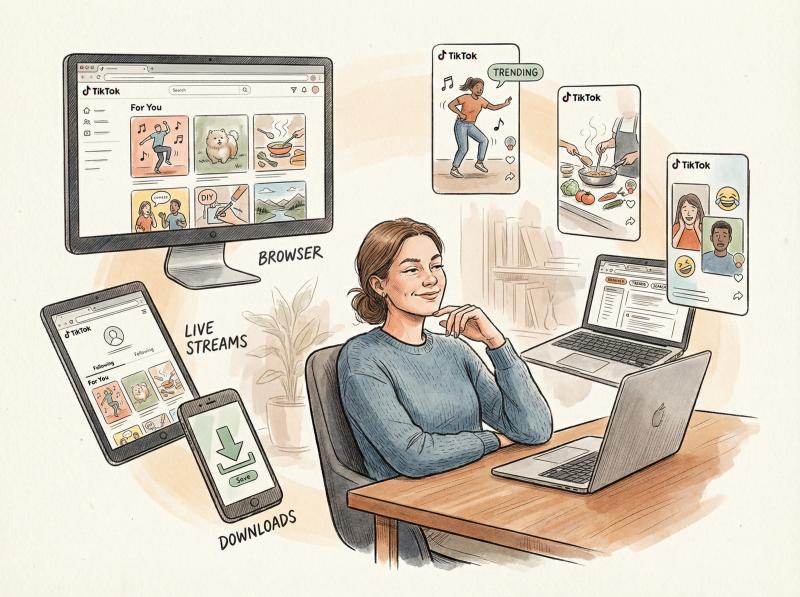
TikTok has a full-featured web version at tiktok.com that works on any device with a browser.
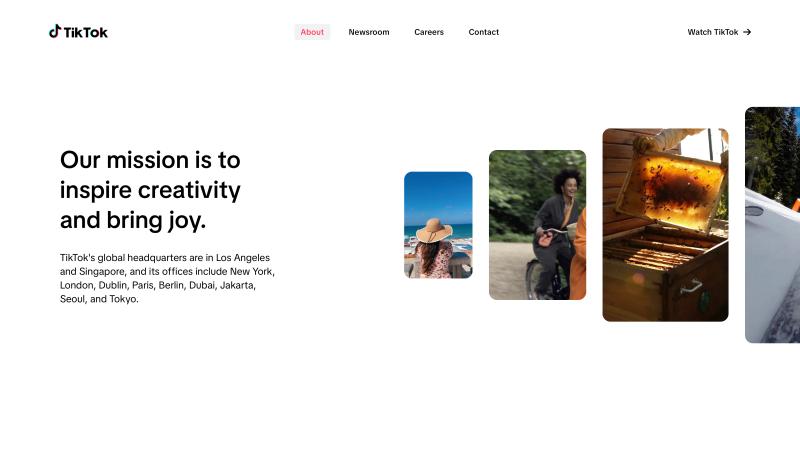
This is the actual TikTok web interface you'll see when you visit tiktok.com on desktop. The For You feed displays trending videos, and the navigation lets you browse different sections without logging in.
How to Access TikTok Web as a Guest:
① Open tiktok.com in your browser
Head to the TikTok website using Chrome, Safari, Firefox, or any modern browser. This works on computers, tablets, and phones.
② Bypass the login prompts
You'll likely see prompts asking you to "Log in" or "Get the full experience in the app." Look for options like "Continue as guest" or "Not now" and click those instead.
On desktop, you might see a pop-up with a "Continue as guest" button. On mobile browsers, there's usually a small "X" or "Browse as guest" link. Choose that instead of downloading the app.
The mobile browser experience works just as well - TikTok's responsive design adapts to your phone's screen, giving you a vertical feed similar to the app.
③ Browse videos freely
Once past the login screen, you can scroll through TikTok's feed just like in the app. By default, you'll see a generic "For You" page or trending videos. Click any video to watch it in full-screen mode.
④ Search for specific content
The search bar at the top lets you find:
- Specific creators by username
- Trending hashtags
- Keywords related to content you want
Note: Without an account, search functionality is somewhat limited. You'll see profiles and hashtags rather than every individual video. But if you have a direct link to a specific video, you can paste it into your browser to open it.
⑤ Watch TikTok Live streams
You can even view live broadcasts from the website.
On desktop, there's a "Live" section in the sidebar. On mobile browsers, you might need to switch to "Desktop mode" to access the Live tab.
When watching live streams as a guest, you'll appear as a viewer but won't be able to comment or send gifts without logging in. Some reports indicate that live stream quality for unlogged users is capped at 480p.
Limitations of Guest Mode:
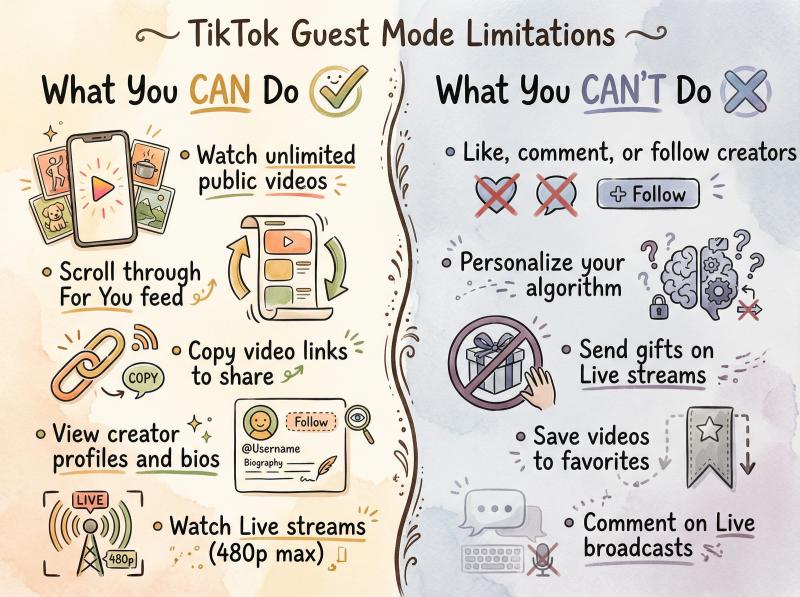
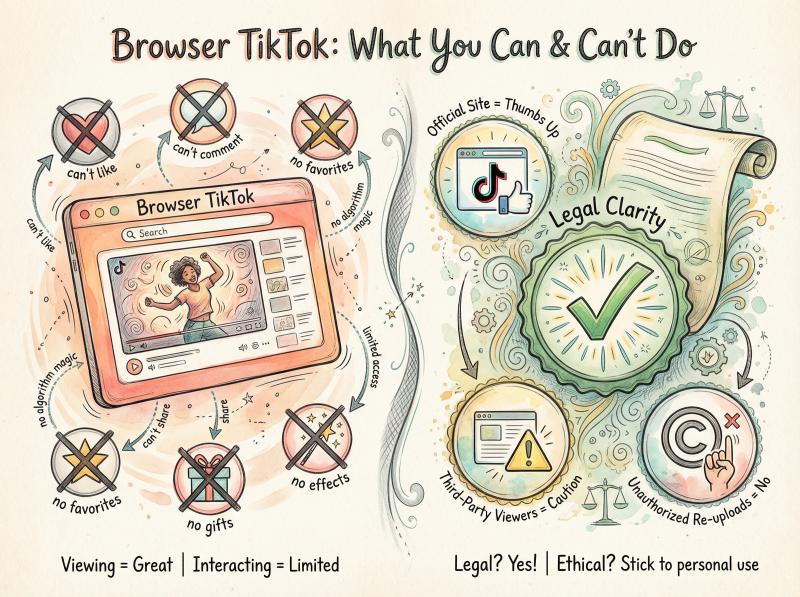
When using TikTok's web viewer without an account, you can watch and scroll endlessly through public videos. But you cannot interact.
What You CAN Do - What You CAN'T Do
- Watch unlimited public videos - Like, comment, or follow creators
- Scroll through For You feed - Personalize your algorithm
- Copy video links to share - Send gifts on Live streams
- View creator profiles and bios - Save videos to favorites
- Watch Live streams (480p max) - Comment on Live broadcasts
Think of it as a read-only experience.
How to Fix TikTok Links That Redirect to App Store
ever tapped a TikTok link that immediately redirects you to the App Store? *frustrating*.
This happens because shared TikTok URLs often include tracking parameters (like ?_t= or &_r=) that tell TikTok to push the app. But there's a simple workaround.

The URL Trick:
Delete everything after the question mark in the URL.
Example:
- Original shared link:
https://www.tiktok.com/@username/video/722...(long ID)?_t=8W...&_r=1
- Cleaned link for browser:
https://www.tiktok.com/@username/video/722...(same ID)
Just remove the ?_t=... and everything after it.
Now try opening the cleaned URL in your browser. In most cases, the video will load on TikTok's web player without trying to launch the app. This trick strips out the referral tags that trigger the app redirect.
Pro tip: This URL cleaning trick works for most social platforms that use tracking parameters. Remove everything after the "?" to bypass app redirects.
If the link still tries to force the app, another approach is to copy the video's unique ID (the long number in the URL) and search for it directly on the TikTok website or Google.
Anonymous TikTok Viewers: Watch Without Logging In
but what if you want even more anonymity?
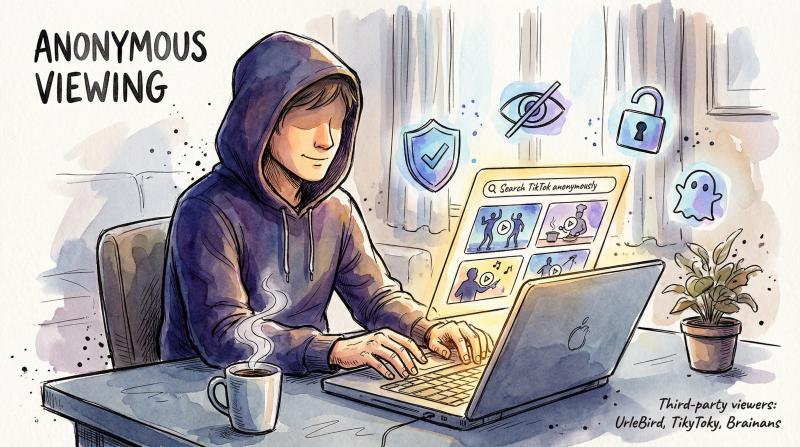
Several third-party websites act as TikTok viewers. They let you search and watch TikTok content anonymously. These sites fetch public TikTok videos and display them on their own interface, which can be handy if you want to browse without logging in or even find videos that have been deleted from the official platform.
Popular TikTok Web Viewers in 2025:
Tool - Best For - Key Features - Downsides
- UrleBird - Anonymous viewing - Trending videos, view counts, download option, no login required - Unofficial, may break if TikTok changes code
- TikyToky - Trending content - Top 100 influencers list, watermark removal, free downloads - Relies on scraping, potential quality issues
- Brainans - Profile analytics - Search by user/hashtag, download videos/audio, no sign-up - Not official TikTok service
How to Use Third-Party Viewers:
① Visit the website (UrleBird.com, TikyToky.com, or Brainans.com)
② Enter a TikTok username, hashtag, or video URL into the search bar
③ Browse matching videos or accounts that appear
For example, on UrleBird you can type in a creator's @handle and instantly see all their public videos, view counts, and the audio they used.
⚠️ Important Security Warning:
These third-party viewers are not official TikTok services. They scrape or proxy TikTok content, which may violate TikTok's terms of service. Because they're unofficial, the experience can be hit-or-miss.
Potential risks:
- Sites may break if TikTok changes its code
- Videos might load in lower quality
- Privacy concerns (routing requests through their servers)
- Potential data collection or malware risks
Safety tips:
- Use reputable sites like the ones mentioned above
- Consider using a VPN
- Browse in incognito mode if concerned
- Never log in with your TikTok account
- Never download software they recommend
In short, anonymous TikTok viewers can be useful. But use them carefully. Stick to known viewers like the ones mentioned above.
Where to Find TikTok Content on YouTube, Instagram & More
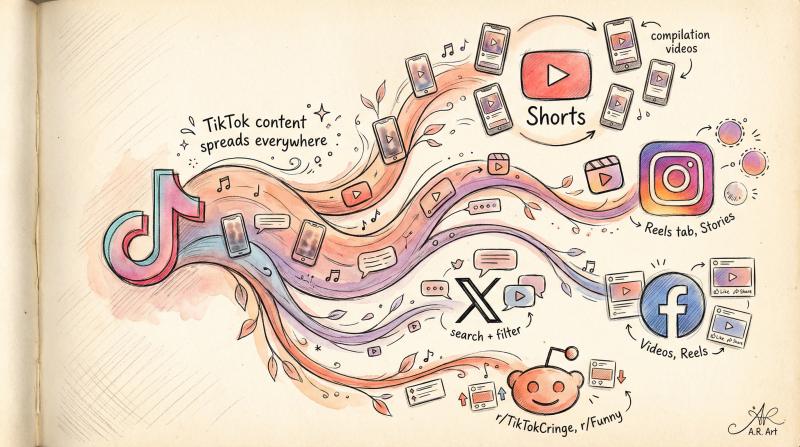
TikTok's influence is so massive that its content often spills over to other social media platforms.
Many creators repost their TikToks on YouTube, Instagram, Twitter, Facebook, and even Reddit. This means you can watch TikTok content indirectly on platforms you're already using.
Where to Find TikTok Content:
Platform - Where to Look - What You'll Find
- YouTube - Shorts section, compilation videos - Viral TikToks reposted as Shorts, "TikTok compilation" videos
- Instagram - Reels tab, Stories - Creators cross-posting to Reels, sharing TikToks to Stories
- Facebook - Videos section, Reels - Viral TikToks shared by popular pages
- Twitter/X - Search with "TikTok" keyword, Videos filter - Creators sharing their TikToks, viral clips circulating
- Reddit - r/TikTokCringe, r/Funny, etc. - TikTok videos embedded in posts
YouTube Shorts is particularly effective. YouTube's answer to TikTok (vertical 60-second videos) features tons of reposted TikTok content. You can scroll through an endless feed of Shorts and spot plenty of TikTok-originated clips.
Plus, many YouTube channels create compilation videos like "Top TikTok memes of the month" where you can watch dozens of TikToks back-to-back.
Instagram Reels works similarly. If you follow influencers on Instagram, check their Reels tab. You'll often see their TikTok content there since the vertical format fits perfectly. Creators frequently share their TikToks to Instagram Stories as soon as they post.
Twitter/X is another hotspot. Search for a keyword plus "TikTok" and filter results to show videos. You'll find tweets containing TikTok video links or downloads. On X, you can use the Videos filter to surface TikTok clips that users have shared.
The reality: TikTok content is everywhere. You're probably already seeing it on platforms you use daily.
Limitations of Cross-Platform Viewing:
Obviously, not every TikTok makes it to YouTube or Instagram. You're seeing a subset of content (mostly viral hits). So you'll miss niche creators or smaller videos.
You also won't get TikTok's personalized "For You" algorithm. Instead, you'll see what's popular or what creators chose to repost.
But for casual viewing, this method is *incredibly convenient*. You can enjoy a lot of TikTok's best content without ever installing the TikTok app or even visiting TikTok's website.
For Creators: Managing Content Across Platforms
If you're creating content and posting to TikTok, YouTube Shorts, Instagram Reels, Facebook, and Twitter, you know how tedious it is to upload the same video to every platform individually.
This is where Post bridge becomes invaluable.
Instead of manually uploading your content to 10+ platforms, you can schedule posts to TikTok, YouTube, Instagram, Facebook, LinkedIn, Pinterest, Threads, Bluesky, and Twitter from one dashboard.
Upload once, schedule everywhere.
Post bridge supports TikTok drafts, detects YouTube Shorts automatically, and lets you customize captions per platform. For creators who need to maximize reach without spending hours on repetitive uploads, it's a massive time-saver.
But i'll cover desktop TikTok management more in a later section.
but what if you don't even have the link?
How to Find TikTok Videos Using Google Search
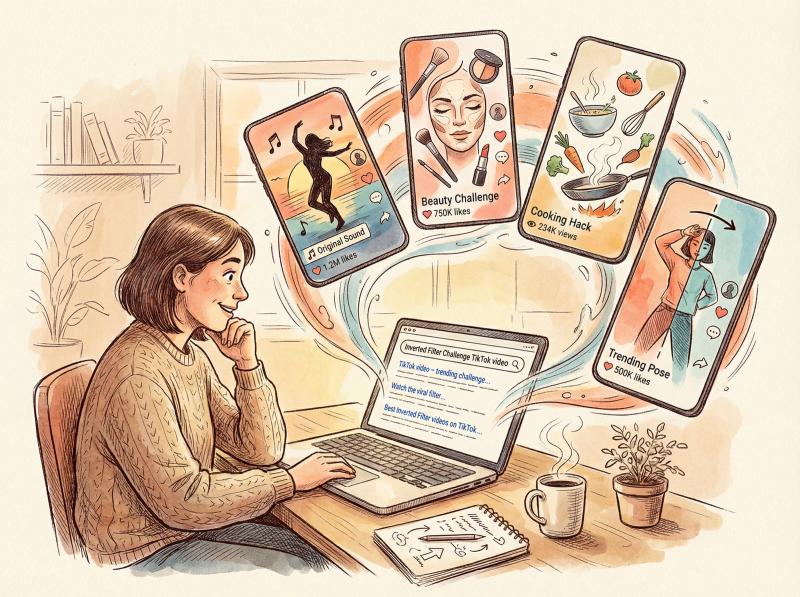
Another underrated tactic: just use Google (or Bing, DuckDuckGo, etc.) to find the TikTok video you want.
Search engines often index TikTok pages, especially popular videos or creator profiles. If you have some information about the TikTok (creator's name, video caption, distinctive phrase, trending challenge name), try a quick Google search.
Example Search:
"Inverted Filter Challenge TikTok video"
Google will likely return direct links to representative TikTok videos. Or news articles and blog posts discussing the trend (which often embed TikTok videos or link to them).
How to Use Google for TikTok:
① Go to Google.com and enter keywords related to the TikTok content you're looking for:
- Creator's name
- A quote from the video
- Song name + "TikTok"
- Hashtag
- Trending challenge name
② Add "TikTok" to your query if it's a specific viral video
③ Look for direct TikTok URLs in the results, or relevant hits from news/blogs
④ You might also find YouTube or Twitter mirrors of the content
This method is especially useful if you remember something about a video but don't have the link. Google acts as a bridge to TikTok content.
Just note: it's great for finding specific videos or topics, but not for general browsing. And if the video is very new or hasn't been widely shared, Google might not have it indexed yet.
How to Download TikTok Videos for Offline Viewing

If you want to watch TikTok videos without internet or save them permanently, you can download the videos directly from the link.
TikTok's official app allows downloads (with a watermark), but that requires the app. Instead, there are tools that let you save TikTok videos from just the URL.
Two Approaches for Downloading TikToks:
Method - Type - Best For - Pros - Cons
- Online Downloaders - Web-based tools - Quick single downloads - Free, no software install, works on any device - Ads, limited features, watermarks may remain
- Desktop Software - Applications - Bulk/batch downloads - No watermarks, batch download by user/hashtag, saves captions - Usually paid, usage limits on free versions
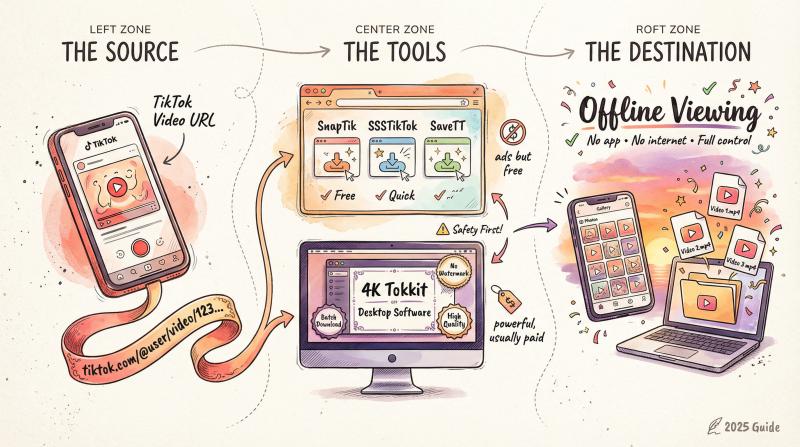
1. Online TikTok Downloaders
Websites like SnapTik.app, SSSTikTok, SaveTT, and TikTokDownloader let you paste a TikTok video URL and download the MP4 file. Many offer options to remove the TikTok watermark.
For example, SaveTT is a popular site that lets you input a TikTok link and quickly get a video file or even just the audio.
How to use online downloaders:
- Copy the URL of the TikTok video (from the web player, click Share → Copy Link)
- Go to the downloader site and paste the URL
- Click Download
- After a moment, you'll get a link to save the video
Most of these sites are free, though you'll encounter some ads. Once downloaded, you can watch the TikTok offline in your phone's gallery or computer's media player. No app or account needed.
2. Desktop Software Solutions
If you plan to download lots of TikTok videos, applications like 4K Tokkit (by the 4K Video Downloader team) let you batch download TikToks by username or hashtag. These programs are more powerful and often allow you to save videos without watermarks and include captions.
However, desktop software is usually paid or has usage limits in free versions. Unless you're archiving tons of content, the free web downloaders should work fine.
Important Safety Notes:
⚠️ Critical Safety Rules
• NEVER give any downloader your TikTok login or personal info
• Legitimate downloaders only need the video's public link
• If a site requests your account details, it's likely unsafe (phishing/data scraping)
• Use downloaders for personal use only – don't monetize, re-upload without credit, or claim as yours
• TikTok's Share feature is intended for personal sharing with watermark
• Downloading may violate TikTok's terms of service if misused
now flip the script.
How to Post TikTok Videos from Desktop Without the App
So far, we've focused on watching TikTok without the app. But what if you're a content creator who wants to post TikTok videos without being glued to your phone?
This is actually possible (and increasingly common for professional creators and social media managers).

Desktop TikTok Management:
TikTok's website allows some uploading functionality, but it's clunky and limited. For creators managing multiple platforms, third-party tools offer a better experience.
Post bridge is designed specifically for this.
You can upload TikTok videos from your computer, schedule them to post at optimal times, and manage TikTok alongside 9+ other social networks from a single dashboard.
Key Features for TikTok Creators:
Feature - Benefit
- Desktop uploads - Upload videos from your computer instead of transferring them to your phone
- TikTok drafts - Create drafts in Post bridge and publish when ready
- Cross-platform posting - Post the same video to TikTok, Instagram Reels, YouTube Shorts, Facebook, and Twitter simultaneously
- Scheduling - Queue up a week's worth of TikTok content and let it post automatically
- API access - For developers and power users, Post bridge offers API endpoints for programmatic posting
If you're running a TikTok account for business, marketing, or building a personal brand, you don't need to use your phone for every single upload. Post bridge handles the workflow from desktop and saves you hours each week.
(pricing starts at $9/month for 5 social accounts, with higher tiers for larger teams.)
FAQ: Watching TikTok Without the App

1️⃣ Can I watch TikTok without creating an account?
Yes. You can use TikTok's website as a guest, third-party viewers, or find TikTok content on other platforms. You won't be able to like, comment, or follow creators. But you can watch as much as you want.
2️⃣ Does TikTok's web version work on mobile phones?
Absolutely. Open tiktok.com in your mobile browser (Safari, Chrome, Firefox, etc.) and choose "Continue as guest" when prompted. You can scroll and watch videos just like on desktop.
3️⃣ Why do some TikTok links force me to download the app?
Shared TikTok URLs often include tracking parameters that trigger app redirects:
- Parameters like
?_t=and&_r=tell TikTok to push the app - Solution: Remove everything after the
?in the URL - The cleaned link should open in your browser
4️⃣ Are third-party TikTok viewers safe?
They can be, but use caution:
Safe Practices - Red Flags
- Use reputable sites (UrleBird, Brainans) - Site asks for login credentials
- Browse in incognito mode - Requests to download software
- Consider using a VPN - Excessive ads or pop-ups
- Read reviews first - Suspicious URLs or domains
Bottom line: Stick to known viewers, avoid sharing personal info, and never log in.
5️⃣ Can I watch TikTok Live without the app?
Yes, on desktop:
- The TikTok website has a "Live" section where you can watch live streams anonymously
- On mobile browsers, you may need to switch to "Desktop mode" to access it
- Note: Guest viewers are limited to 480p quality and can't comment or send gifts
6️⃣ Will I get a personalized "For You" feed without an account?
Not really. TikTok's algorithm needs your interaction data to personalize content:
- As a guest, you'll see generic trending videos
- Content will be broadly popular rather than niche
- No personalization based on your interests
- You can still search for specific topics/creators
7️⃣ Can I download TikTok videos to watch offline?
Yes. Use online downloaders like SnapTik or SaveTT by pasting the video URL:
- Copy the TikTok video link
- Paste into downloader site
- Download the MP4 file
- Watch offline from your device
Remember: Use downloaded videos responsibly (personal use only, don't re-upload without credit).
8️⃣ Can I manage TikTok content professionally without the mobile app?
Absolutely. Tools like Post bridge let you upload, schedule, and post TikTok videos from your desktop:
- Upload from computer (no phone transfer needed)
- Schedule posts to 10+ platforms simultaneously
- Manage TikTok alongside Instagram, YouTube, Twitter, Facebook, and more
- Ideal for social media managers, marketers, and creators who need efficient workflows
9️⃣ What are the main limitations of watching TikTok without the app?
When watching without the app, you can't:
- Like, comment, or follow creators
- Get a personalized algorithm
- Use in-app effects to create TikToks
- Send gifts on Live streams
- Save videos to favorites
But for pure viewing, browser-based methods work great.
🔟 Is it legal to watch TikTok without the app?
Yes. Using TikTok's official website is completely legitimate:
- Third-party viewers operate in a gray area (may violate TikTok's ToS)
- Simply viewing content isn't illegal
- Downloading and re-uploading others' videos without permission could violate copyright
- Stick to personal use for downloaded content
Watch TikTok on Your Terms: No App Required
You don't need to install the TikTok app to enjoy its content.
Whether you're using the official website, fixing annoying app-redirect links, browsing third-party viewers, or discovering TikToks on YouTube and Instagram, you have plenty of options.
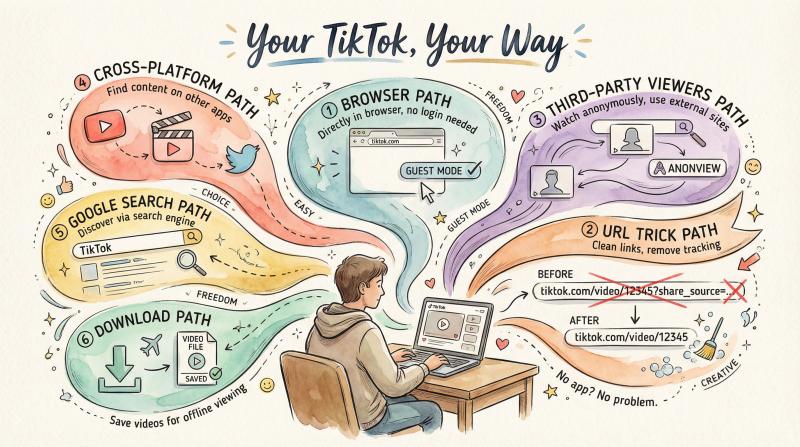
Quick recap:
① The official TikTok website (tiktok.com) is the easiest and safest method. Just hit "Continue as guest" and start watching. You won't get all the interactive features. But you get an endless feed of content and access to Live streams on desktop.
② The URL trick is perfect for one-off videos. If a shared TikTok link tries to force you into the app, just remove the ? and tracking parameters from the URL.
③ Third-party viewers like UrleBird and Brainans let you anonymously search and watch TikToks. They're handy for viewing profiles or even deleted videos. But use them cautiously since they're unofficial.
④ Other social platforms (YouTube, Instagram, Facebook, Twitter) are convenient if you're already active there. Creators frequently repost their TikToks as Shorts, Reels, and tweets. So you might discover TikTok videos organically without ever touching TikTok.
⑤ Search engines like Google work when you're looking for specific TikToks. A quick search can surface direct links or mirrored content.
⑥ Downloading videos gives you ultimate offline freedom. Use a TikTok downloader to save videos as files. Then watch or share them anytime. Just keep it to personal use and avoid sites asking for your login.
One More Thing: If You're Creating Content…
Watching TikTok without the app is one thing. But if you're creating content for TikTok (and other platforms), you don't need to live on your phone either.
Post bridge lets you upload, schedule, and post TikTok videos from your desktop while managing 9+ other social networks simultaneously.
Whether you're posting to TikTok, YouTube Shorts, Instagram Reels, Twitter, Facebook, LinkedIn, Pinterest, Threads, or Bluesky, you can handle it all from one dashboard.
For creators, marketers, and social media managers who need efficiency without sacrificing quality, Post bridge eliminates the tedious multi-platform upload grind.
Bottom line: You have full control over how you consume (and create) TikTok content. No app installation required.
Happy watching (and scrolling less, living more)!