
Meta's advertising empire reaches an absurd 3.54 billion people every single day. That's almost half the planet scrolling through Facebook, Instagram, Threads, and WhatsApp combined.
And with 86% of marketers running Facebook ads and 79% using Instagram ads, the competition for attention is brutal.
But here's something most marketers don't know:
Meta built a completely free tool that lets you spy on every single ad running across their platforms.
It's called the Meta Ads Library, and it's sitting there waiting for you to use it.
This guide breaks down everything you need to know about the Meta Ads Library, from basic navigation to advanced competitive research tactics. Whether you're looking to analyze competitor campaigns or just find fresh creative inspiration, this tool can transform your advertising approach without costing you a cent.
What Is the Meta Ads Library?
The Meta Ads Library is a publicly searchable database of every ad currently running across Meta's platforms (Facebook, Instagram, Messenger, Audience Network, and Threads). Meta launched it in 2018 as part of their transparency push, initially focusing on political advertising.
Today, it's evolved into one of the most powerful free competitive intelligence tools available to marketers.
Here's what makes it remarkable:
Feature - What You Get
- Public Access - Anyone can use it without a Facebook account, Meta Business Manager, or special permissions
- Comprehensive Coverage - All active ads running on Meta platforms, from small business promotions to massive brand campaigns
- Extended Transparency - Political and issue-based ads show funding, estimated spend ranges, audience demographics, and stay archived for 7 years
- Global Reach - Covers ads in every country where Meta operates, revealing how brands adapt messaging across borders
But here's the catch:
While you can see the creative, copy, and basic targeting info, you cannot see performance metrics. No click-through rates, no conversion data, no ROI numbers.
The library shows you what advertisers are running, not how well it's working (we'll cover ways to infer performance later).
Think of it as walking through a massive showroom where every ad on Facebook and Instagram is on display. The transparency is unprecedented, and it's completely free.
How to Use the Meta Ads Library (Step-by-Step)
Getting started is straightforward. Here's your step-by-step walkthrough:
Step 1: Access the Library
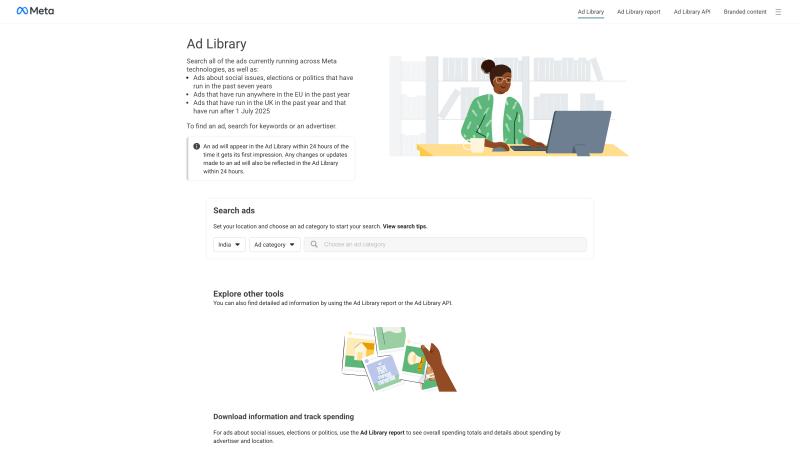
Open facebook.com/ads/library in any browser. No login required.
Step 2: Choose Your Country
Select the country whose ads you want to view from the dropdown menu. This matters because:
- Ad regulations vary by country (EU has different requirements than the U.S.)
- Brands run different campaigns in different markets
- You'll see ads targeted to that specific region
Pro tip: If you want maximum coverage, select "All" countries to search the global database at once. Otherwise, pick your primary market.
Step 3: Select Ad Category
The library offers several categories:
"All Ads" shows commercial advertising of any type. This is what most marketers want.
"Issues, Elections or Politics" shows regulated political content with enhanced disclosure data.
Special categories (U.S. only) include Housing, Employment, and Credit ads, which have restricted targeting due to fair housing and employment laws.
For competitive research, stick with "All Ads" unless you're specifically analyzing political campaigns.
Step 4: Search Smart
The search bar accepts two types of queries:
Advertiser name searches pull up all ads from a specific Facebook Page. Type "Nike" or "Gymshark," select the matching Page, and see everything they're currently running. This is perfect for competitor analysis.
Keyword searches show ads containing that term in the content or Page name. Search "vegan protein powder" to see how different brands message that product category. Try "free shipping" in quotes to find ads using that specific offer.
Search tip: Use exact phrase searches with quotation marks to narrow results. The search is word-based, so experiment with synonyms and industry buzzwords to find hidden gems.
Step 5: Filter Ruthlessly
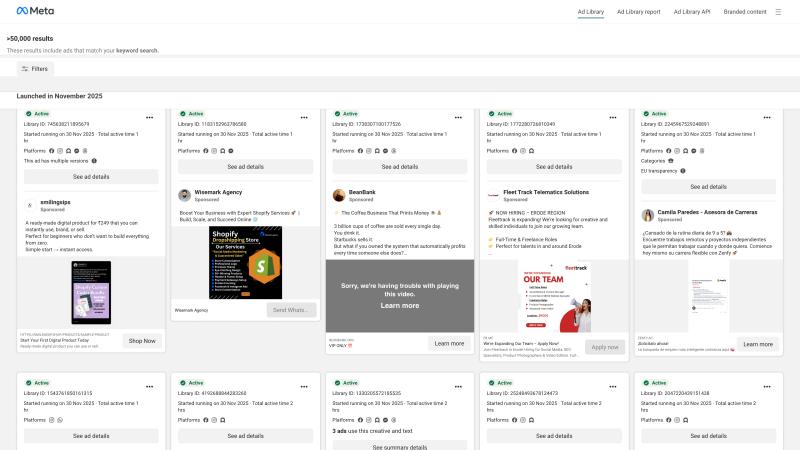
After searching, you'll get a scrollable list of results. The real power comes from filtering:
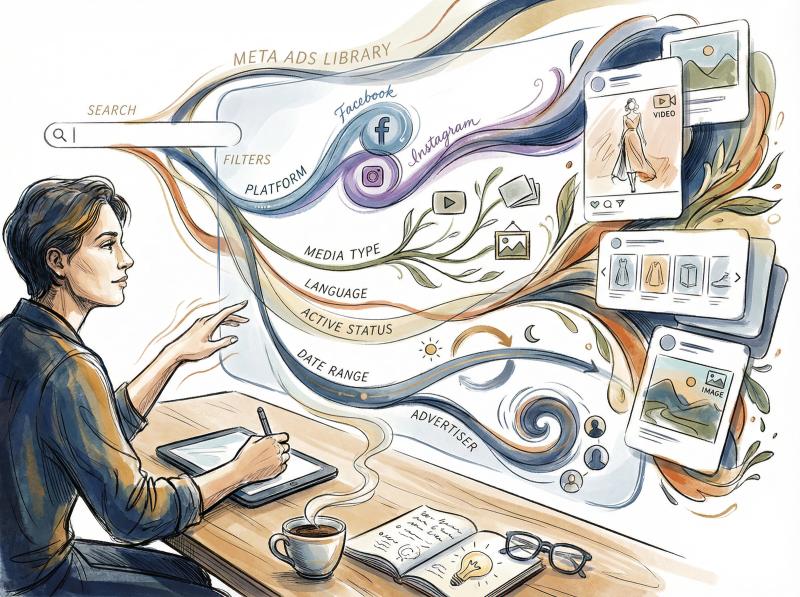
Filter - What It Does - When to Use It
- Platform - Show only Facebook, Instagram, Messenger, etc. - Analyzing cross-platform creative differences
- Media Type - Filter by image, video, carousel, or meme format - Finding inspiration for specific content types
- Language - See ads in specific languages - Researching multilingual markets
- Active Status - Toggle between currently running and inactive ads - Studying seasonal campaigns from past years
- Date Range - Find ads delivered during specific periods - Analyzing holiday promotions or event-based marketing
- Advertiser - Narrow keyword results to specific Pages - Focusing on one brand within broad searches
Combine filters to get laser-focused results. For example: search "headphones," filter Platform = Instagram, Media Type = Video, Date = last 90 days, and you'll see only recent Instagram video ads for headphones.
That's a goldmine for inspiration.
Step 6: Dive Into Ad Details
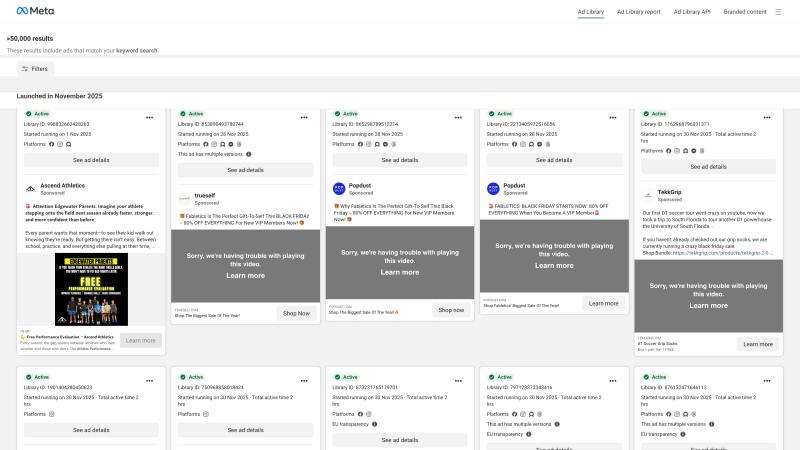
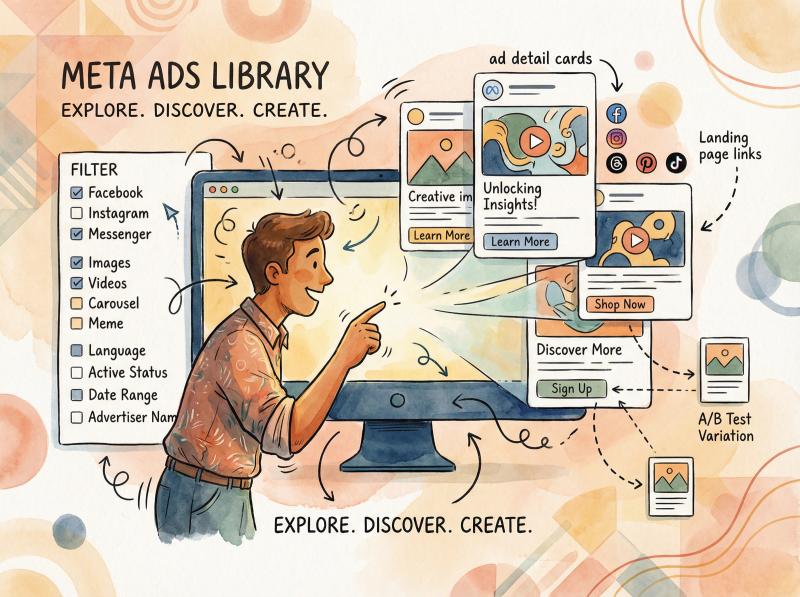
Click any ad to expand its details panel. You'll see:
- Full creative (images, videos, carousel cards)
- Complete ad copy and caption text
- Call-to-action button text
- Start date showing when the ad launched
- Platforms where it's running
- Multiple versions if the advertiser is A/B testing
- Landing page link (click through to see their funnel)
EU/UK bonus: If you're accessing from the European Union or UK, Meta displays additional targeting data due to local transparency regulations. You might see estimated reach, age/gender distribution, and spend ranges for ads. Use this advantage if you have it.
Step 7: Direct Page Access
Two shortcuts to see all ads from a specific advertiser:
① Search their name in the Ad Library and click their Page
② Visit their Facebook Page, scroll to "Page Transparency," and click the "Go to Ad Library" link in the Ads section
Both methods show the same Ad Library view for that advertiser.
Top Features of the Meta Ads Library
The Meta Ads Library packs more utility than its simple interface suggests:
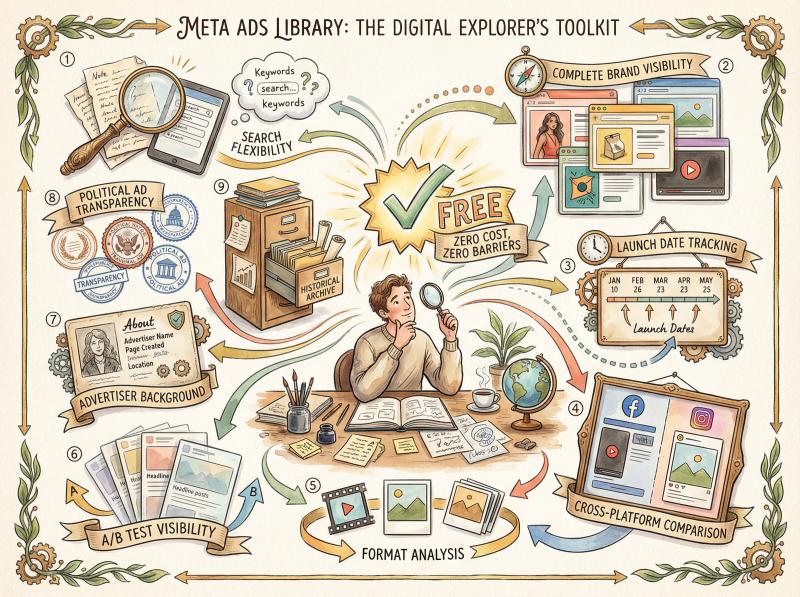
Search flexibility. Query by brand, product, offer, or industry keyword. The open-ended search lets you approach research from multiple angles.
Complete brand visibility. Pull up every active ad from any advertiser. If a competitor is running 150 different ads simultaneously, you can scroll through all 150 and spot patterns.
Launch date tracking. Every ad shows its start date. Long-running ads (6+ months) are likely performing well, while brand-new ads represent fresh tests or product launches.
Cross-platform comparison. Filter by platform to see how brands adapt creative for Facebook versus Instagram. Maybe they use carousel ads on Facebook but single images on Instagram. The library reveals these strategic choices.
Format analysis. Filter by media type to study only videos, only images, or only carousel ads. Perfect when you need inspiration for a specific format.
A/B test visibility. When advertisers run multiple variations, the library shows thumbnails for each. You can literally see their split tests in progress (though you won't know which variant is winning).
Advertiser background. The "About this Page" section shows when the Page was created, any name changes, and admin locations. Useful for spotting sketchy drop-shipping operations versus established brands.
Political ad transparency. Regulated ads display spend ranges, impression estimates, and demographic breakdowns. While this mainly applies to political content, it demonstrates the platform's technical capability for showing this data.
Historical archive. Political and issue ads stay in the library for seven years. Regular ads remain viewable for some time after they stop running. The date range filter helps surface older campaigns for historical analysis.
Zero cost, zero barriers. No account required. No subscription fees. No API limits for basic browsing. Meta made this accessible to everyone.

How to Use the Meta Ads Library for Competitive Research
The Meta Ads Library isn't just interesting.
*It's actionable.*
Here's how to extract real value:
Competitive Intelligence Without the Guilt
You can legally spy on competitor advertising strategies. See what they're running right now across all Meta platforms.
What to look for:
- Their unique value propositions and key messaging
- Promotional offers and pricing strategies
- Creative formats they're betting on
- How long ads have been running (performance proxy)
- Which products they're pushing hardest
- Seasonal campaign timing and themes
Inferring success: If an ad has been running for 6+ months, it's probably working. Advertisers don't keep spending on losers. Conversely, a brand launching 20 new ads in one week is either testing aggressively or pivoting strategy.
Example: Search your top competitor's name. Notice they're running 12 different ads all featuring customer testimonials. That's a signal that social proof is working for them in your space.
How to Find Creative Inspiration
Browsing the library is like having access to a massive swipe file of current, real-world ads across every industry.
How to mine ideas:
- Search industry keywords to see common creative approaches
- Filter by video to study storytelling techniques
- Look at how brands demonstrate product benefits visually
- Analyze headline formulas and CTA variations
- Spot color schemes and design trends
Important: Don't copy. Get inspired.
If you see a skincare brand using before/after video demos effectively, consider how you could apply that format to your product category with your unique angle.
Industry Trend Analysis
Go beyond individual competitors to understand broader market movements. Search industry-wide keywords like "electric cars" or "meal delivery" and patterns emerge:
- Common pain points advertisers are addressing
- Trending offers ("first month free" vs "50% off")
- Emerging creative formats (UGC content, founder stories)
- Seasonal messaging shifts
Use the date filter strategically: Compare ads from last year's holiday season to this year's to spot evolving trends.
Are brands using more creator content? More direct response? More brand storytelling? The library reveals these macro shifts.
Validate Your Ad Concepts Before Spending
Got a new campaign idea? Check the library first.
Example scenario: You're planning ads claiming "Fastest VPN service." A quick search for "fastest VPN" shows eight competitors already using that exact angle. Good to know before you invest in creative production for a message that won't stand out.
The library helps you:
- Avoid saturated messaging angles
- Identify white space opportunities
- See if your "unique" hook is actually generic
- Understand which formats are oversaturated in your niche

Learn from Adjacent Industries
Some of the best ideas come from outside your direct competition.
Cross-industry tactics:
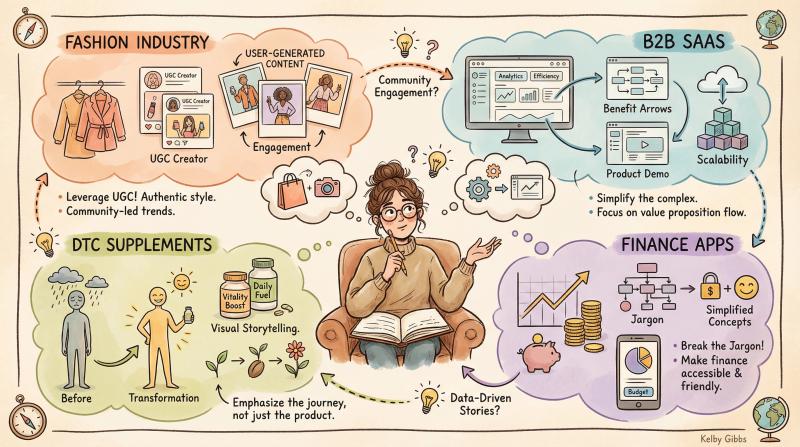
Industry - What They Excel At - How to Adapt
- E-commerce Fashion - User-generated content strategies - Apply UGC to your product category
- B2B SaaS - Benefit-focused video demos - Simplify complex features into visual demos
- DTC Supplements - Before/after visual storytelling - Show transformation in your context
- Finance Apps - Simplifying complex concepts - Break down your jargon into everyday language
Search these categories even if they're not your industry. Adapt winning techniques to your context.
Platform-Specific Strategy Insights
Use filters to understand how brands optimize for each platform:
Compare a brand's Facebook ads to their Instagram ads. You might notice:
- Longer copy on Facebook, minimal text on Instagram
- Link-out offers on Facebook, engagement-focused on Instagram
- Rational benefit messaging on Facebook, emotional storytelling on Instagram
These differences reveal how sophisticated advertisers adapt to platform audiences and formats. When you're ready to test your own content across multiple social platforms, understanding these nuances becomes essential for maximizing engagement.
Monitor Influencer Partnerships
The library surfaces branded content ads where creators promote brands. These appear as "Paid partnership" in the ad details.
Why this matters:
- Discover which influencers your competitors work with
- See how partnership content is being amplified with ad spend
- Understand the messaging approach in influencer collabs
- Gauge the scale of influencer marketing in your category
If you run influencer campaigns, you can verify your partners' ads are actually running. And if competitors are going heavy on influencer content, that's a signal about what's working in your space.
Client Reports and Pitch Prep
For agencies and consultants, the Ad Library is presentation gold:
- Screenshot competitor ads for client presentations
- Build "here's what your competition is doing" sections
- Show prospects their own current ads with analysis
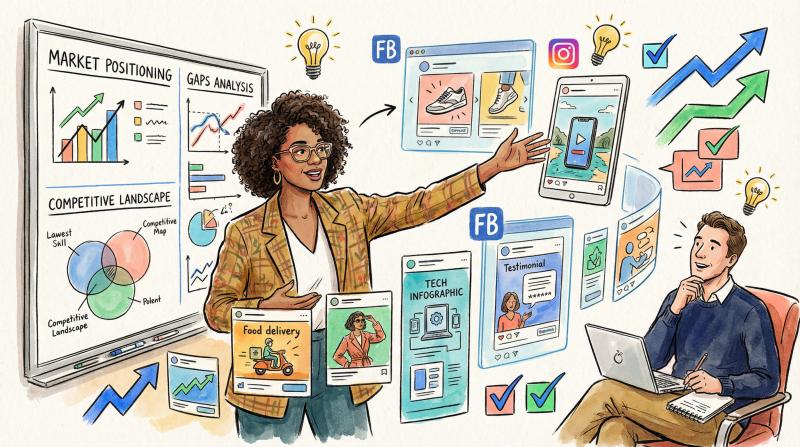
- Demonstrate market positioning gaps with real examples
Concrete ad examples make recommendations far more compelling than abstract strategy talk.
Advanced Meta Ads Library Tips to Find Better Ads
Cast a Wide Net
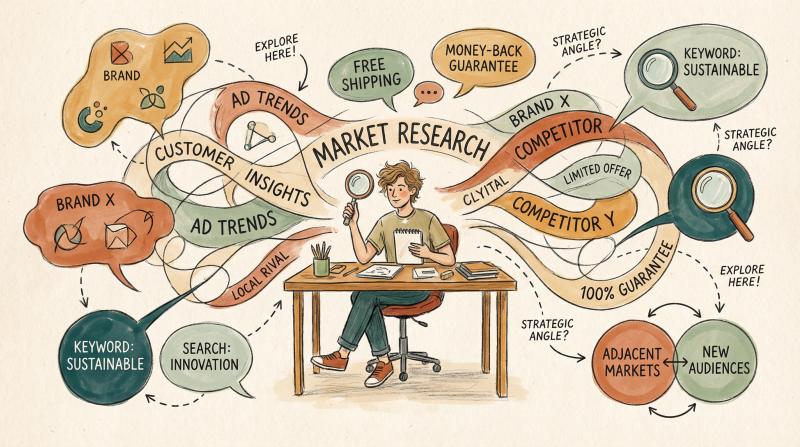
Don't just search one keyword or one competitor. Try:
- Multiple competitor names
- Broad industry terms
- Specific product names
- Common promotional phrases ("free trial," "limited time")
- Adjacent market terms
Each search angle reveals different insights.
Use Exact Phrase Strategically
Put key phrases in quotation marks to find ads using that specific wording:
- "Money-back guarantee"
- "Free shipping"
- "Limited edition"
This shows you how different brands execute the same offer type.
Read Ad Duration as a Performance Signal
The Ad Library doesn't show metrics, but duration is a clue:
Duration - What It Suggests - Your Action
- 6+ months - Likely profitable (advertisers kill underperformers) - Study this ad deeply for winning elements
- Days/weeks - Could be tests, seasonal, or failures that got pulled - Interesting but unproven
- Many new ads at once - Aggressive testing or strategy pivot - Monitor which survive longer
Track competitor ads over time to build your own performance database.
Filter for Laser Focus
Combine multiple filters for hyper-specific research:
- Country = Australia + Date = Dec-Feb + Keyword = "summer sale" (Australian summer campaigns)
- Platform = Instagram + Media = Video + Keyword = "app" (IG video app-install ads)
- Advertiser = Specific brand + Date = Last year Black Friday (their holiday strategy)
The more specific your filters, the more targeted your insights.

Check Page Transparency
Before analyzing a brand's ads, check their Page Transparency section:
- When was the Page created? (New pages = potentially drop-shipping)
- Has the Page name changed? (Rebrand or sketchy pivot?)
- Where are admins located? (Geographic clues about operations)
This context helps you evaluate whether to take strategic cues from them.
Use the API for Bulk Analysis (Advanced)
Meta offers an Ad Library API for programmatic access.
Requirements are strict (developer access, use case approval, rate limits), but if you have technical resources, you can:
- Download large datasets for analysis
- Track competitor ad changes automatically
- Build custom dashboards and reports
- Perform statistical analysis across thousands of ads
Most marketers won't need this, but it's powerful for sophisticated competitive intelligence.
Remember Other Platform Libraries
Meta's library is comprehensive for Facebook/Instagram, but don't forget:
- Google Ads Transparency Center for YouTube and Search ads
- TikTok Ad Library for TikTok campaigns
- LinkedIn's limited ad transparency features
Complete competitive research requires checking multiple platforms.
Tools like Post bridge make it easier to manage campaigns across TikTok, YouTube, LinkedIn, and other networks once you've gathered your research.
Stay Ethical
Use the library to learn and improve your strategy, but:
Don't plagiarize creative. Borrowing concepts is fine. Copying execution is not.
Don't assume everything works. Just because an ad exists doesn't mean it's successful.
Respect platform terms. Don't scrape the library or violate usage policies.
The tool exists for transparency and market understanding, not theft.
Meta Ads Library Limitations You Should Know
Understanding the library's blind spots helps you use it more effectively:
The Performance Data Gap
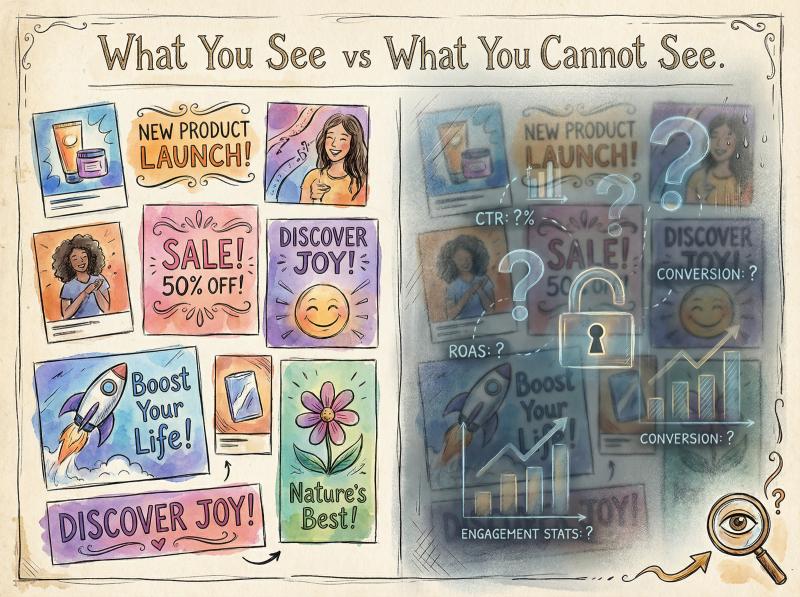
The biggest limitation: you cannot see how ads perform.
What You CAN See - What You CANNOT See
- Creative assets - Click-through rates
- Ad copy - Conversion rates
- Start dates - Cost per result
- Platforms running - Return on ad spend
- A/B test variations - Engagement metrics
- Landing page URLs - Which variant is winning
You're inferring performance from indirect signals like ad duration and variant quantity. Your conclusions are educated guesses, not facts.
No Detailed Targeting Info
For most commercial ads, you cannot see who the advertiser targeted:
- Age ranges
- Gender targeting
- Interest categories
- Behaviors
- Lookalike audiences
- Retargeting strategies
Exception: Political ads and EU-region ads show some demographic data. But for standard product ads, targeting remains opaque.
Why this matters: Two identical-looking ads might be shown to completely different audiences with different objectives. You're only seeing the creative, not the strategy behind it.
No Budget or Spend Visibility
The library doesn't reveal:
- How much money is behind each ad
- Total campaign budgets
- Daily spend rates
- Bid strategies
Exception: Political ads show broad spend ranges like "Less than $100" or "$5,000-$10,000."
The problem: One advertiser might run 50 ads at $10/day each while another runs 2 ads at $5,000/day. Both appear similar in the library, but the scale is vastly different.
No A/B Test Winners
You can see that a brand is running multiple ad variations, but you can't tell which version is winning. The library treats all variants equally.
All you know is they're testing. The actual test results remain hidden.
Overwhelming Volume for Big Brands
Search "Amazon" and you'll get thousands of ads. The interface is basically an infinite scroll with no advanced sorting or ranking.
Workaround: Use specific filters and keywords to slice large advertisers' ad portfolios into manageable chunks. Filter by platform, media type, or search for specific product names within their ads.
Basic Search (No Complex Queries)
The search function is straightforward but limited:
- No boolean AND/OR operators
- No advanced pattern matching
- No saved searches or alerts
- Text-based matching only (misses image-only text)
You'll need to try multiple search variations and manually explore results.
No Campaign Context
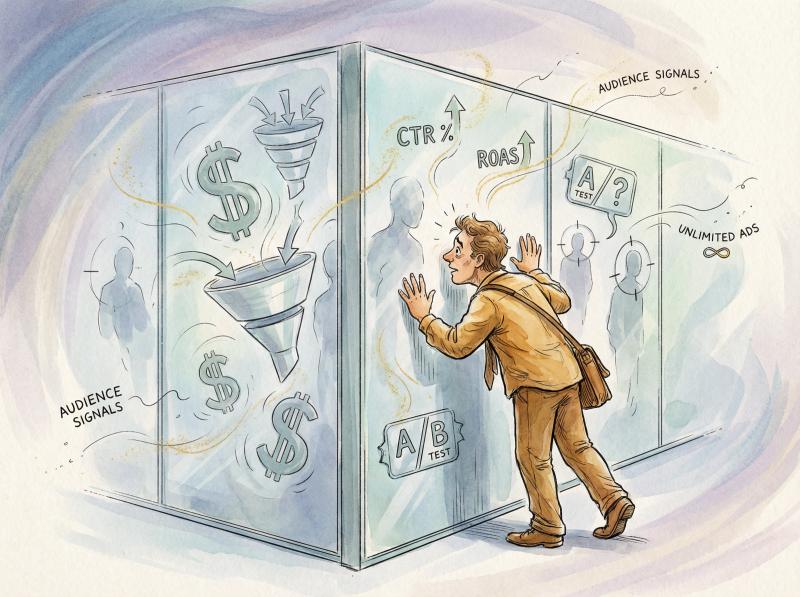
The library shows individual ad units, not full campaigns:
- You can't see the campaign objective (traffic vs conversions)
- You can't see the funnel (what happens after the click)
- You can't see email follow-ups or retargeting sequences
- You can't see the broader marketing mix
You're viewing one piece of a potentially complex strategy puzzle.
What's New in the Meta Ads Library (2025)
The Ad Library keeps evolving. Here's what's changed recently:
Political Ads Banned in EU
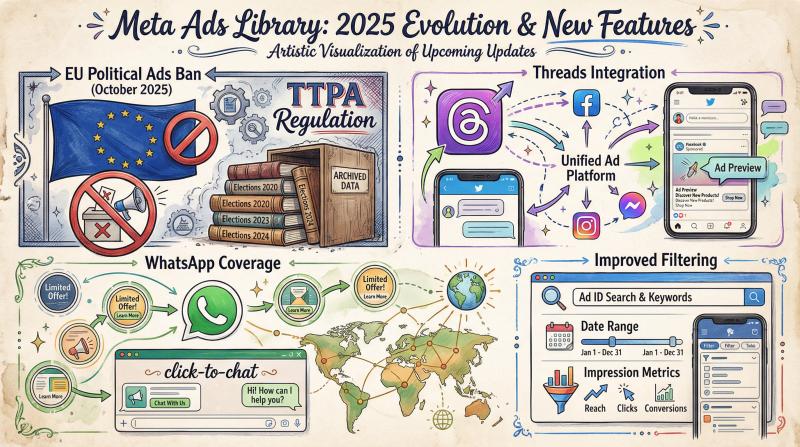
In October 2025, Meta stopped accepting political, electoral, and social issue ads in European Union countries in response to the EU's Transparency and Targeting of Political Advertising (TTPA) regulation.
What this means:
- No new political ads in the EU library
- Historical data remains archived
- Commercial ads unaffected
- This applies only to EU markets
Outside the EU, political ad transparency continues normally. The ban sparked debate about whether removing ads actually reduces transparency by hiding political activity.
Threads Integration
Meta's Twitter-like platform Threads is now included in the Ad Library's platform filters.
While Threads advertising is still limited, the library is ready to show those ads as the format develops. If you're already posting to Threads, you can now research what ad formats work best on this emerging platform.
WhatsApp Coverage
WhatsApp ads (mainly status ads and click-to-chat formats) are also covered by the library as Meta expands WhatsApp's advertising options.
Improved Filtering
Recent updates include:
- Better date range filtering for all ad types
- Ability to search by ad ID
- Weekly impression estimates for political ads via the Ad Library Report
- Enhanced mobile interface
Check Meta's Transparency Center for ongoing updates.
How Post bridge Fits Into Your Ad Research Workflow
Here's the reality: analyzing ads in the Meta Ads Library is valuable, but acting on those insights requires executing your own campaigns across multiple platforms efficiently.
That's where Post bridge comes in.
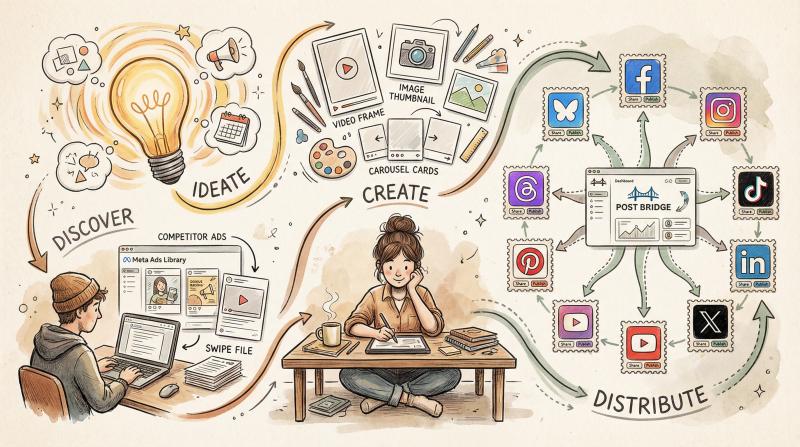
The connection is straightforward: You discover winning creative formats and messaging angles in the Ad Library, then you need to test those concepts across your social channels. Post bridge lets you schedule and publish to 10+ platforms from one dashboard.
Why this matters for ad-informed content:
Multi-platform testing. When you find an ad concept worth testing, Post bridge helps you quickly adapt it across Facebook, Instagram, TikTok, LinkedIn, Twitter/X, YouTube, Pinterest, Threads, and Bluesky. Test organically before spending ad budget.
Efficient content repurposing. That Instagram Reel format you discovered in the Ad Library? Post bridge's Instagram scheduler can schedule it to TikTok, YouTube Shorts, and Instagram simultaneously with proper formatting for each platform.
Rapid iteration. Saw a competitor's ad using customer testimonials? Create your version and post it immediately to test audience response. Post bridge handles the cross-platform logistics while you focus on creative.
Template library. Post bridge includes viral templates for different content types. Combine that with Ad Library insights about what messaging resonates in your industry.
The workflow becomes: Research in Ad Library → Ideate concepts → Create content → Distribute with Post bridge → Analyze results → Refine approach.
For teams managing multiple client accounts or personal brands across many platforms, Post bridge's multi-account automation handles the posting complexity while you focus on strategy informed by your Ad Library research.
And the pricing makes sense:
Starting at just $9/month for the Starter plan, Post bridge offers affordable access to comprehensive social media scheduling without the enterprise pricing complexity. The API access is also useful if you're building automated workflows.
Plus, free social media tools like the Instagram Grid Maker and TikTok Username Checker help attract organic traffic while you build your strategy.
Meta Ads Library FAQ: Your Questions Answered

Is the Meta Ads Library really free to use?
Yes, completely. No Facebook account required, no hidden fees, no usage limits for basic browsing. Meta built it as a public transparency tool, so anyone can access it.
Can I see my competitors' exact ad budgets?
No. The library shows what ads are running and when they started, but not budget amounts for commercial ads. Political ads show broad spend ranges like "Less than $100" or "$1,000-$5,000," but product ads don't disclose spend.
How long are ads stored in the library after they stop running?
Political and issue ads are archived for 7 years. Regular commercial ads remain visible for some time after they stop running, but the exact duration varies. Use the date range filter and "inactive" status to find older ads.
Can I see which ad variations are performing best?
No. The library shows that multiple versions exist (revealing A/B tests in progress), but doesn't indicate which variant is winning. Performance data isn't available.
Does the library show ads from all Meta platforms?
Yes. It covers Facebook, Instagram, Messenger, Audience Network (Meta's partner sites), Threads, and WhatsApp. Use the platform filter to focus on specific channels.
Can I download data or set up monitoring alerts?
The basic web interface doesn't offer downloads or alerts. However, Meta offers an Ad Library API for developers who want programmatic access and automated monitoring. This requires technical setup and approval.
Why are some advertisers running so many ads simultaneously?
Large brands often run hundreds of ads at once for several reasons: testing multiple creative variations, targeting different audience segments, promoting different products, running campaigns in multiple markets, and conducting ongoing optimization. The library shows all active ads, which can be overwhelming for big advertisers.
Can I see audience targeting information for ads?
Not for most commercial ads. Meta keeps detailed targeting private. Political/issue ads show some demographic data (age, gender, location ranges), and EU users see additional targeting info due to local regulations, but standard product ads don't reveal targeting parameters.
What's the difference between the Ad Library and the Ad Library Report?
The Ad Library is the main search interface for browsing individual ads. The Ad Library Report is a separate tool that aggregates political ad spending data by advertiser, showing total amounts spent over time periods. The Report is downloadable and useful for political transparency research but doesn't apply to regular commercial ads.
How often is the Ad Library updated?
The library updates in real-time as advertisers launch and pause ads. You're seeing current active campaigns. Some delays may occur, but generally, if an ad is running, it appears in the library within hours.
Can I search for ads by image or video content?
No. The search function is text-based only, matching keywords in ad copy or Page names. You can't upload an image to find similar ads or reverse-search by visual content.
Why don't I see some ads that I've seen in my own Facebook feed?
A few reasons: The ad might be targeted to you specifically but not running broadly (it'll still appear in the library). You might be searching the wrong country. The ad could have been paused right after you saw it. Or it might be a post from a Page you follow that looks like an ad but isn't actually a paid ad (organic posts aren't in the library).
Is it legal to use competitor information from the Ad Library?
Yes. Meta created the library specifically for public transparency. Using it for competitive research is legal and encouraged. However, you shouldn't directly plagiarize ad creative or violate copyright. Use insights to inform your strategy, not to copy work.
Can I use the Ad Library for platforms other than Meta's?
No, the Meta Ad Library only covers Meta-owned platforms. For other networks, check Google's Ad Transparency Center (YouTube, Search, Display), TikTok's Ad Library, and LinkedIn's limited transparency features. Once you've researched across platforms, tools like Post bridge help you execute campaigns on all major social networks from one dashboard.
How do I know if an ad I'm seeing is actually performing well?
You can't know for certain, but look for indirect signals: Ads running for months are likely profitable (advertisers kill losers). Multiple active variations suggest the advertiser is optimizing an already-working campaign. Ads with recent start dates are newer tests with unknown results. Use duration and quantity as proxies, but remember they're just educated guesses.

How to Make the Meta Ads Library Part of Your Strategy
The Meta Ads Library levels the competitive playing field in a way that was unimaginable a decade ago. Small businesses now have the same visibility into competitor advertising that used to require expensive spy tools or agency relationships.

Use it regularly, not just once.
Market dynamics shift constantly. Competitor strategies evolve. Creative trends come and go.
Make checking the Ad Library a monthly (or weekly) habit. Set aside 30 minutes to:
- Search key competitors
- Browse industry keywords
- Filter for recent ads in your category
- Study format trends
- Note messaging shifts
Over time, you'll build an intuitive sense of what works in your market and spot opportunities before they become obvious.
Combine insights with action.
The library shows you what others are doing. Your job is to:
- Identify patterns worth testing
- Find white space others are ignoring
- Adapt winning formats to your brand
- Move quickly when you spot opportunities
Tools like Post bridge help you act on insights faster by streamlining the multi-platform distribution that's required to test concepts organically before spending ad budget.
Whether you're posting to Facebook, Instagram, TikTok, LinkedIn, Twitter/X, YouTube, Pinterest, Threads, or Bluesky, having a centralized scheduling system saves hours every week.
Remember the limitations.
The Ad Library is powerful but incomplete. You see creative and timing, but not performance, targeting, or budget. Combine it with your own testing data, customer feedback, and performance analytics to build a complete picture.
Stay curious and ethical.
Use the transparency to learn, not to copy. Respect intellectual property. Focus on understanding why certain approaches work, then create your own version that's authentic to your brand.

The Meta Ads Library is sitting there, free and accessible, full of competitive intelligence. Most marketers browse it once and forget it exists.
Make it part of your regular research routine and you'll develop an edge that compounds over time.
Now go explore. Search your competitors, study their creative, spot the patterns, and build better campaigns informed by real market data instead of guesses.
And when you're ready to execute those campaigns across multiple platforms efficiently, Post bridge is here to help.
Start with our free social media tools, explore the growth guide for strategy tips, and when you're ready to scale, check out our pricing to find the plan that fits your needs.