
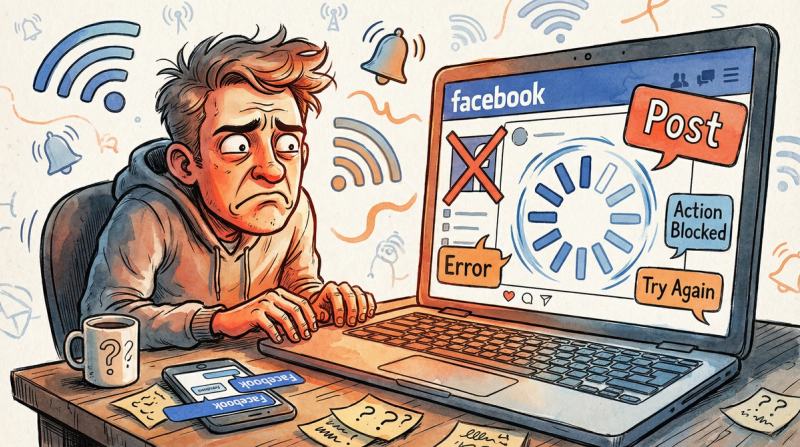
You're sitting there, ready to share something on Facebook, and... nothing happens.
Or maybe you get an error message.
Or the post just vanishes into the void.
Frustrating? Absolutely.
The truth is, there's no single culprit when Facebook won't let you post. It could be anything from a simple technical hiccup to your account being temporarily restricted.
But don't worry.
We're going to walk through the 8 most common reasons you can't post on Facebook, and (more importantly) how to fix each one.
By the end of this guide, you'll know exactly what's blocking your posts and what to do about it.
Is Facebook Down Right Now? How to Check
Before you panic about your account, check if Facebook itself is having problems.
Sometimes the platform experiences outages or bugs that prevent everyone from posting. When Facebook's servers are down, there's literally nothing wrong with your account.
How to tell if it's Facebook's fault:
Use a status checker.
Check real-time outage tracking sites like Downdetector to see if thousands of people are reporting Facebook issues simultaneously. If they are, it's definitely a platform-wide problem.
Check social media.
Yes, the irony.
But people often discuss Facebook outages on Twitter (X) or tech news sites. In June 2025, a technical error caused thousands of Facebook groups to be suspended by mistake. Meta acknowledged it and fixed things within hours.
Try a different device or network.
Switch from Wi-Fi to mobile data, or test on another phone. If nothing works anywhere, the problem is almost certainly on Facebook's end.
What you can do:
Basically, wait it out.
Facebook's team usually resolves major outages within a few hours. There's no fix on your side, so grab a coffee and check back later.
Post through official APIs only
post bridge publishes through each platform’s official API, never browser automation, to Instagram, TikTok, X and 7 more platforms. Steady, human-paced posting from one dashboard.
Schedule posts safelyFix: Poor Internet Connection Blocking Facebook Posts
Sometimes the simplest answer is the right one.
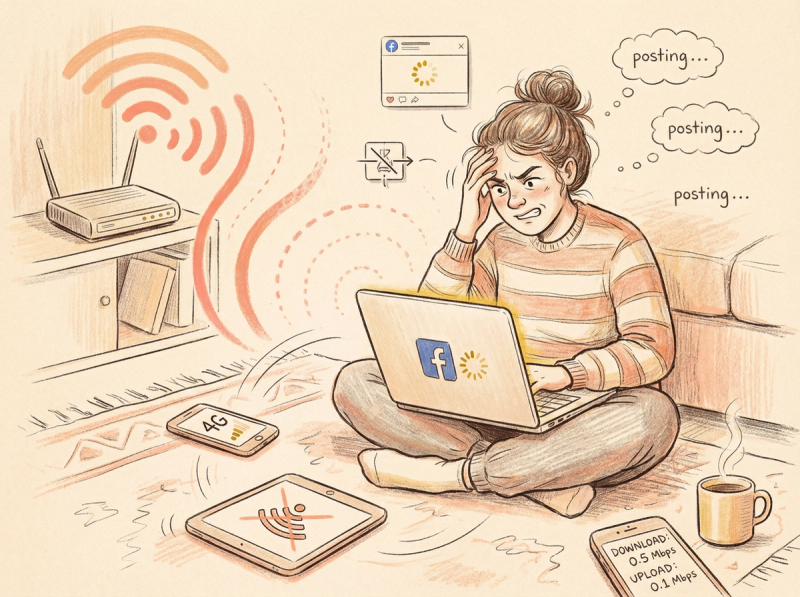
Facebook needs a stable connection to upload your post.
If your network is spotty, posts can fail to publish or get stuck with that endless spinning icon.
Signs this might be the issue:
- Other apps or websites are loading slowly
- You click "Post" and nothing happens
- The post shows "posting" but never completes
Quick fixes:
Switch networks.
If you're on Wi-Fi, try mobile data (or vice versa). Sometimes one connection is significantly stronger than the other.
Restart your router.
A quick reboot clears most network glitches. This simple fix solves 80% of connection issues.
Move closer to your Wi-Fi router.
Distance and walls can weaken signals dramatically. Even moving 5-10 feet closer can make a difference.
Run a speed test.
If your internet is crawling, you might need to contact your ISP or wait for the network to improve.
Making sure you have a solid connection (4G/5G or stable Wi-Fi) prevents most upload failures.
Facebook App Not Posting? Clear Cache and Update
Software bugs happen.
Outdated apps, corrupted cache files, or browser issues can all mess with Facebook's posting features.
You might see errors like:
"There was a problem updating your status"
Or you tap "Post" and absolutely nothing happens.
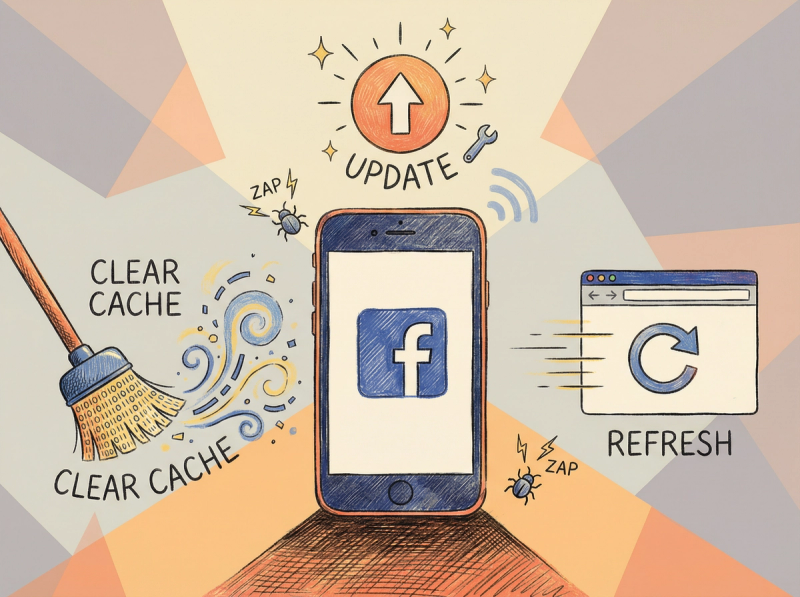
Here's how to fix it:
Update the Facebook app
- Check your app store for updates. Facebook releases new versions regularly with bug fixes.
Using the latest version solves many mysterious posting problems.
Clear your browser cache (if using web)
- Over time, cached files can corrupt. Clearing cache and cookies often fixes posting errors.
After clearing, log back into Facebook and test.
Try Incognito/Private mode
- This helps isolate whether a browser extension is causing problems.
If posting works in Incognito, you know the issue is with your regular browser (maybe disable extensions).
Reinstall the app
- On mobile, delete and reinstall Facebook.
This gives you a fresh, clean copy which often resolves glitches.
Log out and back in
- Sometimes refreshing your session data is all you need.
Pro tip: Always keep your Facebook app updated. Most posting bugs disappear with the latest version. Developers release new versions regularly with bug fixes that solve mysterious posting problems.
Can't Post in Facebook Group? Check Your Permissions
If you can't post in a specific group or on a specific Page, this is probably a permissions issue.
Not every Facebook location allows everyone to post freely.
Common permission problems:
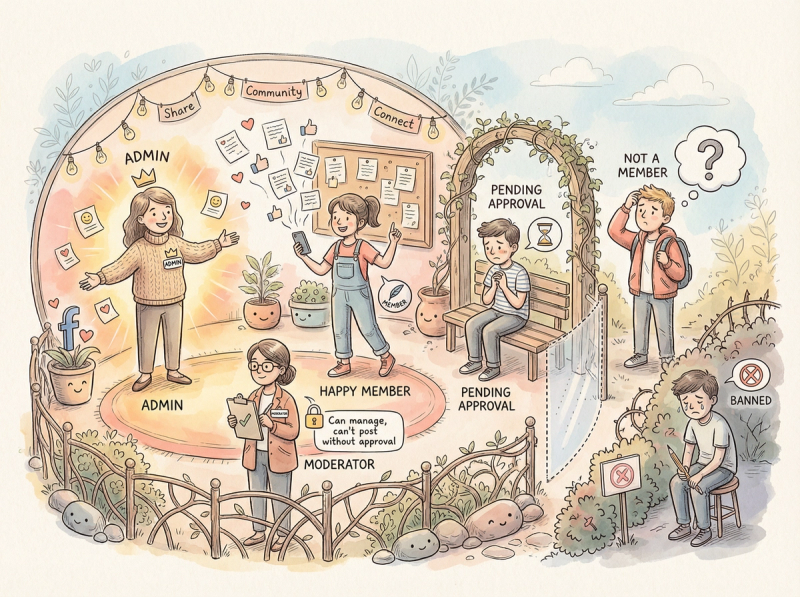
| Scenario | What's happening |
|---|---|
| Group posts are restricted | Admins can temporarily turn off member posts or require approval for each post |
| Your post needs approval | Some groups queue posts for moderator review before they appear |
| You're not a member | Closed groups obviously don't let non-members post |
| You were banned from the group | If you were removed or banned, you can't post or comment |
| Wrong Page role | Only Admins and Editors can post to Pages. Moderators, Advertisers, and Analysts cannot |
How to fix permission issues:
Check the group rules
- Look at the group description or recent announcements.
If posting is temporarily disabled, you'll have to wait.
If post approval is required, your post might be pending (not rejected).
Contact a group admin
- If you think you were muted by mistake, politely message an admin.
They can clarify the situation.
Verify your Page role
- Go to Page Settings > Page Roles to check your permissions.
If you need to post but you're only a Moderator, ask the Admin to upgrade your role to Editor.
Re-authorize third-party apps
- If you're using a scheduling tool like Post Bridge to post to a Page or group, make sure you granted it all necessary permissions.
An error like "(#200) Insufficient permission to post" means the app isn't properly authorized.
Learn how to properly connect your Facebook accounts for automation.
Always review posting policies for each group or Page.
Facebook may show a notification telling you when you'll regain posting ability if it's temporary.
Facebook Blocking Your Post? Spam Filter Detection
Sometimes the content itself is the problem.
This is where most people get stuck.
Facebook's automated systems might block your post because it looks like spam or violates community standards.
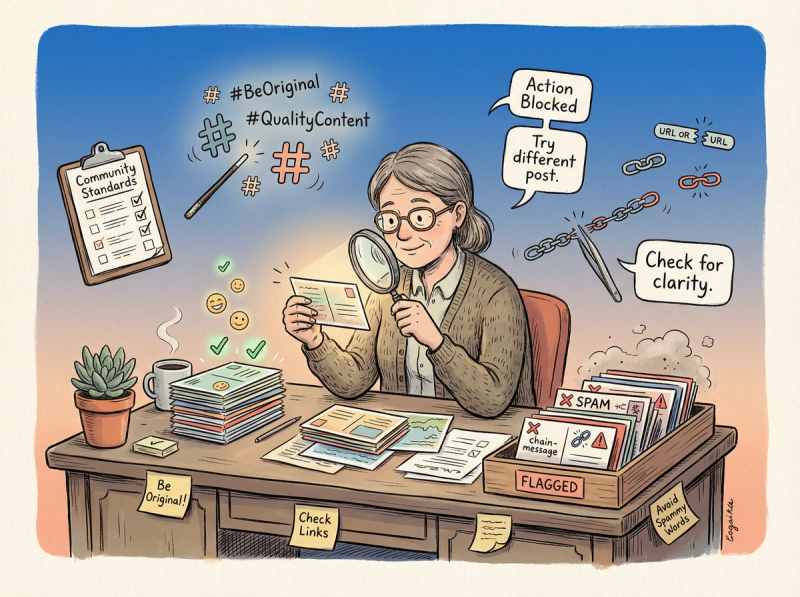
Why Facebook blocks specific posts:
Spam detection
- If your post matches text that thousands of people are sharing (like chain messages), Facebook assumes it's spam.
You might see "Action Blocked" with a message like "a lot of people are posting the same content."
Banned links
- Certain URLs (malicious sites, phishing pages, or flagged domains) get outright blocked.
Your post won't publish if it contains these links.
Community Standards violations
- Content with hate speech, harassment, explicit imagery, or misinformation can be stopped from publishing.
Facebook will warn you that it violates their standards.
Real example: Someone tries to share a viral meme phrase that's been copied everywhere.
Facebook blocks it immediately with: "This could mean it's spam. Please try a different post."
How to work around content blocks:
Make your post unique
- If it's spam detection, edit your content to be more original.
Add your own commentary, use different wording, share the info in a fresh way.
Facebook's filters target identical text being spread en masse.
Check out social media best practices for creating original content.
Remove suspicious links
- Try posting without the link first.
If it goes through, the URL was the problem.
Make sure all URLs point to reputable sites.
Cut down on hashtags and tags
- Too many can look spammy.
Try a version with fewer.
Review Community Standards
- Make sure you're not accidentally breaking rules.
Content about regulated goods, explicit imagery, or misinformation gets blocked.
Post manually instead of using a tool
- If you got blocked via a scheduling app, try posting directly on Facebook.
Sometimes app-specific issues cause blocks.
Important: Facebook has been cracking down on duplicate content. For example, Post Bridge doesn't allow posting identical content to multiple Facebook pages at once because it violates platform rules and could get your accounts penalized.
Always share authentic, original content.
If you need to share similar info in multiple places, personalize each post.
Tools like Post Bridge's Facebook scheduler help you manage multiple accounts while following platform rules.
What Is Facebook Jail? Account Restrictions Explained
If you can't post anything anywhere (not even on your own profile), your account might be in "Facebook Jail."
This is when Facebook temporarily suspends your posting privileges due to rule violations.
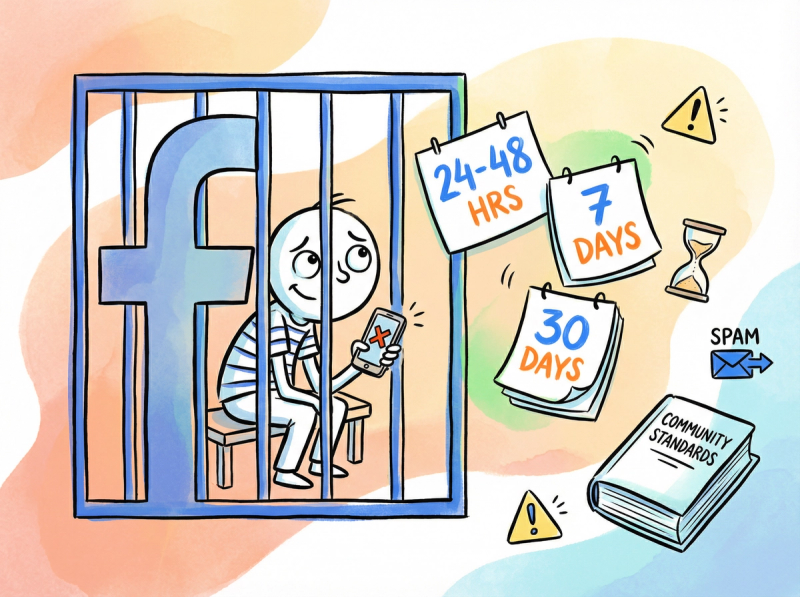
Why accounts get restricted:
Prohibited content
- Posting hate speech, harassment, graphic violence, or other rule-breaking content can lead to a temporary posting ban.
Spam-like behavior
- Posting the same comment in dozens of groups, or rapidly adding hundreds of friends, makes Facebook think you're a bot.
Multiple violations
- Facebook uses a strike system.
First offense gets a warning.
After several strikes, they restrict your posting ability for 24 hours to 30+ days.
How to know you're in Facebook Jail:
You'll typically see a message like:
"You're temporarily blocked from posting"
Also check your Support Inbox (under Help/Support menu) for a notice about the violation and how long it lasts.
Common Facebook ban durations:
| Offense Level | Typical Duration | What triggers it |
|---|---|---|
| First warning | No ban (warning only) | Minor content violation |
| First restriction | 24-48 hours | Repeated spam-like posts |
| Second offense | 7 days | Multiple violations in short time |
| Serious violation | 30+ days | Hate speech, harassment, major rule breaks |
What to do:
Wait it out
- Most bans are temporary (24-48 hours, 7 days, or 30 days).
The notification should tell you the duration. You have no choice but to let the time pass.
During this time, review our social media growth guide to plan better content.
Review the rules
- Check Facebook's Community Standards so you don't repeat the offense.
Learn about best practices for social media.
Appeal if you believe it's a mistake
- The notice might have a "Disagree with decision" or "Request Review" option.
Use it to ask Facebook to reconsider.
Be aware appeals take time, and often the ban lifts before you get a decision.
Learn from repeated issues
- Repeated violations lead to longer bans or permanent account disablement.
Consider this a serious warning to adjust your behavior.
While restricted, you can usually still browse and use Messenger.
Use the time to plan better content that won't trigger Facebook's systems.
Facebook Rate Limit: Posting Too Much Too Fast
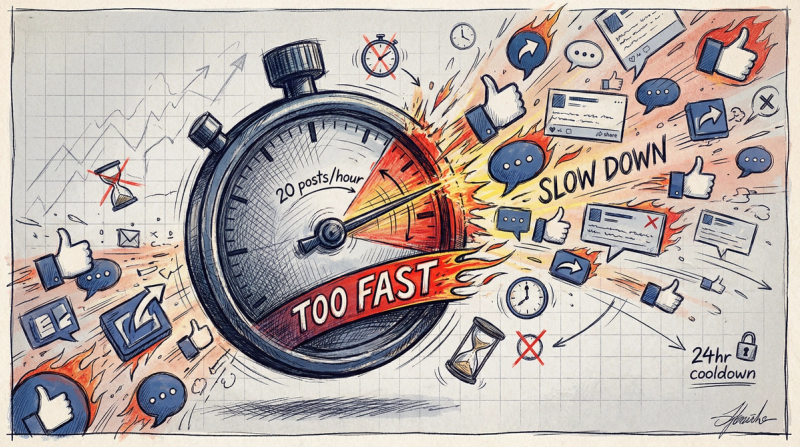
Even if your content is fine and you have no formal ban, Facebook can still block you for posting too aggressively.
The platform uses rate limits to prevent spam.
You might hit a limit if you:
- Post to dozens of groups in quick succession
- Share the same link across many Pages rapidly
- Leave tons of comments in a short time
What happens:
You might see: "You're temporarily restricted from posting" even though you haven't violated any content rules.
It's just a rate limit kicking in.
How to fix or avoid posting limits:
Take a break
- If Facebook stops you, stop trying immediately.
In most cases, your posting ability returns after 24 hours of rest. Fighting the system only extends the restriction.
Spread out your posts
- Instead of 20 posts in one hour, distribute content throughout the day.
This looks more natural and stays under Facebook's radar.
Use Post Bridge's scheduling features to plan posts in advance.
Vary your content
- Don't post identical text repeatedly.
Personalize each post for different groups or Pages.
Learn about creating original content.
Use scheduling tools wisely
- Tools like Post Bridge can help stagger your posts throughout the day.
But don't schedule an unrealistic flood.
The best tools (like Post Bridge) actually prevent you from spamming by blocking identical posts to multiple accounts at once.
Act human
- Facebook wants to avoid bot behavior.
Posting at a reasonable pace, with natural variation, keeps you off the spam algorithms.
Check our account warmup guide for best practices.
If you've been extremely active and suddenly can't post, you probably just need to slow down and wait.
Third-Party App Can't Post to Facebook? Fix Connection
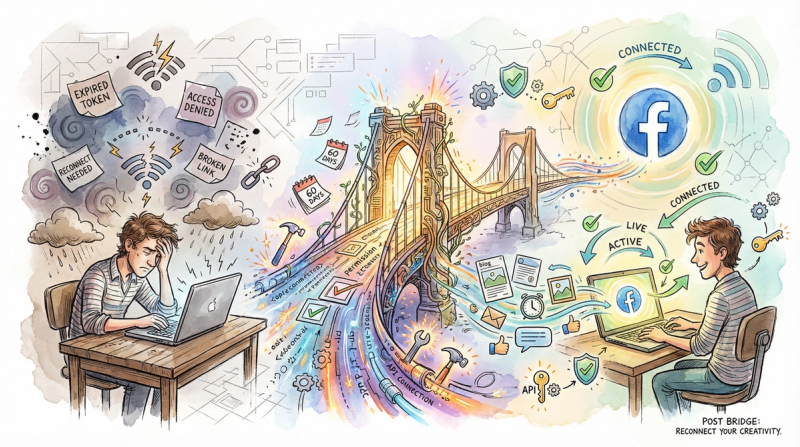
Are you trying to post via a scheduling tool or social media manager?
Sometimes the problem isn't Facebook or your account.
It's the app's connection or permissions.
Common third-party tool problems:
| Problem | What's happening | Quick fix |
|---|---|---|
| Expired access token | Facebook requires apps to renew access periodically (often after 60 days, or immediately if you change your password). | Disconnect and reconnect your account to get a fresh token. |
| Missing permissions | You skipped permission prompts when connecting, so the app can't manage Pages or post to groups. | Re-authorize and approve all requested permissions. Learn how to properly connect social accounts. |
| Unsupported destination | Facebook's API doesn't let third-party apps post to personal profiles (only Pages and Groups you manage). | You must post manually to your personal timeline. |
| App-specific bugs | The scheduling service itself has issues or outages. | Check the app's status page or support docs. |
How to fix third-party posting issues:
Reauthorize the app
- Disconnect and reconnect your Facebook account.
Go to Facebook Settings > Business Integrations, remove the app, then reconnect it.
This gives the app a fresh access token.
Here's how to connect your accounts properly.
Grant all necessary permissions
- When reconnecting, approve all requested permissions.
Skipping any can prevent posting.
Post directly as a test
- Try posting manually on Facebook.
If that works, the issue is definitely the app, not your account.
Check the app's help resources
- Most social schedulers have guides for common errors like "(#200) Insufficient permission to post" or "token expired."
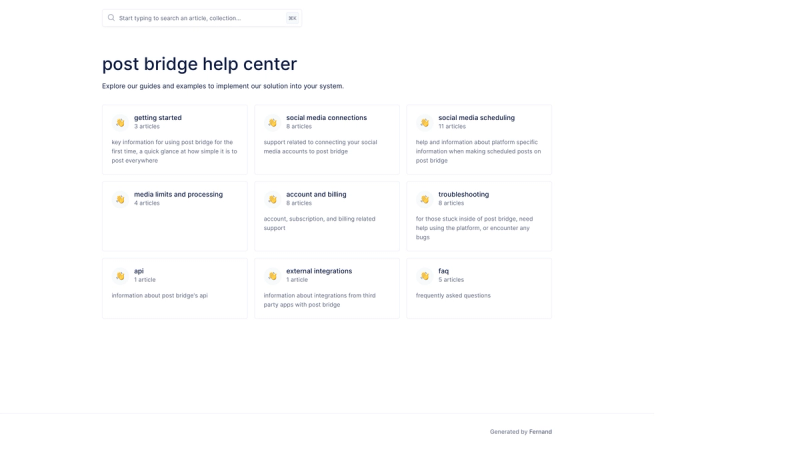
Visit Post Bridge's help center for detailed troubleshooting.
Ensure you're following platform rules
- Good apps (like Post Bridge) enforce Facebook's rules, such as not letting you blast identical posts to multiple Pages at once.
If the app blocks something, it's probably protecting your account.
Most third-party posting problems get fixed with a fresh login and proper permissions.
Additional Troubleshooting (When Nothing Else Works)
Still stuck?
Try these last-resort fixes:
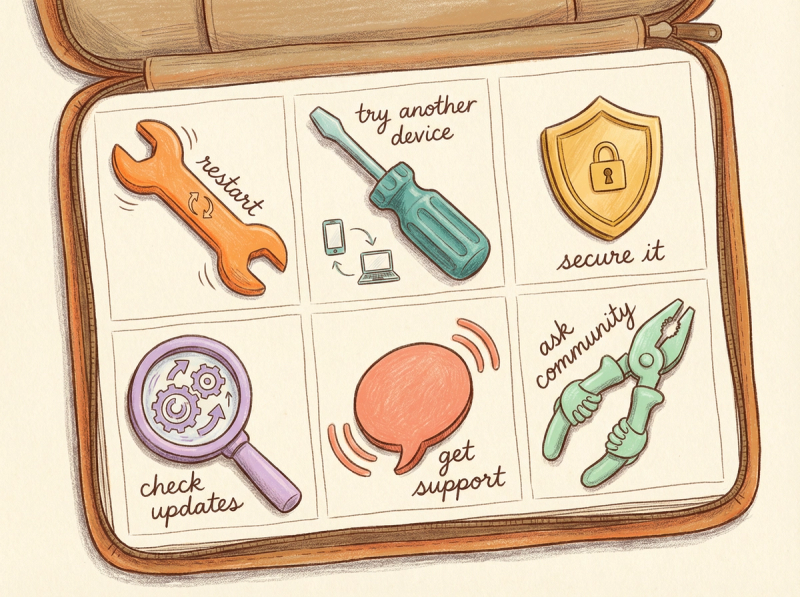
Restart your device
- Classic advice, but it works.
Reboot your phone or computer to clear background glitches.
Try a different device
- Log into Facebook from another phone or computer.
If posting works there, your original device has the issue.
Secure your account
- If your account was hacked or compromised, Facebook might restrict posting.
Change your password, enable two-factor authentication, and review active sessions in Settings & Privacy.
Check for Facebook updates or announcements
- Sometimes Facebook changes features or moves buttons.
Make sure you're not just looking in the wrong place.
Reach out to support (if you have business accounts)
- Business Pages and ad accounts sometimes have access to Facebook Business Support chat.
Ask the community
- Facebook Help Community forums or subreddits like r/Facebook can be useful.
Others may have experienced the same issue and found solutions.
Managing Multiple Platforms Efficiently
If you're running into these posting problems while trying to manage multiple social media accounts, you're not alone.
Manually posting to Facebook, Instagram, TikTok, LinkedIn, and other platforms separately is exhausting.
This is exactly why tools like Post Bridge exist.
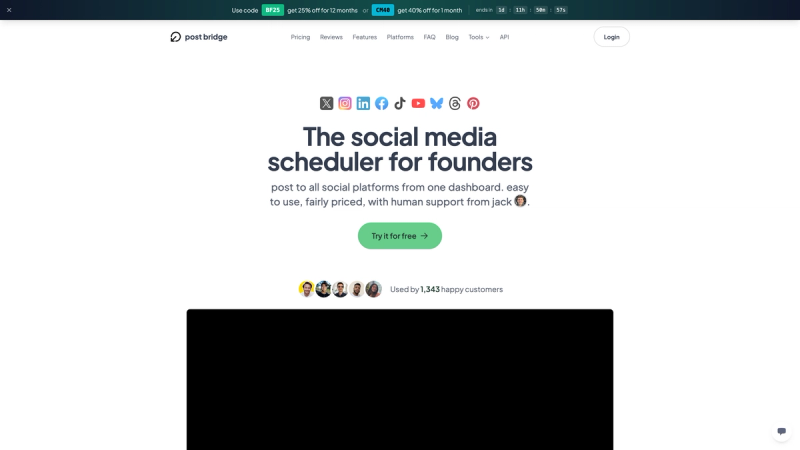
What Post Bridge does:
- Posts to 9+ platforms from one dashboard (Facebook, Instagram, TikTok, YouTube, LinkedIn, Pinterest, Threads, Bluesky, and X/Twitter)
- Schedules posts so you can plan content in advance instead of manually posting multiple times a day
- Prevents spam issues by enforcing platform rules (like not allowing identical content to multiple Facebook accounts at once)
- Works with Facebook Pages and Groups through proper API access and permissions
- Offers an API for developers who need programmatic posting
Whether you're a creator managing multiple accounts or a business trying to maintain consistent social presence, having one tool that handles everything saves time and reduces posting errors.
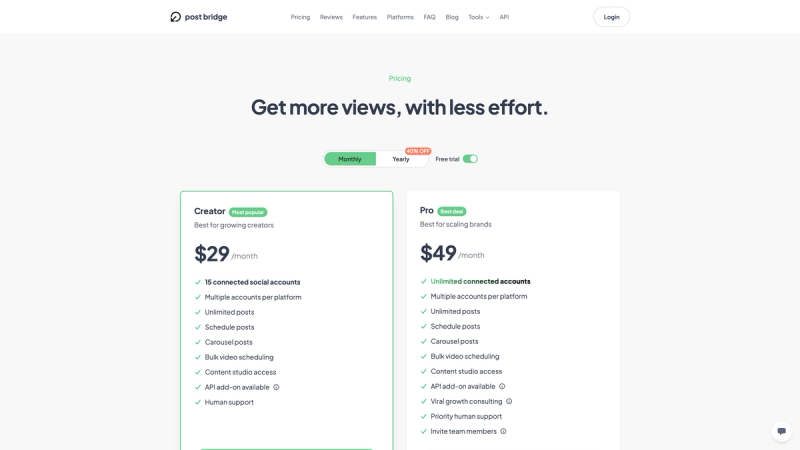
You can connect your accounts, schedule your content, and let Post Bridge handle the technical stuff while you focus on creating.
Plus, explore our free social media tools including an Instagram grid maker, TikTok caption generator, and more.
Try Post Bridge free and see how much easier multi-platform posting can be.
FAQ: Common Questions About Facebook Posting Issues
FAQ: Common Questions About Facebook Posting Issues
Why can't I post on Facebook but I can comment?
Facebook's restrictions are sometimes selective.
You might be temporarily blocked from posting due to a violation or spam flag, but commenting might still be allowed.
Check your Support Inbox for notifications about posting restrictions.
Learn more about managing social media accounts effectively.
Can I appeal a Facebook posting ban?
Yes.
If you receive a restriction notice, look for an "Request Review" or "Disagree with decision" option.
Click it to appeal.
Be aware that appeals can take time, and temporary bans often lift before you get a response.
Why do my posts disappear immediately after posting?
This usually means Facebook's automated filters flagged your content as spam or a rule violation.
The post is removed before anyone sees it.
Try rewording your post, removing any suspicious links, or ensuring it doesn't match viral copy-paste content.
Review social media best practices to avoid this issue.
How long do Facebook posting bans last?
It varies.
Common durations are:
- 24-48 hours (minor first offense)
- 7 days (repeated violations)
- 30 days or more (serious or multiple violations)
The notification you receive should specify the duration.
Can third-party tools get my Facebook account banned?
Reputable tools won't, but misusing any tool can cause problems.
Facebook bans accounts for spam behavior, not for using scheduling apps.
Good tools like Post Bridge actually prevent spam by enforcing platform rules (like not posting identical content to multiple accounts).
Learn about proper account warmup to stay safe.
Why can't I post to my personal Facebook profile with a scheduling tool?
Facebook's API doesn't allow third-party apps to post to personal profiles.
Tools can only post to Pages and Groups you manage.
If you want to share to your personal timeline, you have to do it manually on Facebook.
Check what Post Bridge supports for more details.
What's the difference between being in "Facebook Jail" and hitting a rate limit?
Facebook Jail is a formal restriction due to rule violations.
You'll get a notification and often can't post anywhere.
Rate limits are automatic cooldowns when you post too much too fast.
No formal violation, just Facebook slowing you down temporarily.
Using scheduling tools properly helps avoid both issues.
How do I know if Facebook is down or if it's just me?
Check real-time outage tracking sites or search "Facebook down" on Twitter/X.
If thousands of people are reporting issues at the same time, it's a platform-wide outage.
If no one else is reporting problems, the issue is likely on your end.
Can I post to Facebook groups if I'm not an admin?
It depends on the group's settings.
Some groups allow all members to post freely.
Others require post approval from moderators.
Some groups temporarily turn off member posts completely.
Check the group's rules and recent announcements.
Why does Facebook say my link is spam when it's legitimate?
Facebook's automated systems sometimes flag legitimate links by mistake, especially if:
- The link has been shared excessively by others
- The domain was previously flagged (even if incorrectly)
- The link shortener you used is associated with spam
Try posting without the link first.
If that works, contact Facebook support to appeal the link block.
Review best practices for sharing content.
Final Thoughts
Getting blocked from posting on Facebook is annoying, but now you know the 8 most common reasons and exactly how to fix them:
- Facebook's servers are down (wait it out)
- Weak internet connection (switch networks or restart router)
- Outdated app or browser issues (update, clear cache, or reinstall)
- Permission problems (check group/page roles)
- Content triggered spam filters (make posts unique and original)
- Account temporarily restricted (wait out the ban, review rules)
- Posting too much too fast (slow down, spread out posts)
- Third-party tool issues (reauthorize, grant permissions)
By working through this checklist systematically, you should be able to diagnose your specific issue and get back to posting.
And if you're managing multiple platforms and want to avoid these headaches, tools like Post Bridge can handle the technical complexity while you focus on creating great content.
Good luck, and happy posting!