
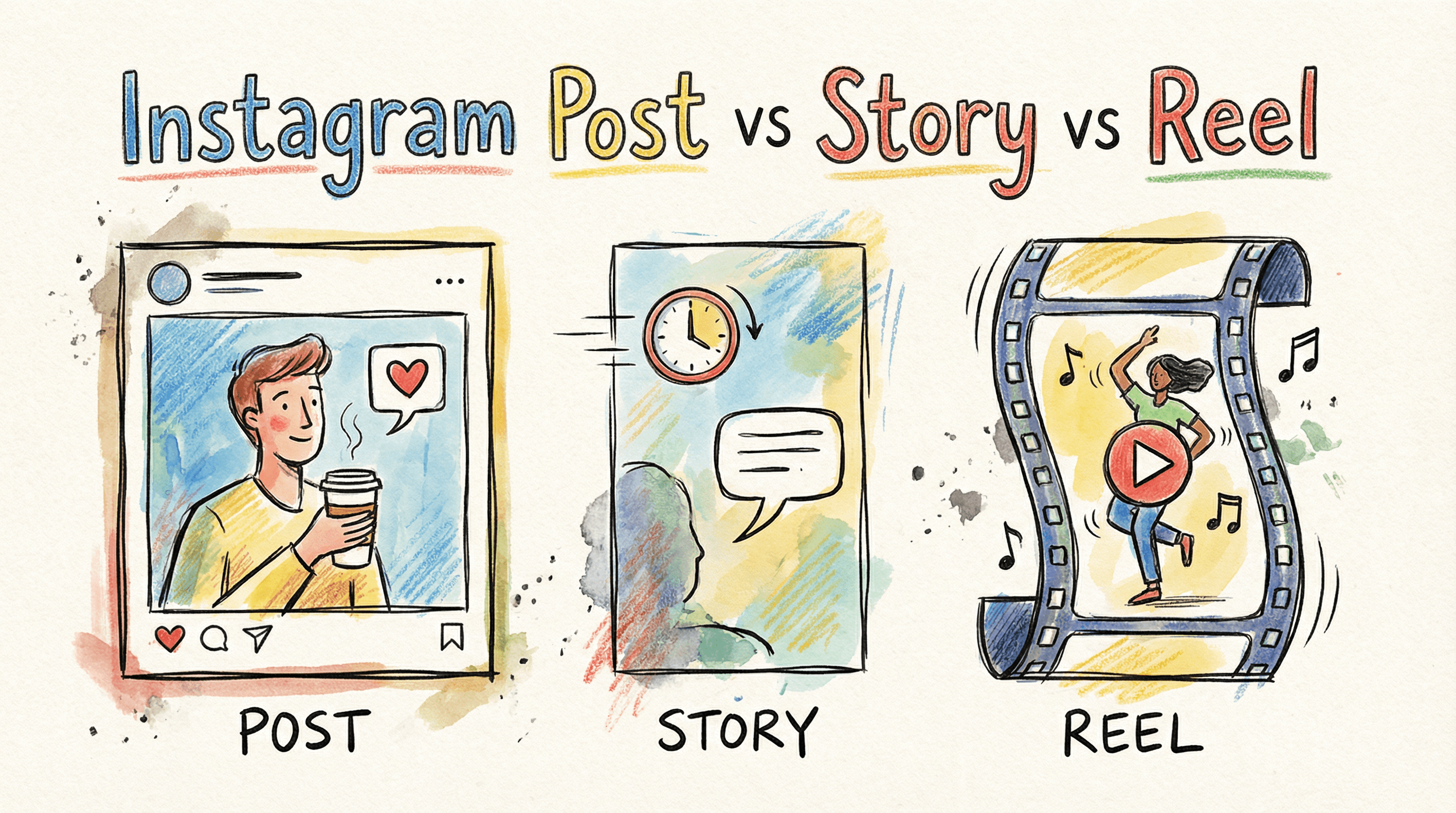
you've got content ready to go. Instagram's open. but now you're staring at three buttons: Post to Feed, Share as Story, or Create a Reel.
which one actually gets results?
all three work, but for completely different reasons. picking the wrong format for your goal is like showing up to a basketball game with a tennis racket. you might have great content, but if it's in the wrong place, it won't perform.
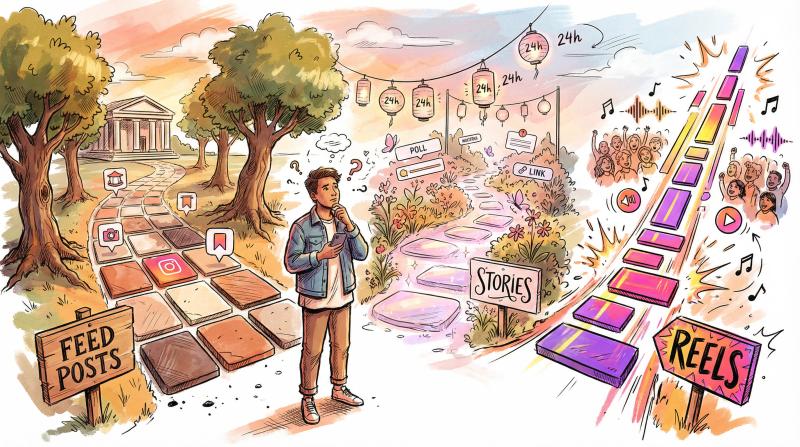
here's what you need to know about Instagram's three main content formats and when to use each one.
What Are Instagram Feed Posts and How Do They Work?
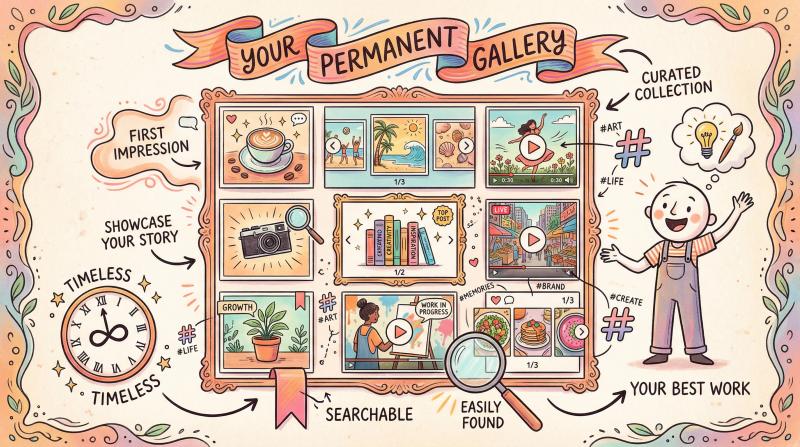
think of feed posts as your permanent gallery. these are the photos, carousels, and longer videos that live on your profile grid indefinitely. when someone discovers your account, your feed posts make that crucial first impression.
What Makes Feed Posts Different from Stories and Reels?
feed posts stick around. unlike Stories that vanish after 24 hours, these stay visible unless you delete them. they're searchable via hashtags, they appear in your profile grid, and they represent your brand at its best.
feed posts can include:
→ single photos or graphics
→ carousels (multiple swipeable images, up to 10)
→ videos up to 60 minutes when uploaded from desktop
→ captions up to 2,200 characters
the numbers tell an interesting story. carousel posts average around 0.55% engagement rate, slightly beating single images at 0.45%. why? people spend more time swiping through carousels, which signals quality to Instagram's algorithm.
When to Use Instagram Feed Posts (Best Use Cases)
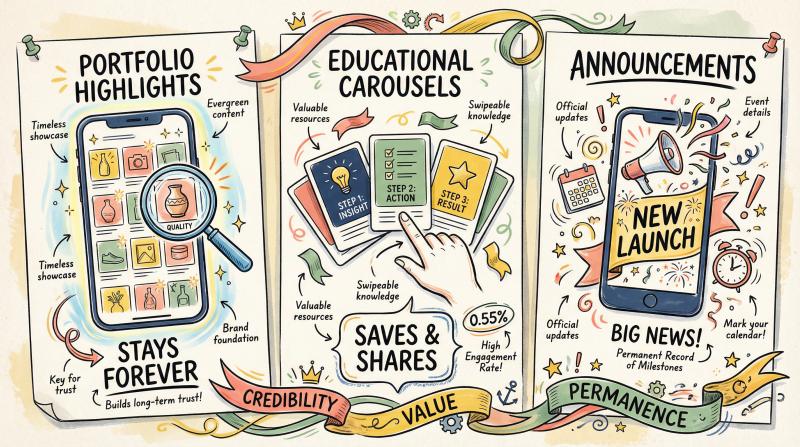
feed posts excel when you need permanence and credibility. use them for:
portfolio highlights – show your best work. product photos that convert. client testimonials. anything that needs to impress visitors months from now.
educational carousels – step-by-step tutorials or infographics that people bookmark and reference. these drive saves and longer engagement because they deliver actual value.
announcements – product launches, major updates, anything that shouldn't disappear tomorrow. you want this visible to everyone who checks your profile later.
feed posts are your visual resume. they don't go viral like Reels, but they age well.
one thing to understand: feed posts primarily reach your existing followers. only about 13-14% of your followers typically see a given feed post in their scroll. not huge, but remember that content also lives on your profile permanently for anyone who visits later.
if you've got an in-depth tutorial or interview that exceeds Reels' 90-second limit, a regular feed video is your best option. (we actually put together a guide on how to post long videos on Instagram up to 60 minutes using some handy workarounds.)
many creators also archive older Instagram posts to keep their grid looking fresh while preserving the content for future reference.
URL: https://www.post-bridge.com/instagram-scheduler
Location: Feed Posts section (near Instagram scheduling product mention)
Reason: Page renders as placeholder/loading screen (97.7% single gray color) even after 4 automated attempts with different browsers and motion profiles. Likely requires authentication or specific interaction.
Manual capture needed: Login to Post Bridge account, navigate to Instagram scheduler, capture at 1920x1080@2x.
See detailed instructions: web-screenshots/captures/SC-01-postbridge-instagram-scheduler.md
What Are Instagram Stories and Why Do They Matter?
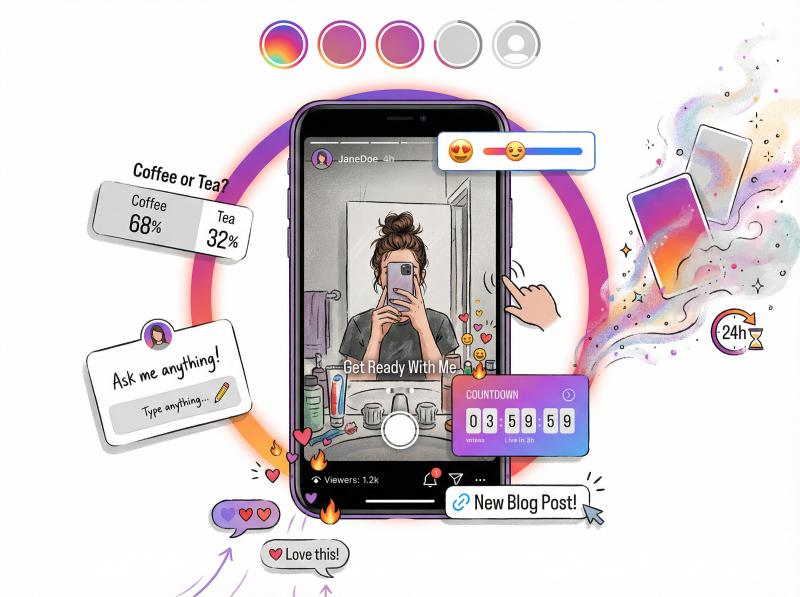
if feed posts are polished and permanent, Stories are raw and fleeting. they're vertical, fullscreen snippets that vanish after 24 hours. and that temporary nature is exactly what makes them powerful.
How Instagram Stories Work: Format and Features
Stories were Instagram's answer to Snapchat back in 2016. each Story card can hold a 15-second photo or up to 60 seconds of video. they appear in that tappable row at the top of Instagram, and they're designed for quick, casual updates.
here's the key thing: Stories are mainly seen by people who already follow you. there's no public Explore feed for Stories. no hashtag discovery. they're a followers-first format, which means they're not about getting new eyeballs. they're about engaging the audience you already have.
the format comes loaded with interactive features:
① polls and quiz stickers
② question boxes for Q&A
③ countdown timers
④ link stickers (yes, everyone can add links now)
⑤ emoji sliders for feedback
these turn one-way content into actual conversations.
Why Instagram Stories Drive More Sales and Conversions
500 million people use Instagram Stories daily. that's nearly half of Instagram's entire user base actively tapping through Stories every single day.
but here's what makes Stories really valuable: conversion power. according to Instagram's data, 58% of people became more interested in a brand after seeing it in Stories, and 50% actually visited a website to buy something they saw.
think about that flow. someone sees your Reel, follows you. then your Stories convince them to actually trust you and take action. the link sticker makes it frictionless to drive traffic and sales from engaged followers.
Metric - Typical Performance
- Reach - 20-50% of followers
- Completion Rate - 80-88% on average
- Engagement Type - DM replies, poll votes, link clicks
brand Stories average 88% completion rate. that means if someone starts watching your Story sequence, they'll usually finish it. that's remarkable engagement if you structure it well.
When to Post Instagram Stories (Best Times and Use Cases)
Stories work best for real-time connection and quick actions:
behind-the-scenes moments – show the messy process behind your polished feed posts. this authenticity builds rapport that a perfect photo can't.
interactive content – run a poll asking which design people prefer. use the question sticker for a Q&A session. it's instant market research and makes followers feel heard.
limited offers – the 24-hour limit creates natural urgency. "flash sale ends tonight" or "new blog post live, swipe up" gets people moving.
daily visibility – keeping an active Story means your profile bubble stays at the top of followers' feeds, acting as a daily reminder you exist.
pro tip: save important Stories to Highlights on your profile. this extends their life beyond 24 hours and creates a permanent resource people can reference (like an FAQ section or customer testimonials).
if you're managing content across multiple platforms (Instagram, TikTok, Facebook, LinkedIn, etc.), you probably don't want to manually post Stories everywhere. that's exactly why we built Post Bridge. schedule Instagram Stories across all your platforms from one dashboard, so you're not reposting the same content manually all morning.
What Are Instagram Reels and How Do They Work?
Reels are Instagram's TikTok clone, and they've become the platform's primary growth format. short vertical videos (up to 90 seconds, with some accounts testing 3 minutes) designed to hook viewers fast and spread wide.
here's what makes Reels fundamentally different: Instagram's algorithm actively pushes them to people who don't follow you. a good Reel can show up on complete strangers' feeds if the algorithm thinks they'll enjoy it.
How Much Reach Do Instagram Reels Get? (Real Numbers)
users now spend 50% of their time on Instagram watching Reels. half of all time on the platform. Instagram has clearly made Reels their priority, and the distribution reflects it.
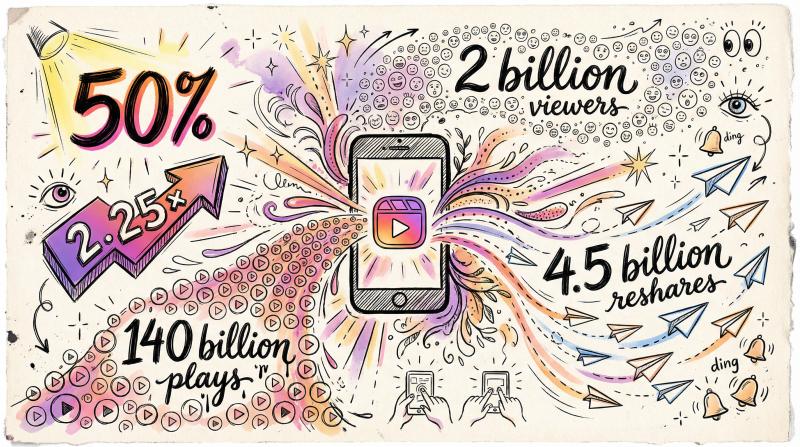
some eye-opening stats:
Metric - Performance
- Reach multiplier - 2.25× higher than photos
- Average reach rate - 30.8% of followers (vs 13-14% for posts)
- Monthly viewers - 2 billion people watch Reels
- Daily plays - 140 billion Reels played
- Daily reshares - 4.5 billion via Stories and DMs
for comparison, an average photo might reach one-seventh of your followers and maybe a few non-followers if it gets traction. an average Reel reaches one-third of your followers plus gets distributed to non-followers through the Reels feed and Explore page.
Why Instagram Reels Get More Views Than Posts and Stories
Reels are your audience expansion tool. they're how you find new followers and explode visibility beyond your existing bubble.
Reels typically include:
- quick-cut video with trending audio
- text overlays or captions (many watch without sound)
- strong hook in the first 2-3 seconds
- content that resets frequently to maintain attention
the format favors entertainment, education, or inspiration delivered fast. think challenges, transformations, quick tips, comedy skits, or satisfying process videos.
short-form videos are the most engaging content type online, with 66% of people saying they're more engaging than any other format. and Reels get 22% more engagement than regular Instagram videos.
if you're serious about growing your Instagram following, understanding how to go viral on Instagram through Reels is essential.
When to Use Instagram Reels vs Posts vs Stories
use Reels when your goal is growth, awareness, or high engagement:
reaching new audiences – launching a campaign? do a Reel. a fitness coach posting a 15-second transformation video can reach thousands of strangers through Explore.
trending content – if there's a viral audio or meme relevant to your niche, adapt it quickly. Instagram actively promotes trending Reels while they're hot. our growth guide on riding trends covers this strategy in detail.
quick education – 30-second tutorials or "how-to" clips perform incredibly well. people save and share useful Reels constantly.
entertainment value – funny, inspiring, or emotionally resonant content that fits your brand. if it makes someone feel something in under a minute, that's Reel material.
one critical thing: Reels require a hook in the first 2-3 seconds. the competition is fierce. successful Reels start with something visually striking or a bold text hook to stop the scroll.
always add captions or text overlays since many watch muted.
you can also cross-post Reels to Facebook with one tap, effectively doubling your reach. and if you're creating similar content for TikTok or YouTube Shorts, scheduling them all at once saves massive time. (that's another reason we designed Post Bridge to handle TikTok, Instagram, YouTube, and 7 other platforms from one place.)
Instagram Post vs Story vs Reel: Which Gets More Engagement?
let's put the formats side by side on what matters:
Format - Primary Strength - Typical Reach - Best For
- Feed Posts - Permanence & credibility - 13-14% of followers - Portfolio, tutorials, announcements
- Stories - Connection & conversion - 20-50% of followers - Behind-scenes, polls, limited offers
- Reels - Discovery & growth - 30%+ of followers + non-followers - Viral content, trends, new audiences
for reach and discovery: Reels dominate. they're built to spread beyond your existing audience. studies show Reels delivered 2.25× the reach of photos.
for engagement rate per post: this gets interesting. carousels slightly edge out Reels with 0.55% vs 0.50% engagement, with single images at 0.45%. but Reels generate more comments and shares in total volume because of their wider distribution.
for lifespan: feed posts win. they live on your profile forever and can gather engagement for months. Stories die after 24 hours (unless saved to Highlights). Reels often blow up in 48 hours if they're going to, then taper off.
for relationship building: Stories excel. the format is designed for intimacy with existing followers. polls, Q&As, and casual glimpses create genuine connection that broadcast formats can't match.
for content depth: feed posts, especially carousels with long captions. you can deliver 2,200 characters or 10 images worth of information. Reels are constrained by time, even at 90 seconds.
the real answer? you need all three formats working together, each doing what it does best.
How to Use Posts, Stories, and Reels Together (Strategy Guide)
top creators don't ask "should i do posts OR Reels OR Stories?" they use all three in concert as parts of a unified strategy.
here's the formula:
① lead with a Reel (discovery)
start with content that grabs the biggest audience. create a snappy Reel highlighting the most eye-catching part of your message.
example: a fitness coach posts a 15-second Reel showing a dramatic client transformation set to trending audio. the hook: "wait for the final result." this Reel's job is to grab attention from both followers and new viewers scrolling Explore.
② follow up in Stories (engagement)
now that you've piqued interest, go deeper through Stories for people who want more. share behind-the-scenes of that transformation. talk to the camera about the challenges. run a poll: "interested in learning our method?"
the Stories provide context, authenticity, and interaction. maybe add a link to sign up for a program. this nurtures the curiosity the Reel created and builds trust.
③ cement it with a feed post (retention)
finally, publish a feed post that lives permanently. create a carousel breaking down "5 tips for fitness transformations" or post a before/after photo with a detailed caption.
this feed post is a reference point. anyone who saw the Reel or Stories can save this carousel for details. it shows new profile visitors your expertise long after Stories expire.
one message across three formats: Reel hooks them → Story engages them → post retains them.
this approach covers every stage of the audience journey. you're simultaneously attracting new people (Reels), nurturing relationships (Stories), and building lasting credibility (posts).
another example: recipe blogger creates a 30-second Reel showing a delicious dish being made (for maximum reach and shares). then in Stories, shares the full ingredients list with a poll "would you try this?" and behind-the-scenes bloopers (to connect with followers and drive blog traffic). finally, posts a beautiful photo of the finished dish as a feed post with the complete recipe in caption (so it's permanently available and searchable).
one content idea yields a Reel, Story series, and post. each reinforces the others.
How to Schedule Instagram Posts, Stories, and Reels in Advance
managing three formats might sound overwhelming, but planning ahead makes it manageable. you can schedule posts, stories, and reels in advance with the right workflow.
for instance, at Post Bridge, we specifically built multi-format Instagram scheduling because we kept seeing creators waste hours reposting the same content manually. draft all your content once, schedule it across Instagram (plus TikTok, YouTube, Facebook, LinkedIn, and more), and let automation handle the rest while you focus on actually creating.
the goal is to create once and adapt, not start from scratch for each format. following social media best practices means working smarter, not harder.
How to Choose Between Instagram Post, Story, or Reel
the real question isn't "which format is best?" it's "what am i trying to achieve right now, and who am i trying to reach?"
want new followers and maximum visibility?
use Reels. they're your discovery engine. a brand new follower most likely finds you via an entertaining Reel that went wide. optimize for shareability and trend alignment.
want to deepen engagement with existing followers or drive conversions?
use Stories. they're your conversation starter and conversion tool. nurture relationships with interactive, authentic content. don't worry that non-followers won't see them. you're talking to your inner circle, moving them from liking you to trusting you.
want to showcase expertise or create content that lasts?
use feed posts. they act as your brand's memory and proof. quality over quantity. your grid is what visitors scroll when researching you. use posts for guides, announcements, portfolio pieces, anything worth keeping on the record.
also consider your brand style and audience expectations. a luxury brand might post fewer Reels and more polished feed photos to maintain an aesthetic. a young creator might pump out daily Reels and candid Stories to match their energy. there's no universal formula.
our growth guide breaks down how to develop a content strategy that aligns with your specific goals and audience.
Instagram Post vs Story vs Reel: Frequently Asked Questions
what's the difference between an Instagram Post and a Reel?
an Instagram post (feed post) is any photo, carousel, or video you publish to your main feed and profile grid. it stays there permanently. a Reel is a short-form vertical video (up to 90 seconds) specifically designed for the Reels feed and optimized for discovery. posts primarily reach your followers; Reels actively get pushed to non-followers.
are Reels better than posts for engagement?
it depends on how you measure engagement. Reels typically get more total likes, comments, and shares because they reach more people. but carousel posts often have a higher engagement rate (engagement divided by reach), averaging around 0.55% versus 0.50% for Reels. if you want volume, Reels win. if you want depth per viewer, carousels often perform better.
how long do Instagram Stories last?
Stories disappear after 24 hours. however, you can save important Stories to Highlights on your profile, which makes them permanent. Highlights appear below your bio and let visitors browse your best Story content even after the 24-hour window expires.
should i post Reels or Stories daily?
that depends on your capacity and goals. many successful accounts post Stories daily (or multiple times per day) to maintain visibility with followers. Reels don't need to be daily. even 3-4 high-quality Reels per week can drive significant growth if they're well-executed. daily Reels risk burnout and quality drops unless you have a solid content system.
can i schedule Instagram Stories and Reels in advance?
yes. Instagram's Creator Studio lets you schedule some content, but it's limited. third-party tools like Post Bridge let you schedule Stories, Reels, and feed posts across Instagram and other platforms weeks in advance from one dashboard. this saves massive time if you're managing multiple accounts or platforms. check out our affordable pricing plans starting at just $9/month.
do Instagram feed posts still matter in 2025?
absolutely. feed posts are how you build credibility and showcase your work permanently. while Reels get more algorithmic push, feed posts establish your visual identity and remain searchable. someone discovering you via a viral Reel will check your feed to decide if you're worth following long-term.
how do i know which format to use for my content?
ask yourself: "what's my goal for this specific piece of content?"
- goal = reach new people → use a Reel
- goal = engage current followers → use a Story
- goal = permanent reference or credibility → use a feed post
often the best approach is using the same content idea across all three formats, adapted to each format's strengths.
what's the ideal length for Instagram Reels?
Instagram allows Reels up to 90 seconds (with some accounts testing 3 minutes). but attention span matters more than the limit. many top-performing Reels are 15-30 seconds. hook viewers in the first 2-3 seconds, deliver value quickly, and end with a clear payoff. longer isn't better unless the content genuinely requires it.
Should You Use Instagram Posts, Stories, AND Reels? (Final Answer)
Instagram isn't one platform anymore. it's three distinct formats under one roof, each with different algorithms, audiences, and purposes.
feed posts = your permanent portfolio
Stories = your daily connection
Reels = your growth engine
stop trying to pick a "winner" and start using each format strategically. the accounts winning on Instagram in 2025 aren't betting everything on Reels or ignoring Stories. they're building cohesive content systems that use all three.
create a Reel that hooks people. follow up with Stories that engage them. publish a feed post that retains them. rinse and repeat.
and if you're managing content across Instagram plus TikTok, YouTube, LinkedIn, Facebook, and others, automate the repetitive parts so you can focus on actually creating. that's exactly why Post Bridge exists. nine platforms, one dashboard, scheduled in minutes instead of hours.
whether you need help with Instagram scheduling, cross-posting to TikTok, Facebook, LinkedIn, YouTube, Pinterest, Threads, Twitter/X, or even Bluesky, we've got you covered.
we also offer free social media tools to help creators succeed, including an Instagram grid maker, Instagram handle checker, and TikTok username checker.
for solo business owners looking to maximize their reach without getting overwhelmed, check out our guide on organic marketing strategies.
now you know exactly where to put that content you've been sitting on. stop overthinking it and start posting strategically.